
APG M-15J-DC Accessory




 Full specifications (PDF)
APG Cash Drawer Accessory Model Overview
Recommended Accessories
Category
- APG Cash Drawer (2)
- Carrying and Protective Accessories (1)
- Cash Drawer Accessories (236)
- Computer Accessories (5)
- Miscellaneous (35)
- POS Cash Register System (1)
- Serial Cash Drawer (1)
Recommended Accessories for Model: APG M-15J-DC Accessory
Top APG Cash Drawer Purchased With APG M-15J-DC
-
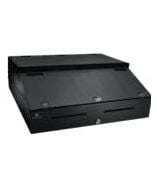 APG INT484A-BL Cash DrawerPOS Integrator System; 16" wide x 19.5" long x 4.9" high, SerialPRO II Interface, Tray, Riser, Drawer Media Storage. Color: BlackItem on backorder — chat for lead time$416.09
 -
 APG M-403 Cash DrawerLatch Bracket (for Series 100 Cash Drawers Only)Item on backorder — chat for lead timePlease Call for Pricing or to Purchase
Top Carrying and Protective Accessories Purchased With APG M-15J-DC
-
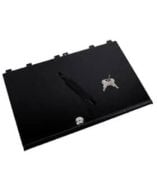 APG VPK-14B-27-BX Carrying and Protective AccessoriesCases Boots Protectors, APG, Locking Till Cover for 13" x 13" Vasario Cash DrawerIn Stock$36.25
Top Cash Drawer Accessories Purchased With APG M-15J-DC
-
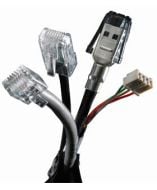 APG CD-001A AccessoryAPG Cash Drawer Cash drawer cable - RJ-45 Male - RJ-12 Male - 4.92ftItem on backorder — chat for lead timePlease Call for Pricing or to Purchase
 -
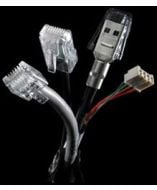 APG CD-002A AccessoryAPG Cash Drawer MultiPRO Interface Cable - Data Transfer Cable - MolexItem on backorder — chat for lead time$26.11
 -
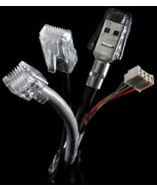 APG CD-003A AccessoryMultiPro I & III cable kit for use with Axiohm A470 & A475 printers.Item on backorder — chat for lead time$7.86
Top Computer Accessories Purchased With APG M-15J-DC
-
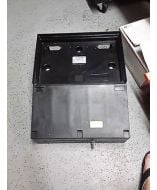 APG RK-BL16195-F Accessory16" W x 19.5" D, Caddy kit for series 100. Includes Base Cap, Keyboard Clips. Color: black.Item on backorder — chat for lead timePlease Call for Pricing or to Purchase
 -
 APG RK-CW2021-S1 AccessoryCaddy Kit (Includes Base, Cap, Keyboardclips and Stepcap, for the 20 x 21 Series 4000 Cash Drawer) - Color: Cloud WhiteItem on backorder — chat for lead timePlease Call for Pricing or to Purchase
 -
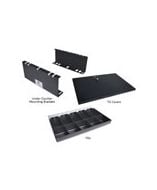 APG PK-KB-01 AccessoryCaddy System Keyboard Clips (Set of 3)Item on backorder — chat for lead time$17.18
Top Miscellaneous Purchased With APG M-15J-DC
-
 APG PK-433-16195BL ProductsREAR PANEL KIT FOR 16 X 19.5 (16195) SERIES 100Item on backorder — chat for lead time$29.17
 -
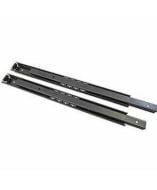 APG PK-4A-BL ProductsTRACK ASSEMBLY KIT FOR C,P,T,J 2 DRAWER SLIDES SEE NOTESItem on backorder — chat for lead time$37.77
 -
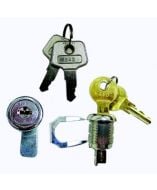 APG PK-8CLS-A10 ProductsTUMBLER LOCK ASSEMBLY-LOCK A10 KEYS=A10 SEE NOTESItem on backorder — chat for lead timePlease Call for Pricing or to Purchase
Top POS Cash Register System Purchased With APG M-15J-DC
-
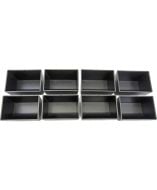 APG VPK-15J-01-BX AccessoryAPG Cash Drawer Cash Drawer Coin Cup - 8 x Cash Drawer Coin CupItem on backorder — chat for lead time$36.19
Top Serial Cash Drawer Purchased With APG M-15J-DC
-
APG INT484A-BL Cash DrawerPOS Integrator System; 16" wide x 19.5" long x 4.9" high, SerialPRO II Interface, Tray, Riser, Drawer Media Storage. Color: BlackItem on backorder — chat for lead time$416.09
Frequently Asked Questions
What makes the Zebra ET80 ideal for demanding work environments?
The Zebra ET80 is designed for mission-critical workers, featuring a rugged build that withstands drops, dust, mud, and even hosing off without damage. It’s also IP65 rated and has certifications for use in hazardous locations.
Can the ET80 tablet transform into a laptop or workstation?
Yes! The ET80 is a 2-in-1 device. It can be used as a tablet for maximum mobility, or it can instantly transform into a laptop with the rugged keyboard attachment or into a full workstation with the universal dock.
How does the ET80 support secure access for users?
The ET80 offers robust security features, including a Windows Hello front-facing camera for facial recognition, an optional fingerprint reader for two-factor authentication, and optional CAC smartcard readers for government-grade data security.
What are the wireless and connectivity options for the ET80?
The ET80 offers the latest wireless technologies, including WiFi 6E, 4G/5G cellular, Bluetooth 5.2, NFC, and optional GPS. It also has antenna passthroughs for use in vehicles, ensuring a strong, reliable connection anywhere.
How does the ET80 handle data capture in the field?
The ET80 includes a 13MP rear camera for high-quality photos and an optional integrated 2D barcode scanner for fast, accurate data capture. These tools are perfect for fieldwork, documentation, and real-time updates.
What accessories and customization options are available for the ET80?
The ET80 can be tailored to specific job needs with a range of accessories, including vehicle and office docks, rugged boots, shoulder straps, handle straps, hot-swappable secondary batteries, CAC card readers, and active stylus pens.
What is the Zebra ET85, and who is it designed for?
The Zebra ET85 is a rugged 2-in-1 Windows tablet designed for mission-critical workers in public safety, field service, and manufacturing who need a flexible, durable, and reliable computing solution.
What are the connectivity features of the ET85?
The ET85 offers advanced wireless connectivity, including WiFi 6E, Bluetooth 5.2, optional 4G/5G cellular, GPS, and NFC, ensuring fast and reliable connections in any environment.
How does the ET85 adapt to different work settings?
The ET85 can quickly convert from a tablet to a laptop using the detachable rugged keyboard. It can also be docked in vehicles or at desks for use as a workstation, offering maximum versatility.
What security options are available on the ET85?
The ET85 includes a Windows Hello front-facing camera for facial recognition, optional fingerprint reader, and support for a Common Access Card (CAC) reader for two-factor authentication and secure data access.
How rugged is the ET85 for tough environments?
The ET85 is IP65-rated, can withstand drops up to 5 ft (with an optional rugged boot), and operates in extreme temperatures. It also has Class 1 Division 2 certification for hazardous environments.
What are the display and data capture features of the ET85?
The ET85 features a 12-inch QHD touchscreen with sunlight readability, glove and wet touch support, and optional night-vision mode. It also includes a 13 MP rear camera, 5 MP front camera, and optional barcode scanner for high-quality data capture.
What industries or use cases is the Zebra ET80 designed for?
The ET80 is built for mission-critical roles in public safety, field service, manufacturing, and utilities—supporting tasks like dispatch, incident reporting, equipment maintenance, and mobile command operations.
How rugged is the ET80 and what certifications does it meet?
The ET80 meets MIL-STD-810H standards, is IP65 sealed even with ports open, and offers optional Class 1 Division 2 certification for use in hazardous environments.
Can the ET80 be used as both a tablet and a laptop?
Yes, the ET80 functions as a true 2-in-1 device with a detachable, rugged keyboard and universal docking support, making it suitable for tablet, laptop, and fixed/mobile workstation modes.
What wireless and connectivity options does the ET80 support?
It supports Wi-Fi 6E, Bluetooth 5.2, optional 4G/5G (ET85 only), GPS, and even CBRS for private LTE networks in large facilities.
Does the ET80 support barcode scanning?
Yes, an optional SE4107 2D barcode scanner is integrated for enterprise-grade scanning, even on damaged or poorly printed barcodes.
What are the display and touch capabilities of the ET80?
The ET80 features a 12" QHD display (2160x1440) that is sunlight-readable, works with gloves and in wet conditions, and supports an active pen (MPP 2.0).
What makes the Zebra ET85 different from the ET80?
The ET85 includes built-in support for cellular connectivity (4G/5G), dual SIM slots (1 Nano SIM + 1 eSIM), and optional GPS—making it ideal for mobile field workers who require constant connectivity outside Wi-Fi range.
What wireless technologies does the ET85 support?
The ET85 supports Wi-Fi 6E, Bluetooth 5.2, 4G/5G cellular data (Cat 22 LTE and sub-6 GHz 5G), GPS with dual-band (L1 + L5), and CBRS for private LTE networks in the U.S.
Can the ET85 be used in vehicles?
Yes, it’s designed for use in vehicles such as police cars, trucks, and forklifts, with available universal docking solutions, antenna passthroughs, and E-Mark automotive certifications.
What security features does the ET85 offer?
It includes Windows Hello facial recognition, optional fingerprint and CAC smartcard readers, contactless NFC login, and a Kensington lock slot for physical security.
What display and input features are available?
The ET85 features a 12" QHD touchscreen that’s sunlight readable, glove- and wet-compatible, and supports an active MPP 2.0 pen. The optional keyboard is IP65-rated and includes programmable hotkeys.
How long does the battery last and is it hot-swappable?
The ET85 runs up to 11 hours on the standard battery, with up to 17 hours when using the optional hot-swappable auxiliary battery for extended shifts.
What is the Zebra ZT400 Series Industrial Printer?
The Zebra ZT400 Series is a line of industrial thermal printers built on a metal frame with a bi-fold metal media cover, side-loading supplies path and a 4.3-inch full-color touch display. The series comprises two models — the 4-inch ZT411 and the 6-inch ZT421 — each available in 203 dpi, 300 dpi and, on the ZT411 only, 600 dpi resolutions. Both support thermal transfer and direct thermal printing.
The ZT400 Series is used for work-in-process, product ID and serial numbers, and package labeling in manufacturing; order picking, shipping and receiving, cross-docking and compliance labeling in transportation and logistics; distribution center and back-of-store operations in retail; and laboratory, blood bank, asset tracking and pharmacy labeling in healthcare.
What is the difference between the ZT411 and the ZT421?
Print width and speed are the main differences. The Zebra ZT411 prints up to 4.09 in. (104 mm) wide at up to 14 ips (356 mm/sec), while the ZT421 prints up to 6.6 in. (168 mm) wide at up to 12 ips (305 mm/sec). The 600 dpi resolution option is available on the ZT411 only, as are the 1 in. I.D. core media supply hanger and ink-side-in ribbon supply options.
The ZT421 accepts wider media — 2.00 in. (51 mm) to 7.0 in. (178 mm) in tear/cutter mode versus 1.00 in. (25.4 mm) to 4.5 in. (114 mm) on the ZT411 — and is correspondingly larger at 13.25 in. wide and 40 lbs. (18.14 kg), against 10.6 in. and 36 lbs. (16.33 kg). Choose the ZT421 for wide pallet and shipping labels, and the ZT411 for standard 4-inch work, higher speed, or when 600 dpi is required.
Can RFID be added to a ZT400 printer in the field, and what is the On-metal Tagging Solution?
Yes. The Zebra ZT400 Series integrated RFID system is user-upgradable in the field and available on both the 4-inch ZT411 and 6-inch ZT421, so a printer bought for barcode work can be converted when tracking requirements change. It supports tags compatible with UHF EPC Gen 2 V2, ISO/IEC 18000-63 and RAIN RFID protocols, and Adaptive Encoding Technology automatically selects the optimum encode settings.
The ZT411 RFID On-metal Tagging Solution is a separate, field-installable kit — Zebra describes it as the only dedicated option for printing and encoding the thicker RFID labels used on metal containers and assets, which defeat standard RFID media. Note that the on-metal kit is available on the ZT411 only, and not on the 600 dpi model.
What connectivity options does the ZT400 Series offer?
The Zebra ZT400 Series comes standard with 10/100 Ethernet, RS-232 Serial, USB 2.0 high-speed, dual USB Host ports and Bluetooth 4.1. Two open communication slots accept internal cards for dual-band 802.11ac Wi-Fi with Bluetooth, bi-directional parallel, additional 10/100 Ethernet or an applicator interface.
The dual USB Host ports let you connect a scanner and keyboard simultaneously, or use a memory stick to replicate firmware, files and configurations across printers without unplugging peripherals. The Network Connect option attaches ZT400 printers directly to an Industrial Ethernet network with no additional equipment, and the Print Touch app pairs the printer to NFC-enabled devices with a tap, surfacing dynamic QR codes for support content.
Can the ZT400 replace an existing printer without rewriting our label formats?
In most cases, yes. The Zebra ZT400 Series supports both ZPL and ZPL II, so label formats and applications built for other Zebra printers transfer directly. It also supports EPL and EPL2 with Line Mode for legacy application compatibility, which eases migration from older Zebra desktop printers — note that EPL is available on 203 dpi models only.
For non-Zebra fleets, the Virtual Devices app lets the ZT400 interpret printer languages normally associated with other brands, so existing formats from a competitive printer can often be used without reauthoring. This makes the ZT400 a practical drop-in replacement across mixed printer estates.
How do we manage a fleet of ZT400 printers remotely?
Zebra ZT400 Series printers run Link-OS and are supported by Print DNA, Zebra's suite of productivity, management, development and visibility tools. Printer Profile Manager Enterprise, a Print DNA option, is a browser-based console that discovers every Link-OS printer on the network and manages one printer, a defined group or an entire global estate without manually tracking down or configuring individual units.
Print DNA MDM Connectors integrate networked ZT400 printers into an existing AirWatch or SOTI MobiControl deployment, giving a single pane of glass across Zebra devices and printers. Zebra also provides complimentary deployment utilities for initial setup, and visibility tools reporting printer health, usage and performance. Print DNA features vary by model and may require a support contract.
What is the Impinj R700 RAIN RFID Reader?
The Impinj R700 is a four-port fixed RAIN RFID reader built for enterprise-grade deployments. It complies with the GS1 UHF Gen2v2 air interface standard, standardized by ISO/IEC as 18000-63, and reads up to 1,100 tags per second with a maximum receive sensitivity of -92 dBm at a 10⁻³ bit error rate.
Unlike a handheld reader, the R700 is mounted in a fixed position and connected to external antennas — four monostatic RP-TNC ports supporting up to 32 read zones. It ships in two regional variants: IPJ-R700-141 for FCC markets and IPJ-R700-241 for ETSI markets. Typical applications include loss prevention, pallet tracking, real-time inventory management, asset management, conveyor systems and supply chain visibility.
How does the Impinj R700 compare to the Speedway R420?
The R700 is a substantial hardware generation ahead. Its receive sensitivity is -92 dBm versus -84 dBm on the Speedway R420 — an 8 dB improvement that lets it read smaller tags and reach further. Processing moves from a 400 MHz single-core to a 1 GHz dual-core processor, RAM from 256 MB to 1,024 MB, and the custom application partition from 32 MB to 128 MB.
Connectivity improves as well: Gigabit Ethernet replaces 10/100, USB peripheral slots go from one to three, and the GPIO block is integrated rather than sold as an accessory. Both readers have four antenna ports, 32 maximum read zones and an 1,100 reads-per-second rate, and both support PoE and PoE+. Maximum transmit power rises slightly, from 32.5 dBm to 33.0 dBm.
How is the Impinj R700 powered, and does the power source affect performance?
The Impinj R700 is powered exclusively over Ethernet — either PoE (802.3af) or PoE+ (802.3at) — with no separate DC input. Where the reader is not connected to a PoE-capable switch, an Impinj midspan power injector (part IPJ-A2010) adds inline power to the network connection.
The power source does affect RF performance. On PoE, maximum transmit power is 30 dBm; on PoE+, it rises to 33 dBm. When connected to a device supporting Link Layer Discovery Protocol (LLDP), the R700 checks whether PoE+ is available and configures itself to use it automatically. If maximum read range matters, verify the switch or injector delivers PoE+.
How do we develop applications for and integrate with the Impinj R700?
The Impinj R700 supports four development paths. A RESTful interface allows host-based applications in over 80 languages, connecting the reader to IoT applications the same way as other IoT devices. The Octane SDK covers host-based .NET and Java development, and the LLRP Toolkit covers .NET, Java, C and C++.
For on-reader applications, the Embedded Toolkit supports C and C++ running in a 128 MB custom application partition, so tag-processing algorithms can execute at the edge rather than sending raw reads upstream. Gigabit Ethernet keeps latency low and prevents data bottlenecks. Firmware is Impinj R700 LLRP with Impinj extensions, and the network stack supports IPv4 and IPv6 with SSH, HTTP, HTTPS, NTP, DHCP, SFTP and mDNS services.
What security features does the Impinj R700 provide?
The Impinj R700 runs a secure, field-upgradable Linux operating system on a 5.1 kernel. It uses an encrypted software image and a secure software boot with chain-of-trust, which prevents unauthorized software from executing on the reader — a common requirement in enterprise and retail deployments where readers sit on the corporate network.
It supports 802.1x port security for network access control, HTTPS and SSH for encrypted management, and event logs with syslog forwarding for centralized monitoring. Firmware upgrades are web-based and can be performed remotely, so a distributed fleet can be patched without site visits.
Where can the Impinj R700 be installed, and what are its environmental limits?
The Impinj R700 has a ruggedized, shock-resistant die-cast aluminum enclosure weighing 2.12 lb. (0.96 kg), rated to United States Military Standard MIL-STD-810G for shock and vibration. Its operating temperature range is -4° F to 122° F (-20° C to 50° C) at 5–95% non-condensing humidity.
Note the sealing rating is IP50 — protected against dust, but with no rating for water ingress. The reader itself should be installed indoors or in a protected enclosure, even though Impinj offers outdoor-rated antennas such as the Times-7 Slim Outdoor and Compact Outdoor models for the read zone itself. Mounting is via VESA 100 x 100 on the enclosure bottom or two removable brackets compatible with the Impinj Speedway mounting system. Under FCC rules, professional installation is required.
What is the maximum scanning range of the Zebra DS3608-XR barcode scanner?
The Zebra DS3608-XR delivers industry-leading extended range performance, capable of scanning barcodes from as close as 2 inches (5 cm) to over 105 feet (32 meters). This represents more than 25% greater range than competing scanners in its class, making it ideal for warehouse and logistics operations where distance scanning is critical.
What is the read range of the Zebra Silverline Classic II RFID label?
The Zebra Silverline Classic II RFID label delivers outstanding performance with a read range of up to 15 meters (50 feet), making it ideal for warehouse and logistics applications requiring long-distance tag detection. This extended range is particularly effective when labels are applied to metallic containers and surfaces, where performance is optimized.
What makes the Zebra VC8300 10-Inch suitable for warehouse environments?
The Zebra VC8300 10-Inch is built for the toughest warehouse conditions with IP66 dust-and-water tight sealing, sealed connectors, and a clean flat front design that resists dust and water intrusion. It has undergone extreme temperature, shock, and vibration testing to ensure reliability in demanding forklift and vehicle-mounted applications, making it an ideal choice for warehouse operations.
What makes the Zebra DS9908-HD5000WZZUS ideal for medical and pharmacy environments?
The DS9908-HD was purpose-built specifically for medical labs and pharmacies to handle challenging barcode scenarios that general-purpose imagers struggle with. It excels at reading tiny barcodes on microscope slides, curved barcodes on medication bottles, and barcodes on color-coded specimen trays and biopsy cassettes—delivering unparalleled productivity and ease-of-use in healthcare settings. We offer this scanner as a specialized solution for healthcare facilities seeking reliable barcode capture in complex laboratory environments.
What makes the Zebra ZD621 different from the older GX Series and ZD620 printers?
The ZD621 replaces the legacy GX Series, ZD500, and ZD620 models with a new innovative architecture that's 30% more powerful than the ZD620 Series and nearly 300% more powerful than the GX Series. This enables you to run more tasks, perform more operations simultaneously, maintain security, and be ready for future capabilities while maintaining backward compatibility with your existing label formats and applications.
What materials can the Zebra 5095 Performance Resin ribbon print on?
The Zebra 5095 Performance Resin ribbon is designed to print high-density barcodes and high-resolution graphics on a wide range of materials, including matte to gloss synthetics, polyester, polypropylene, and polyolefin surfaces. This versatility makes it suitable for diverse labeling applications across warehousing, logistics, and product identification workflows.
What is the Zebra 5555 Enhanced Wax-Resin ribbon used for?
The Zebra 5555 Enhanced Wax-Resin is a thermal transfer ribbon specifically formulated for printing barcodes on Zebra coated paper and compatible label stocks. This wax/resin ink formulation provides clear, durable images even under harsh conditions, making it ideal for warehouse labels, shipping tags, and general barcode applications that require reliable performance in demanding environments.
Is the Zebra ZD621d-HC suitable for healthcare environments?
Yes, the ZD621d-HC is specifically engineered for healthcare settings with disinfectant-ready plastics, UV-resistant materials, and a medical-grade power supply (IEC 60601-1 certified). The printer is designed to be easily cleaned and sanitized while maintaining compliance with healthcare safety standards, making it ideal for hospitals, clinics, and patient care facilities.
What devices are compatible with the Zebra CS-CAB-5XL-FLTPK-B-N Intelligent Cabinet?
The Zebra Intelligent Cabinet is compatible with a wide range of Zebra mobile devices, including EC30, TC2X, TC5X, TC7X, and TC8X mobile computers, Zebra tablets, and select ZQ and QLn mobile printers. For a complete compatibility list specific to your device models, contact us today and our team can provide detailed specifications for your warehouse environment.
What devices are compatible with the Zebra CS-CAB-4-ASM-B-N Intelligent Cabinet?
The Zebra CS-CAB-4-ASM-B-N is compatible with a wide range of Zebra mobile devices, including EC30, TC2X, TC5X, TC7X, and TC8X mobile computers, as well as mobile printers, tablets, and scanners. This broad compatibility makes it an ideal storage solution for mixed-device enterprise environments. Contact us today to verify compatibility with your specific device models.
What devices are compatible with the Zebra CS-CAB-4-FP-B-C6-N Intelligent Cabinet?
The Zebra Intelligent Cabinet is compatible with a wide range of Zebra mobile devices, including EC30, TC2X, TC5X, TC7X, and TC8X mobile computers, as well as mobile printers, tablets, and scanners. This broad compatibility makes it an ideal storage solution for mixed-device enterprise environments. We offer this cabinet to support your complete mobile device ecosystem.
What mobile devices are compatible with the Zebra CS-CAB-5XL-FP-B-C6-N cabinet?
The Zebra Intelligent Cabinet is compatible with a wide range of Zebra devices, including EC30, TC2X, TC5X, TC7X, and TC8X mobile computers, Zebra tablets, and some ZQ and QLn mobile printers. For a complete compatibility list specific to your device models, contact us today and our team can provide detailed specifications for your warehouse environment.
What mobile devices are compatible with the Zebra CS-CAB-2-ASM-B-N Intelligent Cabinet?
The Zebra CS-CAB-2-ASM-B-N is compatible with a wide range of Zebra devices, including EC30, TC2X, TC5X, TC7X, and TC8X mobile computers, Zebra tablets, and select ZQ and QLn mobile printers. For a complete list of device compatibility with your specific equipment, contact us today and our team can provide detailed compatibility information for your warehouse operations.
What devices are compatible with the Zebra CS-CAB-2-FLTPK-B-N Intelligent Cabinet?
The Zebra Intelligent Cabinet is compatible with a wide range of Zebra devices, including EC30, TC2X, TC5X, TC7X, and TC8X mobile computers, Zebra tablets, and select ZQ and QLn mobile printers. For a complete compatibility list specific to your device models, contact us today and our team can provide detailed specifications for your warehouse or logistics operation.
What mobile devices are compatible with the Zebra CS-CAB-2-AS-B-C6-N cabinet?
The Zebra CS-CAB-2-AS-B-C6-N is compatible with a wide range of Zebra devices, including EC30, TC2X, TC5X, TC7X, and TC8X mobile computers, Zebra tablets, and some ZQ and QLn mobile printers. For a complete compatibility list specific to your device models, contact us today and our team can provide detailed specifications for your warehouse environment.
What devices are compatible with the Zebra CS-CAB-3-AS-B-C6-N Intelligent Cabinet?
The Zebra CS-CAB-3-AS-B-C6-N is compatible with a wide range of Zebra mobile devices, including EC30, TC2X, TC5X, TC7X, and TC8X mobile computers, Zebra tablets, and some ZQ and QLn mobile printers. For a complete compatibility list specific to your device models, contact us today and our team can provide detailed specifications.
What devices are compatible with the Zebra CS-CAB-3-ASM-B-N Intelligent Cabinet?
The Zebra CS-CAB-3-ASM-B-N is compatible with a wide range of Zebra mobile devices, including EC30, TC2X, TC5X, TC7X, and TC8X mobile computers, Zebra tablets, and select ZQ and QLn mobile printers. For a complete compatibility list specific to your device models, contact us today and our team can provide detailed specifications for your warehouse or logistics operation.
What devices are compatible with the Zebra CS-CAB-2-FP-B-C6-N Intelligent Cabinet?
The Zebra Intelligent Cabinet is compatible with a wide range of Zebra mobile devices, including EC30, TC2X, TC5X, TC7X, and TC8X mobile computers, as well as mobile printers, tablets, and scanners. The small 2-shelf configuration can accommodate up to 30 devices with its single-sided design. Contact us today to verify compatibility with your specific device models.
What devices are compatible with the Zebra CS-CAB-3-FP-B-C6-N Intelligent Cabinet?
The Zebra CS-CAB-3-FP-B-C6-N is compatible with a wide range of Zebra mobile devices, including EC30, TC2X, TC5X, TC7X, and TC8X mobile computers, Zebra tablets, and select ZQ and QLn mobile printers. For a complete compatibility list specific to your device models, contact us today and our team can provide detailed specifications for your warehouse environment.
What devices are compatible with the Zebra CS-CAB-4-AS-B-C6-N Intelligent Cabinet?
The Zebra Intelligent Cabinet is compatible with a wide range of Zebra mobile devices, including EC30, TC2X, TC5X, TC7X, and TC8X mobile computers, as well as mobile printers, tablets, and scanners. The large 4-shelf configuration provides flexible storage for enterprise device fleets. Contact us today to confirm compatibility with your specific device models.
What devices are compatible with the Zebra CS-CAB-5EXT-AS-B-C6N Intelligent Cabinet?
The Zebra Intelligent Cabinet is compatible with a wide range of Zebra mobile devices, including EC30, TC2X, TC5X, TC7X, and TC8X mobile computers, Zebra tablets, and select ZQ and QLn mobile printers. For a complete compatibility list specific to your device models, contact our team today and we can provide detailed specifications for your deployment.
What devices are compatible with the Zebra CS-CAB-5-EXT-FLTPK-B-N cabinet?
The Zebra CS-CAB-5-EXT-FLTPK-B-N is compatible with a wide range of Zebra devices, including EC30, TC2X, TC5X, TC7X, and TC8X mobile computers, Zebra tablets, and some ZQ and QLn mobile printers. For a complete list of device compatibility specific to your deployment, contact us today and our team can provide detailed compatibility information for your exact device models.
What devices are compatible with the Zebra CS-CAB-5EXT-FP-B-C6N Intelligent Cabinet?
The Zebra Intelligent Cabinet is compatible with a wide range of Zebra mobile devices, including EC30, TC2X, TC5X, TC7X, and TC8X mobile computers, Zebra tablets, and select ZQ and QLn mobile printers. For a complete compatibility list specific to your device models, contact our team today—we can help you verify your exact requirements and ensure optimal storage configuration.
What devices are compatible with the Zebra CS-CAB-5-EXT-ASM-B-N Intelligent Cabinet?
The Zebra CS-CAB-5-EXT-ASM-B-N is compatible with a wide range of Zebra devices, including EC30, TC2X, TC5X, TC7X, and TC8X mobile computers, Zebra tablets, and select ZQ and QLn mobile printers. For a complete compatibility list specific to your device models, contact our team today at barcodesinc.com or reach out to your Zebra Account Manager.
What devices are compatible with the Zebra CS-CAB-5XL-ASM-B-N Intelligent Cabinet?
The Zebra CS-CAB-5XL-ASM-B-N is compatible with a wide range of Zebra mobile devices, including EC30, TC2X, TC5X, TC7X, and TC8X mobile computers, Zebra tablets, and select ZQ and QLn mobile printers. For a complete compatibility list tailored to your specific devices, contact us today and our team can provide detailed guidance.
What devices are compatible with the Zebra CS-CAB-5XL-AS-B-C6-N Intelligent Cabinet?
The Zebra CS-CAB-5XL-AS-B-C6-N is compatible with a wide range of Zebra devices, including EC30, TC2X, TC5X, TC7X, and TC8X mobile computers, Zebra tablets, and some ZQ and QLn mobile printers. For a complete compatibility list specific to your device models, contact us today and our team can provide detailed specifications for your warehouse environment.
What mobile devices are compatible with the Zebra CS-CAB-3-FLTPK-B-N Intelligent Cabinet?
The Zebra CS-CAB-3-FLTPK-B-N is compatible with a wide range of Zebra mobile devices, including EC30, TC2X, TC5X, TC7X, and TC8X mobile computers, Zebra tablets, and select ZQ and QLn mobile printers. For a complete compatibility list specific to your device models, contact our team today—we can help ensure this cabinet meets your exact requirements.
What is the Zebra CS-CAB-4-FLTPK-B-N cabinet designed to store?
The Zebra CS-CAB-4-FLTPK-B-N is an Intelligent Cabinet designed to securely store and manage multiple enterprise mobile devices including mobile computers, mobile printers, tablets, and barcode scanners. This large 4-shelf cabinet optimizes device storage, access, tracking, and management to maximize worker productivity and asset utilization in warehouse, transportation, logistics, and retail operations.
What makes the Zebra L10 tablet suitable for harsh outdoor environments?
The Zebra L10 is engineered with a rugged design that is waterproof, dustproof, and drop-proof, making it ideal for demanding conditions like construction sites and military applications. Its 10.1-inch display with up to 1000 Nit brightness remains fully usable in rain, snow, and direct sunlight, ensuring reliable data capture regardless of weather or lighting conditions. We offer the L10 in three versatile models—XPAD, XBOOK, and XSLATE—each optimized for different work requirements in challenging environments.
What is included in the Zebra DS3678-EPIROC-KIT?
The DS3678-EPIROC-KIT includes the Zebra DS3678 ultra-rugged scanner, a cradle, USB cable, and power supplies for immediate deployment. This kit also comes with Zebra One Care Essential Service Contract and True Support Basic for Scanners, both covering 3 years of comprehensive support. We offer this complete package to minimize setup time and ensure your team has full support coverage from day one.
What makes the Zebra Z-Band Splash wristbands suitable for water parks and resorts?
The Zebra Z-Band Splash wristbands feature a water-resistant adhesive closure specifically designed for excessive water exposure, making them ideal for water parks, resorts, and cruise lines. The direct thermal polypropylene construction ensures durability and readability even in wet environments, allowing guests to enjoy water activities without compromising barcode functionality.
What makes the Zebra Z-Band Splash wristbands suitable for water parks and resorts?
The Zebra Z-Band Splash wristbands feature a water-resistant adhesive closure specifically designed for excessive water exposure, making them ideal for water parks, resorts, and cruise lines. These multi-day direct thermal polypropylene wristbands maintain durability and readability even in wet environments, ensuring reliable barcode scanning and guest identification throughout extended stays.
What makes the Zebra Z-Band Splash wristbands suitable for water parks and resorts?
The Zebra Z-Band Splash wristbands are engineered with direct thermal polypropylene material and feature a water-resistant adhesive closure specifically designed for excessive water exposure. This combination makes them ideal for water parks, resorts, and cruise lines where wristbands must withstand repeated submersion and moisture without degradation or adhesive failure.
What are the main differences between the Zebra ZD621 and the legacy GX Series printers?
The ZD621 replaces the legacy GX Series, ZD500, and ZD620 Series with a new innovative architecture that's 30% more powerful than the ZD620 Series and nearly 300% more powerful than the GX Series. This enables the ZD621 to run more tasks, perform more operations simultaneously, and maintain enhanced security while being ready for future capabilities. The ZD621 also offers a full-color optional 4.3" LCD touch display, improved remote management capabilities, and Zebra's Print DNA software suite for easier deployment and management.
What are the key connectivity features of the Honeywell VM3W2O2A1AUS1JA1?
The Honeywell VM3W2O2A1AUS1JA1 offers dual connectivity with built-in Wi-Fi and Bluetooth capabilities, plus an internal WLAN antenna for reliable wireless communication in warehouse and distribution center environments. These connectivity options enable seamless integration with enterprise systems and mobile applications, supporting standard terminal emulation and web browser applications for easy system integration.
What operating system does the Honeywell VM3W2O1A1AUS1JA1 run?
The Honeywell VM3W2O1A1AUS1JA1 runs Windows 10 2019, making it compatible with standard enterprise applications and terminal emulation software. This operating system provides familiar IT management and security protocols for warehouse and distribution center environments. Contact us today to discuss OS compatibility with your existing systems.
What is the Cisco UCS-SP-5108-AC3 and what are its primary use cases?
The Cisco UCS-SP-5108-AC3 is a blade chassis system designed for enterprise data center environments requiring flexible server configurations and unified fabric connectivity. This chassis accommodates up to 8 half-width blade servers or 4 full-width blade servers, making it ideal for organizations needing scalable computing infrastructure for virtualization, cloud services, and high-performance workloads. We offer this Cisco solution as part of our comprehensive data networking product line available from barcodesinc.com.
What is included in the Cisco CON-OSP-2911CMST service contract?
The Cisco CON-OSP-2911CMST provides 1 year of US-based on-site support available 24 hours a day, 7 days a week with 4-hour response time for the Cisco 2911 Voice Bundle with Unified Communications License Pack. This comprehensive service contract ensures your voice communications infrastructure receives priority technical support when you need it most.
What are the key performance specifications of the Cisco C6800-48P-TX-XL switch?
The Cisco C6800-48P-TX-XL delivers wire-speed performance for 10/100/1000 Ethernet connectivity with a 96-Gbps switching fabric and 72-mpps forwarding rate for Layer 2–4 operations. This 48-port module is designed for high-density enterprise deployments requiring reliable gigabit connectivity across your network infrastructure.
What is the Cisco XFP10GLR-192SR-L and what are its primary specifications?
The Cisco XFP10GLR-192SR-L is a low-power multirate XFP transceiver module designed for 10 Gigabit Ethernet applications. This module supports 10GBASE-LR technology with a maximum transmission distance of 10 km over single-mode fiber (SMF), making it ideal for metropolitan and campus area network deployments. We offer this spare part for organizations looking to maintain or expand their Cisco networking infrastructure.
What are the main connectivity features of the Cisco CP-8861-3PCC-K9= desk phone?
The Cisco CP-8861-3PCC-K9= features dual Ethernet RJ-45 ports that support both LAN connectivity and downstream device connections, such as PCs. The phone supports Power over Ethernet (PoE) for simplified deployment, and includes support for Session Initiation Protocol (SIP) signaling for VoIP communications. These connectivity options make it ideal for modern office environments where network integration is essential.
What is the storage capacity and interface type of the Dell 400-ATNJ Drive?
The Dell 400-ATNJ is a 1.92 TB solid state drive with a 2.5" internal form factor and SATA (SATA/600) interface. This drive is hot-pluggable, making it ideal for systems requiring quick storage upgrades or replacements without downtime. We offer this genuine Dell component for enterprise and mobile computing environments.
What are the specifications of the Dell 400-ABQI SSD drive?
The Dell 400-ABQI is a 200 GB solid state drive with a 2.5" form factor designed for internal installation. It features SAS (6Gb/s SAS) connectivity and is engineered as a write-intensive, hot-swappable drive for enterprise storage applications. We offer this genuine Dell component for systems requiring reliable solid-state storage performance.
What are the specifications of the Dell 18C6P drive?
The Dell 18C6P is a 300 GB hard drive with a 2.5" form factor featuring SAS (12Gb/s) connectivity, 15,000 RPM speed, and a 3.5" carrier for compatibility with larger systems. It supports hot-plug operation and uses 512n format, making it ideal for high-performance server and storage environments requiring fast data access.
What barcode types can the Datalogic QW2520 read?
The Datalogic QW2520 is a 2D VGA imager that reads all standard 1D barcodes including GS1 DataBar linear codes, as well as 2D codes such as QR Code, Data Matrix, Aztec Code, and PDF417. This makes it a versatile choice for general-purpose applications across retail, warehousing, and light manufacturing environments.
What barcode types can the Datalogic QW2520 read?
The Datalogic QW2520 is a 2D VGA imager that reads all standard 1D linear barcodes as well as 2D codes including QR codes, Data Matrix, Aztec, and other common formats. This makes it versatile for general-purpose applications across retail, manufacturing, and logistics environments. We offer the QW2520 as a complete kit with USB cable for immediate deployment.
What barcode types does the Datalogic GD4520 scanner read?
The Datalogic Gryphon GD4520 is a 2D imager that reads both 1D linear codes (including GS1 DataBar) and 2D codes such as QR Code, Data Matrix, Aztec Code, and Micro QR Code. It also decodes postal codes and stacked codes like PDF417 and GS1 DataBar Composites, making it ideal for general-purpose warehouse and logistics applications. We offer this scanner as part of a complete kit that includes the USB cable for immediate deployment.
What barcode types can the Datalogic QW2520 read?
The Datalogic QW2520 is a 2D VGA imager that reads all standard 1D linear barcodes as well as 2D codes including QR Code, Data Matrix, Aztec Code, and postal codes. This makes it ideal for general-purpose applications across retail, warehousing, and logistics environments where you need versatile barcode reading capability.
What is the Datalogic G5110215 Sensor used for?
The Datalogic G5110215 is a tubular photoelectric sensor designed for automated identification and detection applications across warehousing, logistics, and manufacturing environments. It uses retroreflective technology to detect items based on barcode reading, image analysis, and product profiling—from medication identification in healthcare to parcel dimension scanning for accurate billing in logistics operations.
What barcode types can the Datalogic QW2520 read?
The Datalogic QW2520 is a 2D VGA imager that reads all standard 1D barcodes including GS1 DataBar linear codes, as well as 2D codes such as QR Code, Data Matrix, Aztec Code, and postal codes. This makes it versatile for general-purpose scanning applications across retail, manufacturing, and logistics environments.
What barcode types can the Datalogic Magellan 9800i scanner read?
The Magellan 9800i is capable of reading both 1D and 2D barcodes seamlessly without requiring item orientation. It autodiscriminates all standard 1D codes including GS1 DataBar linear codes, and supports 2D codes such as QR Code, Data Matrix, Aztec Code, and Micro QR, as well as stacked codes like PDF417 and MicroPDF417. We offer this multi-plane imaging scanner with optional support for Digimarc digital watermarks.
What barcode types can the Datalogic QW2520-BK scanner read?
The QW2520-BK is a 2D VGA imager that reads all standard 1D linear barcodes including GS1 DataBar codes, as well as 2D codes such as QR Code, Data Matrix, Aztec Code, and MaxiCode. It also supports postal codes and stacked codes like PDF417 and MicroPDF417, making it versatile for most general-purpose scanning applications.
What are the key display specifications of the Lenovo Legion Y25-30 monitor?
The Lenovo Legion Y25-30 features a 24.5-inch Full HD IPS display with 1920 x 1080 resolution, 16.7 million colors, and a 280 Hz refresh rate. With 500 nits brightness and FreeSync Premium support, this monitor is engineered for responsive gaming and professional work. We offer this model as part of our comprehensive display solutions for demanding users.
What operating system does the Lenovo 82W0000PUS run?
The Lenovo 82W0000PUS runs ChromeOS, which provides managed access to browser-based learning tools and Google services. This cloud-based operating system is optimized for classroom environments and simplifies device management across school device fleets.
What processor options are available in the Lenovo ThinkPad P16v Gen 3?
The ThinkPad P16v Gen 3 features Intel Core Ultra H-series processors (Series 2) with options ranging from Core Ultra 5 to Core Ultra 9, supporting up to 16 cores for demanding mobile workflows. These high-performance processors are paired with professional NVIDIA graphics options to deliver the processing power needed for CAD, engineering, architecture, and software development applications.
What connectivity options does the SATO WWCLP2A01-WAR RFID Printer support?
The SATO CL4NX Plus supports multiple connectivity standards including USB, Ethernet, Bluetooth, Serial, Parallel, NFC, Wi-Fi, and an External Signal Interface (EXT) for seamless integration into your warehouse or logistics environment. This extensive connectivity ensures compatibility with legacy systems and modern IoT infrastructure, making it ideal for flexible deployment across your operation.
What printer models is the SATO 59-C21A2-001 printhead compatible with?
The SATO 59-C21A2-001 is a universal replacement printhead designed for all SATO thermal printers. We offer this printhead as a direct replacement component to restore printing functionality across SATO's product line. Contact us today to confirm compatibility with your specific printer model.
What printer models is the SATO 59-F10A1-001 printhead compatible with?
The SATO 59-F10A1-001 is a universal replacement printhead designed for all SATO thermal printers. We offer this printhead as a direct replacement component, so compatibility depends on your specific SATO printer model. Contact us today with your printer model number, and our team can confirm compatibility and ensure you receive the correct replacement.
What processor does the Getac S410-G5 use and how does it perform?
The Getac S410-G5 is powered by a 13th generation Intel Core CPU, delivering exceptional processing power for data-intensive tasks and multi-tasking in mobile computing environments. This latest generation processor offers faster boot times and improved performance while maintaining energy efficiency, making it ideal for field operations where battery life is critical.
What display technology does the Getac A140 G2 tablet use?
The Getac A140 G2 features a large 14" IPS LumiBond® 2.0 sunlight-readable display with Full HD resolution and 800 NITs brightness, making it clearly visible even in challenging outdoor environments. The revolutionary LumiBond 2.0 technology bonds the display glass with the touch panel and LCD into a single durable panel that offers superior contrast and crisp colors compared to standard rugged displays. We offer this tablet with advanced touch modes that support operation in rain, with gloves, and using the included hard-tip stylus for precise data capture.
What operating system does the Zebra VC8300 run, and can it migrate from Windows?
The Zebra VC8300 runs on the Android platform and is specifically designed to offer seamless migration from outdated Windows systems. It includes Zebra Mobility DNA tools that make the transition to Android straightforward, allowing your team to adopt modern mobile computing without extensive retraining or system overhauls.
What operating systems does the Honeywell CT45P-X0N-38D100G support?
The Honeywell CT45P-X0N-38D100G runs Android and is guaranteed to support Android 11 through Android 13, with Android 14 and 15 committed subject to feasibility. This ensures your investment in mobile computing infrastructure remains current and secure for years to come. Contact us today to discuss long-term OS support requirements for your fleet.
What are the main use cases for the Lenovo Chromebox Micro?
The Lenovo Chromebox Micro is designed primarily for commercial applications such as digital signage and kiosks. Its compact form factor, dual 4K display output capability, and remote management features make it ideal for businesses deploying interactive displays and signage solutions at scale.
What connectivity options does the Zebra ZT421R RFID Printer offer?
The ZT421R comes standard with Ethernet, USB, dual USB Host, and Bluetooth 4.1 for reliable wired and wireless connections. You can add an optional dual-band wireless card with 802.11ac Wi-Fi and its latest security protocols for blazing fast and reliable wireless connectivity. The dual USB Host ports allow you to directly connect multiple devices like scanners and keyboards simultaneously without needing to plug and unplug peripherals.
What temperature range can the Cisco IE3100 operate in?
The Cisco Catalyst IE3100 Rugged Series is engineered to operate in extreme temperatures ranging from -40°C to 75°C, making it suitable for harsh industrial environments found in manufacturing plants, energy facilities, and smart cities. This wide temperature tolerance ensures reliable performance in demanding conditions where standard switches would fail.
What are the display specifications of the Lenovo inTouch 101?
The Lenovo inTouch 101 features a 10.1-inch touchscreen with a resolution of 1280 x 800 pixels, brightness of 300 cd/m², and a contrast ratio of 1000:1. The display offers wide viewing angles of 89° across all directions, ensuring clarity from multiple perspectives in retail environments.
What are the key durability features of the Lenovo inTouch 270?
The inTouch 270 is built with a precision aluminum chassis and antimicrobial Corning® Gorilla® Glass, ensuring durability and hygiene in high-traffic environments. This commercial-grade construction makes it ideal for retail, kiosk, and point-of-sale applications where the display experiences frequent customer interaction.
What are the memory and storage specifications of the Lenovo ThinkCentre M70q Gen 5?
The M70q Gen 5 supports up to 64GB of DDR5 memory through two SO-DIMM slots and accommodates dual M.2 SSDs, each up to 2TB, providing ample and fast storage solutions. This configuration delivers enterprise-level performance for demanding business applications. We offer this system fully configured or ready for custom upgrades to meet your specific needs.
What barcode types can the Datalogic QuickScan QW2500 read?
The QW2500 reads both 1D linear codes and 2D codes including QR Code, Data Matrix, Aztec, PDF417, and postal codes. Its omnidirectional reading capability allows it to scan barcodes at various angles—pitch ±65°, roll 360°, and skew ±65°—making it versatile for retail and service environments where speed and accuracy matter.
What processor options are available in the Lenovo ThinkPad P14s Gen 4?
The ThinkPad P14s Gen 4 is equipped with up to 13th Generation Intel Core i7 processors, supporting up to 14 cores and speeds reaching 5.2GHz. This high-performance processor delivers the computing power needed for demanding professional workloads in engineering, design, and finance applications.
What processor and memory options are available in the Lenovo ThinkPad X1 Carbon Gen 11?
The ThinkPad X1 Carbon Gen 11 is powered by up to 13th Gen Intel Core i7-1370P processors and supports up to 64GB of LPDDR5/x-6000 soldered memory. This combination ensures robust performance for multitasking and demanding applications in enterprise environments.
What processor does the Lenovo ThinkEdge SE10 use?
The Lenovo ThinkEdge SE10 is powered by Intel Atom® dual and quad-core processors, designed to deliver reliable performance for data-capturing tasks at the edge while maintaining low power consumption.
What processor does the Lenovo ThinkCentre M75q Gen 5 use?
The ThinkCentre M75q Gen 5 is equipped with up to an AMD Ryzen 7 PRO 8700GE processor, featuring 8 cores with base clock speeds of 3.65 GHz and boost speeds up to 5.10 GHz. This processor delivers robust performance suitable for multitasking and demanding professional applications in a compact 1-liter form factor.
What processor does the Lenovo ThinkCentre Neo 50q Gen 4 use?
The Lenovo ThinkCentre Neo 50q Gen 4 is equipped with up to 13th Gen Intel Core i5 H-series mobile processors, delivering efficient multitasking and performance for business applications. This processor choice makes it suitable for standard business computing tasks without excessive power consumption.
What barcode scanning engine does the Elo E384627 use?
The Elo E384627 features the Zebra SE4720 scan engine, a performance-class 2D barcode scanner that delivers reliable scanning across a wide range of barcode formats. This proven engine is built into the scanner to ensure consistent read performance in self-service environments.
What processor does the Elo E263167 EloPOS Pack 2 use?
The Elo E263167 EloPOS Pack 2 is powered by Intel's 14th-generation Raptor Lake processors, delivering exceptional speed and efficiency for demanding point-of-sale and self-service kiosk applications. This enterprise-grade processor ensures reliable performance in high-volume retail and hospitality environments.
What display features does the Panasonic TOUGHBOOK S1 tablet have for outdoor use?
The TOUGHBOOK S1 features a 7-inch WXGA 1280 x 800 sunlight-viewable display with patented rain mode and glove touch capabilities. These features make it ideal for outdoor workers in logistics, retail, and field service who need to operate the device in challenging weather conditions or while wearing protective equipment.
What is the Ubiquiti AM-5G17-90 antenna and what is it designed for?
The Ubiquiti AM-5G17-90 is a Carrier Class 2x2 Dual Polarity MIMO Sector Antenna designed to integrate seamlessly with RocketM radios to create powerful BaseStation solutions. This versatile antenna gives network architects unparalleled flexibility and convenience for wireless deployments across the 4.90 GHz to 5.85 GHz frequency range with 17.1 dBi gain.
What print resolution does the Bixolon XD5-40DEK offer?
The Bixolon XD5-40DEK delivers 300 dpi print resolution, ensuring exceptional print quality for barcode labels, text, and graphics. This high resolution is ideal for applications requiring crisp, scannable barcodes and detailed label content. We offer this model to meet demanding warehouse and logistics labeling requirements.
What printer models is the Toshiba BX710106AG2E Ribbon compatible with?
The Toshiba BX710106AG2E Ribbon is designed for use with the Toshiba B-SX4, B-SX5, 472, 572, and 482 printer models. This wax/resin thermal transfer ribbon comes in a case of 10 rolls and is also available as a single roll for smaller operations.
What printers is the Toshiba BX730165AS2E Ribbon compatible with?
The Toshiba BX730165AS2E Ribbon is designed for use with the Toshiba B-SX8, B-SX6, B-882, and B-872 thermal transfer printers. This black ribbon comes in a 6.5-inch width and is sold as a case of 5 rolls, though we also offer it as a single roll (Part# BX730165AS2E-R) if you need smaller quantities.
What printer models are compatible with the Toshiba BX760048AG2E ribbon?
The Toshiba BX760048AG2E ribbon is designed for use with the Toshiba B-SX4T, B-SX5, 472, 572, and 482 printer models. This WAX/RESIN ribbon is available from us in convenient 10-roll cartons, with pricing calculated per individual roll for your budgeting needs.
What printer models is the Toshiba BX730220AG4E ribbon compatible with?
The Toshiba BX730220AG4E ribbon is designed for use with the Toshiba B-SX8, B-SX6, B-882, and B-872 printer models. This thermal transfer ribbon ensures optimal performance across this family of Toshiba barcode label printers. Contact us today to verify compatibility with your specific equipment.
What printer models is the Toshiba BX760089AG4E ribbon compatible with?
The Toshiba BX760089AG4E is a premium wax/resin ribbon designed for use with the Toshiba B-SX4, SX5, 472, 572, and 482 printer models. We offer this ribbon in a convenient 5-pack carton format, with each roll measuring 3.5 inches wide. Contact us today to ensure you have the correct ribbon for your Toshiba thermal printer.
What printer models is the Toshiba BX760106AS1E ribbon compatible with?
The Toshiba BX760106AS1E resin ribbon is compatible with the Toshiba B-SX4, SX5, 472, 572, and 482 printer models. We offer this ribbon in cases of 5 rolls, and it's also available as a single roll (Part# BX760106AS1E-R) if you need smaller quantities.
What printer models are compatible with the Toshiba BX760114AG2E ribbon?
The Toshiba BX760114AG2E ribbon is designed for use with the Toshiba B-SX4, SX5, 472, 572, and 482 thermal label printers. This WAX/RESIN ribbon is sold as a 5-pack carton, with pricing available per roll. Contact us today to verify compatibility with your specific printer model and order the correct ribbon configuration for your operation.
What printer models is the Toshiba BX760130AS1E ribbon compatible with?
The Toshiba BX760130AS1E resin ribbon is compatible with the Toshiba B-EX4T1, B-SX4, SX5, 472, 572, and 482 printer models. This ribbon comes in a case of 5 rolls, each 5.12" wide by 1968' long with a 1" core, and we offer it with a minimum order quantity of 4 cases.
What is the Toshiba B-EX904-R-QM-R and what does it do?
The Toshiba B-EX904-R-QM-R is a Save Module designed for the B-EX4T Type 1 barcode label printer. This module extends the functionality and data storage capabilities of your B-EX4T printer system. We offer this component as part of our comprehensive Toshiba printer accessory lineup to help you maximize your printing operations.
What microphone technology does the Jabra Evolve2 75 use for clear call quality?
The Jabra Evolve2 75 features 8 strategically-placed microphones coupled with Jabra's advanced beamforming technology to ensure you are heard clearly even in the most disruptive environments. This multi-microphone design delivers outstanding call performance and noise isolation for improved focus in noisy surroundings.
What makes the Jabra Evolve2 75 comfortable for all-day wear?
The Jabra Evolve2 75 features revolutionary dual-foam technology in the ear cushions combined with an ergonomic earcup design and re-engineered leatherette ear cushion pattern for improved ventilation. This design reduces pressure and ensures gentle, comfortable wear from your first call to your last, even during extended use.
What makes the Jabra Evolve2 75 comfortable for all-day wear?
The Jabra Evolve2 75 is engineered for maximum comfort over extended wear times with revolutionary dual-foam technology, an ergonomic earcup design, and a re-engineered leatherette ear cushion pattern for improved ventilation. These design features work together to keep you comfortable from the first call to the last.
What microphone technology does the Jabra Evolve2 75 use?
The Jabra Evolve2 75 is engineered with 8 strategically-placed microphones coupled with Jabra's advanced beamforming technology to ensure you are heard clearly even in the most disruptive environments. This multi-microphone design delivers outstanding call performance with noise isolation capabilities.
What makes the Jabra Evolve2 75 comfortable for all-day wear?
The Jabra Evolve2 75 features revolutionary dual-foam technology in the ear cushions combined with an ergonomic earcup design and re-engineered leatherette ear cushion pattern for improved ventilation. These design elements work together to reduce pressure and keep you comfortable from the first call to the last, even during extended wear times.
What makes the Jabra Evolve2 75 comfortable for all-day wear?
The Jabra Evolve2 75 features revolutionary dual-foam technology in the ear cushions combined with an ergonomic earcup design and re-engineered leatherette ear cushion pattern for improved ventilation. These design elements work together to reduce pressure and keep you comfortable from the first call to the last, even during extended wear times.
What makes the Jabra Evolve2 75 comfortable for all-day wear?
The Jabra Evolve2 75 features revolutionary dual-foam technology in the ear cushions combined with an ergonomic earcup design and re-engineered leatherette ear cushion pattern for improved ventilation. These innovations reduce pressure and enhance comfort, allowing you to wear the headset from the first call to the last without fatigue.
What makes the Jabra Evolve2 75 comfortable for all-day wear?
The Jabra Evolve2 75 features revolutionary dual-foam technology in the ear cushions combined with an ergonomic earcup design and re-engineered leatherette ear cushion pattern for improved ventilation. These design elements work together to reduce pressure and keep you comfortable from the first call to the last, even during extended wear times.
What makes the Jabra Evolve2 75 comfortable for all-day wear?
The Jabra Evolve2 75 features revolutionary dual-foam technology in the ear cushions combined with an ergonomic earcup design and re-engineered leatherette ear cushion pattern that improves ventilation and reduces pressure. These design elements work together to keep you comfortable from the first call to the last, even during extended wear times.
What barcode types can the Socket Mobile CX3444-1907 scanner read?
The SocketScan S740 is a 2D/1D imager barcode scanner that can read both 1D and 2D barcodes on paper or screen. This dual-capability makes it versatile for warehouse, retail, and logistics environments where you encounter various barcode formats including QR codes and traditional linear barcodes. We offer this scanner as a flexible solution for mixed-barcode workflows.
What barcode types can the Socket Mobile CX3445-1908 scanner read?
The SocketScan S740 is a 2D/1D imager that scans both 1D and 2D barcodes on paper or screen. This dual-capability makes it versatile for warehouse, retail, and logistics environments where you encounter various barcode formats including QR codes and traditional linear barcodes. We offer this scanner to handle mixed barcode environments without requiring multiple devices.
What type of barcode symbology does the Socket Mobile CX3458-1926 scanner read?
The Socket Mobile CX3458-1926 is a 1D laser barcode scanner designed to read one-dimensional barcode formats. This makes it ideal for standard retail, warehouse, and logistics applications where 1D barcodes are the primary labeling standard. We offer this scanner as part of our comprehensive Socket Mobile product line for businesses requiring reliable 1D barcode capture.
What type of barcode scanner is the Socket Mobile CX3459-1927?
The Socket Mobile CX3459-1927, also known as the SocketScan S730, is a 1D laser barcode scanner with Bluetooth wireless connectivity. It's designed for handheld use and is available from us in white and black color options to suit your warehouse or retail environment.
Which iPhone and iPod models are compatible with the Socket Mobile DuraSled DS800?
The DuraSled DS800 is compatible with iPhone models 6, 7, 8, SE 2020, X, XR, Xs, Xs Max, 11, 11 Pro, and 11 Pro Max, as well as iPhone 6 Plus, 7 Plus, and 8 Plus. It also works with iPod touch 5th, 6th, and 7th generation devices. This wide compatibility ensures your scanning solution can adapt as you upgrade your Apple devices.
What are the specifications of the Toshiba BX760106AS1E ribbon?
This is a black resin ribbon with a width of 4.17 inches, designed for high-quality barcode and label printing on Toshiba thermal printers. Resin ribbons provide excellent durability and are ideal for applications requiring resistance to chemicals, abrasion, and harsh environments.
What are the specifications of the Toshiba BX760114AG2E ribbon?
The Toshiba BX760114AG2E is a WAX/RESIN combination ribbon in black, measuring 4.49 inches wide. It is supplied in a carton of 5 rolls, with per-roll pricing available. This ribbon type is ideal for applications requiring both wax and resin properties for durability and print quality on various label materials.
What type of ribbon is the Toshiba BX760130AS1E and what are its specifications?
The BX760130AS1E is a resin ribbon designed for high-performance thermal transfer printing on industrial labels and tags. Each roll measures 5.12" wide by 1968' long with a 1" core, and the product is sold per case containing 5 rolls, making it ideal for high-volume warehouse and logistics operations.
Is the B-EX904-R-QM-R compatible with my Toshiba printer?
The B-EX904-R-QM-R Save Module is specifically designed for the B-EX4T Type 1 printer model. If you have a B-EX4T Type 1 system, this module is the correct fit for your equipment. Contact us today to verify compatibility with your specific setup or to discuss your printer configuration needs.
Is the Jabra Evolve2 75 certified for Microsoft Teams?
Yes, the Jabra Evolve2 75 is certified for Microsoft Teams and meets Microsoft Teams Open Office requirements. It also works with all UC platforms and is certified for Skype for Business and Cisco systems.
How many microphones does the Jabra Evolve2 75 have and what technology do they use?
The Jabra Evolve2 75 is engineered with 8 strategically-placed microphones coupled with Jabra's advanced beamforming technology. This configuration ensures you are heard clearly even in the most disruptive environments, making it ideal for open office settings.
How does the microphone system work on the Jabra Evolve2 75?
The Evolve2 75 is engineered with 8 strategically-placed microphones coupled with Jabra's advanced beamforming technology to ensure that you are heard clearly even in the most disruptive environments. This multi-microphone approach delivers outstanding call performance in noisy office settings.
Is the Jabra Evolve2 75 comfortable for all-day wear?
Yes, the Evolve2 75 is engineered for maximum comfort over extended wear times with revolutionary dual-foam technology, an ergonomic earcup design, and a re-engineered leatherette ear cushion pattern for improved ventilation. The unique dual-foam design enhances comfort while ensuring noise isolation and reducing pressure for gentle all-day wear.
How does the microphone system work on the Evolve2 75?
The Evolve2 75 is engineered with 8 strategically-placed microphones coupled with Jabra's advanced beamforming technology to ensure you are heard clearly even in the most disruptive environments. This multi-microphone configuration delivers outstanding call performance regardless of your surroundings.
How does the Jabra Evolve2 75 perform in noisy office environments?
The Evolve2 75 is engineered with 8 strategically-placed microphones coupled with Jabra's advanced beamforming technology to ensure you are heard clearly even in the most disruptive environments. It also features fully adjustable Jabra Advanced Active Noise Cancellation (ANC) to help you maintain focus in open office settings.
How does the microphone technology work on the Evolve2 75?
The Evolve2 75 is engineered with 8 strategically-placed microphones coupled with Jabra's advanced beamforming technology to ensure you are heard clearly even in disruptive environments. This multi-microphone design isolates your voice and minimizes background noise for superior call clarity.
Which UC platforms and applications is the Jabra Evolve2 75 certified for?
The Jabra Evolve2 75 is available in both UC and MS Teams variants and works with all major UC platforms. It is certified for Microsoft Teams and meets Microsoft Teams Open Office requirements, ensuring seamless integration with your collaboration tools.
How does the Jabra Evolve2 75 perform in noisy office environments?
The Evolve2 75 is engineered with 8 strategically-placed microphones coupled with Jabra's advanced beamforming technology to ensure you are heard clearly even in the most disruptive environments. It also features fully adjustable Jabra Advanced Active Noise Cancellation (ANC) to help you maintain focus in open office settings.
Is the Socket Mobile SocketScan S740 wireless, and what's the connection range?
Yes, the CX3444-1907 features Bluetooth wireless technology for cable-free operation. The scanner has a scan distance of up to 19.50 inches, allowing operators to capture barcodes from a comfortable working distance without being tethered to a device. Contact us today to discuss Bluetooth connectivity options for your mobile or stationary setup.
Is the Socket Mobile SocketScan S740 compatible with mobile devices?
Yes, the CX3445-1908 features Bluetooth wireless technology, enabling seamless connectivity with iPhones, iPads, and Android devices. This wireless capability allows your team to integrate the scanner directly into mobile workflows without cables or external adapters. Contact us today to discuss mobile deployment options for your operation.
Is the Socket Mobile S730 scanner wireless, and what connectivity does it use?
Yes, the Socket Mobile CX3458-1926 features Bluetooth wireless technology, enabling cordless operation and mobility across your workspace. The wireless connectivity eliminates cable constraints, making it suitable for mobile scanning in warehouses, retail environments, and field operations. Contact us today to learn how Bluetooth-enabled scanning can improve your team's productivity.
Does the Socket Mobile S730 work with mobile devices like iPhones and Android phones?
Yes, the SocketScan S730 is compatible with iPhone, iPad, and Android devices through its Bluetooth wireless technology. This makes it an excellent choice for mobile scanning applications across various platforms. Contact us today to discuss integration with your existing mobile infrastructure.
How long does the DuraSled DS800 battery last on a single charge?
The DuraSled DS800 provides up to 8 hours of active scanning time on a single charge thanks to its rechargeable Lithium Ion Polymer battery. The sled features fast charging with simultaneous charging for both the sled and scanner through integrated connectors, and magnetic docking ensures convenient charging between shifts.
Is the Zebra DS3608-XR rugged enough for warehouse drop tests?
Yes, the DS3608-XR is built ultra-rugged and withstands drops of up to 10 feet (3 meters) onto concrete, plus 7,500 tumbles during its lifecycle. It also features dual IP65/IP68 sealing for protection against extreme temperatures and environmental hazards, making it suitable for demanding warehouse and outdoor logistics environments.
Is the Zebra Silverline Classic II compatible with standard RFID printers?
The Zebra Silverline Classic II is specifically designed and verified to work with Zebra's Custom ZT410 RFID Silverline and ZT411 On Metal printers. Other Zebra printers are not recommended or supported, so we recommend verifying printer compatibility before ordering to ensure proper encoding and printing performance.
Is the Zebra VC8300 10-Inch compatible with Android 14?
Yes, the Zebra VC8300 10-Inch includes built-in support through Android 14, ensuring compatibility with current and future operating system versions. This forward compatibility helps protect your investment and allows access to the latest Android features and security updates available from us.
Does the DS9908-HD support RFID reading, and how does it work?
Yes, the DS9908-HD is designed to read UHF RFID barcodes in one pass without requiring line of sight, making it highly efficient for inventory and asset tracking applications. This RFID capability operates in the 902-928 MHz frequency range, enabling seamless integration into RFID-enabled workflows. Contact us today to learn how this dual-capability scanner can enhance your asset management processes.
Is the Zebra ZD621 compatible with my existing printer setup and applications?
Yes, the ZD621 is backwards compatible with virtually any existing thermal printer. It supports both EPL and ZPL programming languages and can emulate languages normally associated with other printer brands using Zebra's Print DNA tool, Virtual Devices, so you can use the same label formats and applications you're using today without disruption.
Is the Zebra 5095 resin ribbon chemical resistant?
Yes, the Zebra 5095 Performance Resin ribbon offers exceptional chemical resistance along with superior durability and print quality. It is UL recognized and CSA component acceptable when used with Zebra approved labels, ensuring reliable performance in demanding industrial environments.
What are the specifications and dimensions of the Zebra 05555GS08407 ribbon?
The Zebra 05555GS08407 ribbon measures 84mm x 74m (3.31" x 242') with a standard 12mm (0.5") core size. Each box contains 12 rolls, and the ribbon prints at speeds up to 6 inches per second, making it suitable for high-volume barcode printing operations. We offer this ribbon in configurations compatible with Zebra desktop thermal transfer printers.
What connectivity options does the Zebra ZD621d-HC offer?
The ZD621d-HC provides multiple connectivity options including USB 2.0, USB Host, Ethernet, Serial, and Bluetooth Low Energy (BLE5) for flexible integration into your network infrastructure. This range of communication protocols ensures compatibility with various warehouse management systems, healthcare IT environments, and legacy equipment.
How many devices can the X-Large Zebra Intelligent Cabinet store?
The X-Large 5-shelf model (CS-CAB-5XL-FLTPK-B-N) has a device capacity of 60 units, depending on the specific devices and cradles used. This makes it ideal for mid-to-large warehouse operations that need centralized storage and management of mobile computers, tablets, and scanners. Visit barcodesinc.com to explore cabinet sizing options for your operation.
What security features does the Zebra Intelligent Cabinet offer?
The Zebra CS-CAB-4-ASM-B-N includes multiple built-in security options: cradle lock for device-level security, PIN access control, and optional RFID lock functionality. These layered security features ensure that your enterprise mobile assets are protected against unauthorized access while maintaining efficient workflow management in warehouse and logistics operations.
How many devices can this 4-shelf cabinet store?
The Zebra CS-CAB-4-FP-B-C6-N is a large 4-shelf cabinet with a single-sided configuration that can store up to 30 devices. If you need higher capacity, Zebra also offers double-sided configurations with up to 60 device capacity. Contact us today to determine the right cabinet size for your warehouse or logistics operation.
How many devices can the X-Large 5-shelf cabinet hold?
The X-Large model with 5 shelves can hold up to 60 devices depending on the specific devices and cradles you're using. This capacity makes it ideal for mid-to-large warehouse operations that need centralized storage and management of mobile computers, tablets, and scanners.
How many devices can the CS-CAB-2-ASM-B-N cabinet hold?
The CS-CAB-2-ASM-B-N is a compact Intelligent Cabinet with a capacity of 5 devices, making it ideal for smaller warehouse operations or departmental storage needs. With its compact footprint of 328 x 580 x 230 mm (12.9" x 22.8" x 9"), it fits efficiently in space-constrained environments while maintaining secure device management.
What security features does this Zebra Intelligent Cabinet offer?
The CS-CAB-2-FLTPK-B-N includes a keyed lock system with two keys for secure device storage and asset protection. The cabinet is designed to keep your mobile computers, scanners, and tablets secured when not in use, helping prevent unauthorized access and device loss in warehouse and logistics environments.
How many devices can the Zebra Intelligent Cabinet CS-CAB-2-AS-B-C6-N store?
This compact Zebra Intelligent Cabinet model features 2 shelves and can store up to 5 devices depending on the specific mobile computers, tablets, and scanners you're deploying. The modular design allows you to optimize shelf configuration based on your device types and cradle requirements.
How many devices can this 3-shelf Intelligent Cabinet hold?
The Zebra CS-CAB-3-AS-B-C6-N Midi 3-shelf cabinet is designed as a compact storage solution with a device capacity of 5 units, depending on the specific devices and cradles you're using. This makes it ideal for smaller warehouse operations or departmental device management where space is limited.
Is the Zebra CS-CAB-3-ASM-B-N cabinet already assembled when delivered?
Yes, the CS-CAB-3-ASM-B-N comes fully assembled and ready to deploy. It includes internal IEC power cables, PDU barrel lock, 2 keys, and standard shelves, though you will need to provide external power leads and any additional accessories specific to your device configuration.
What security features does this Zebra Intelligent Cabinet offer?
The CS-CAB-2-FP-B-C6-N includes multiple built-in security options: cradle lock for device-level security, PIN access control, and optional RFID lock capabilities. These features work together to ensure assets and workflows function at optimal security, protecting your valuable mobile computing equipment from unauthorized access. We offer this cabinet with all these security features integrated.
How many devices can the Zebra CS-CAB-3-FP-B-C6-N store?
The Zebra CS-CAB-3-FP-B-C6-N is a Midi 3-shelf cabinet designed for mid-range device capacity, though exact device count depends on the specific cradles and device types you're storing. We offer this model as part of Zebra's standardized modular portfolio, which ranges from compact 5-device units to extreme-capacity 100-device solutions. Contact us today for capacity planning assistance based on your specific fleet requirements.
What security features does this Intelligent Cabinet offer?
The CS-CAB-4-AS-B-C6-N includes built-in cradle lock security, PIN access control, and optional RFID lock capabilities to protect your mobile device assets. These multi-layer security options ensure that only authorized personnel can access stored devices, making it ideal for warehouse and logistics operations. We offer this cabinet with all standard security features included.
How many devices can the Zebra Extreme 5-shelf cabinet hold?
The Zebra CS-CAB-5EXT-AS-B-C6N Extreme cabinet can store up to 100 devices depending on the specific device types and cradles used. With 5 shelves and stadium shelf configurations, it provides flexible storage for mobile computers, tablets, scanners, and printers in high-volume warehouse and logistics operations.
What security features does this Zebra Intelligent Cabinet offer?
The CS-CAB-5-EXT-FLTPK-B-N includes multiple security options: a keyed lock with 2 keys included, RFID lock capability (available as a quotable option), cradle lock functionality, and PIN access control. These layered security features ensure your mobile devices and assets remain protected while stored in the cabinet.
How many devices can the Extreme 5 Shelf cabinet hold?
The Zebra CS-CAB-5-EXT-ASM-B-N Extreme cabinet has a device capacity of up to 100 devices, depending on the specific device types and cradles used. This makes it ideal for large warehouse and logistics operations that need centralized storage and management of mobile computers, tablets, and scanners.
How many devices can the Extreme 5 shelf cabinet store?
The Zebra CS-CAB-5EXT-FP-B-C6N Extreme model can store up to 100 devices depending on the specific device types and cradles used. With 5 shelves plus 5 stadium shelves, this cabinet provides flexible storage capacity for large-scale mobile device deployments in warehouse and logistics operations.
How many devices can the X-Large Zebra Intelligent Cabinet store?
The Zebra CS-CAB-5XL-ASM-B-N X-Large model features 5 shelves and can store up to 60 devices depending on the specific devices and cradles used. This capacity makes it ideal for warehouse and logistics operations requiring centralized device management and storage.
How many devices can this X-Large Intelligent Cabinet hold?
The CS-CAB-5XL-AS-B-C6-N X-Large cabinet has a device capacity of 60 units, depending on the specific devices and cradles used. This makes it ideal for mid-to-large warehouse and logistics operations that need centralized storage and management of mobile computers, tablets, and scanners.
How many devices can the Zebra Intelligent Cabinet Midi 3-shelf model hold?
The CS-CAB-3-FLTPK-B-N Midi cabinet with 3 shelves is designed as a compact storage solution in Zebra's modular portfolio. Device capacity depends on the specific cradles and devices you're storing, so we recommend contacting us to confirm capacity for your warehouse or logistics operation.
Does the Zebra Intelligent Cabinet come fully assembled?
No, the CS-CAB-4-FLTPK-B-N is a flat pack cabinet, meaning it requires assembly. However, it includes all necessary internal IEC power cables, a PDU barrel lock, two keys, and standard shelves to get you started. Contact us today for installation support or guidance on setup.
How long does the Zebra L10 tablet battery last on a single charge?
The Zebra L10 offers two battery options to match your operational needs. The standard 36 WHr battery provides up to 9.8 hours of runtime, while the extended 98 WHr battery delivers up to 26 hours of continuous operation, making it ideal for extended field deployments. Contact us today to determine which battery configuration best suits your workflow requirements.
How durable is the Zebra DS3678 for warehouse and manufacturing environments?
The DS3678 Series is specifically engineered as an ultra-rugged scanner designed to withstand the demanding conditions of manufacturing and warehousing activities. It delivers continuous full-shift power and can read barcodes that are far away, broken, or covered by shrink-wrap, making it ideal for harsh operational environments. Contact us today to discuss how the DS3678 can handle your facility's specific durability requirements.
How are Z-Band Splash wristbands printed, and what printer do I need?
Z-Band Splash wristbands use direct thermal printing technology, which means they print without requiring ink or ribbons—reducing operational costs and complexity. We offer compatible Zebra printers like the HC100 that are specifically designed for wristband cartridge loading and can print at speeds up to 4 ips for Z-Band Splash media, enabling on-demand printing for cashless point-of-sale and access management.
Are the Zebra Z-Band Splash wristbands direct thermal or thermal transfer?
The Zebra Z-Band Splash wristbands use direct thermal printing technology, which means they require no ink or ribbon—only heat from a compatible Zebra printer to produce the barcode and text. This makes them cost-effective and simple to implement for on-demand printing of guest identification and cashless payment systems.
How many colors are available for the Zebra Z-Band Splash wristbands?
The Zebra Z-Band Splash wristbands are available in 7 different colors, allowing you to differentiate guest types, access levels, or special offers at your venue. This variety helps with visual organization and guest experience management.
Is the Zebra ZD621 compatible with existing label formats and printer languages?
Yes, the ZD621 is backwards compatible with virtually any existing thermal printer setup. It supports both EPL and ZPL printer languages and can emulate languages normally associated with other printer brands using Zebra's Print DNA Virtual Devices tool. This means you can integrate the ZD621 into your existing printer fleet and use the same label formats and applications you're using today without requiring major system changes.
Is the Honeywell VM3 suitable for vehicle-mounted warehouse operations?
Yes, the Thor VM3 is specifically designed as a full-sized vehicle-mounted computer for the toughest distribution center environments, freight operations, and manufacturing facilities. It features built-in ignition control to eliminate maintenance expenses and lost productivity from dead vehicle batteries, making it ideal for yard automation and port operations.
Is the Honeywell VM3 suitable for outdoor warehouse use?
Yes, the Thor VM3 is specifically designed for the toughest distribution center, manufacturing, and freight operation environments. The device features a resistive touchscreen with durability built for demanding conditions, and includes wireless connectivity options to keep operations running in challenging settings. Visit barcodesinc.com to explore our full range of rugged vehicle-mounted terminals.
What connectivity options does the UCS-SP-5108-AC3 provide?
The UCS-SP-5108-AC3 supports flexible unified ports that enable Ethernet, FCoE (Fibre Channel over Ethernet), and native Fibre Channel connectivity through Cisco Fabric Extenders. The system can accommodate up to two fabric extenders for distributed connectivity and management, with the Cisco UCS 2208XP providing up to 160 Gbps per blade chassis when paired with Cisco UCS 6200 Series Fabric Interconnects. Contact us today at barcodesinc.com to discuss connectivity requirements for your infrastructure.
What unified communications capabilities does the Cisco 2911 support?
The Cisco 2911 Integrated Services Router supports up to 50 Cisco Unified SRST (Survivable Remote Site Telephony) sessions and 50 Cisco Unified CCME (Call Manager Express) sessions, making it ideal for branch offices requiring centralized voice and data consolidation. These capabilities enable businesses to deploy intelligent branch-office solutions that reduce total cost of ownership while maintaining reliable communications.
Does the C6800-48P-TX-XL support Power over Ethernet (PoE)?
Yes, the C6800-48P-TX-XL supports IEEE 802.3af PoE standards, enabling you to power compatible devices like IP phones and wireless access points directly through the network cable. This eliminates the need for separate power infrastructure for connected devices.
What cable types and distances does the XFP10GLR-192SR-L support?
The XFP10GLR-192SR-L is engineered for single-mode fiber (SMF) connectivity with a maximum reach of 10 km, which is suitable for longer-distance connections compared to short-reach alternatives. This specification makes it ideal for connecting remote sites or spanning larger facility footprints while maintaining reliable 10 Gigabit Ethernet performance. Contact us today to verify compatibility with your specific network topology.
Is the Cisco CP-8861-3PCC-K9= compatible with Cisco Unified Communications Manager?
Yes, the Cisco CP-8861-3PCC-K9= is designed for integration with Cisco Unified Communications Manager and supports both Skinny Client Control Protocol (SCCP) and SIP signaling protocols. This ensures compatibility with enterprise-grade Cisco telephony infrastructure and allows for centralized call control and management across your organization.
Is the Dell 400-ATNJ Drive compatible with encrypted storage requirements?
Yes, Dell's SSD lineup includes encrypted options with FDE/SED FIPS Opal compliance for security-sensitive deployments. While the 400-ATNJ itself is a standard drive, we can help you identify compatible encrypted alternatives if your warehouse or logistics operations require FIPS-certified storage. Contact us today for encrypted storage solutions that meet your compliance needs.
Is the Dell 400-ABQI drive hot-swappable?
Yes, the Dell 400-ABQI drive is designed as a hot-swappable component, allowing you to replace it without powering down your system. This feature is essential for maintaining uptime in warehouse and logistics environments where continuous operation is critical. Contact us today to ensure proper installation in your Dell server or storage system.
Is the Dell 18C6P drive hot-swappable?
Yes, the Dell 18C6P drive is hot-pluggable, allowing you to replace or upgrade the drive without shutting down your system. This feature is essential for maintaining uptime in warehouse management systems, logistics operations, and data centers where continuous availability is critical.
Is the QW2520 durable enough for warehouse use?
Yes, the QW2520 features an IP52-rated rugged housing designed to withstand demanding warehouse environments. The scanner has a class-leading 10 million trigger hits with no moving parts except the trigger itself, ensuring long-term reliability and minimal maintenance in high-throughput operations.
Is the Datalogic QW2520 durable enough for warehouse use?
Yes, the QW2520 features an IP52-rated rugged housing designed to withstand demanding warehouse conditions. The scanner has only one moving part—the trigger—which is rated for 10 million hits, providing class-leading durability and reliability for high-volume scanning operations. Contact us today to learn more about our warranty options for warehouse deployments.
Is the GD4520 durable enough for warehouse environments?
Yes, the Datalogic GD4520 is built for tough warehouse conditions with an IP52 rating for particulate and water sealing, and it withstands repeated drops from 1.8 meters (6 feet) onto concrete. It also features 16 kV ESD protection and operates reliably in ambient light conditions from 0 to 100,000 lux, making it suitable for both indoor and outdoor warehouse settings. Contact us today to discuss durability requirements for your specific application.
Is the QW2520 durable enough for warehouse use?
Yes, the QW2520 features an IP52-rated rugged housing designed to withstand harsh warehouse environments. The scanner has only one moving part—the trigger—which is rated for 10 million hits, providing class-leading durability and reliability for high-volume scanning operations.
What are the operating specifications for the G5110215 sensor?
The G5110215 features a 3-wire connection supporting 15-264 VAC input, with an operating distance range of 0.1 to 4 meters. It operates in dark-on mode with radial optic emission and is housed in a durable plastic enclosure, making it suitable for industrial environments where reliable detection is critical.
Is the Datalogic QW2520 durable enough for warehouse use?
Yes, the QW2520 features an IP52-rated rugged housing designed to withstand harsh warehouse conditions. It withstands repeated drops from 1.5 meters onto concrete and includes ESD protection up to 16 kV, making it reliable for demanding logistics and inventory management applications.
Is the Magellan 9800i suitable for high-volume retail checkout environments?
Yes, the Magellan 9800i is specifically designed for high-performance scanning in the world's busiest checkout environments, delivering maximum throughput for both 1D and 2D barcodes. Its digital imaging technology and optimized ergonomic design with a lower bonnet height make it ideal for high-volume retail operations. We offer this scanner as a complete solution for retailers looking to increase checkout performance.
Is the Datalogic QW2520-BK durable enough for warehouse environments?
Yes, the QW2520-BK features an IP52-rated rugged housing that withstands repeated drops from 1.5 meters onto concrete and operates in temperatures from 0 to 50°C. With only a trigger as the moving part, it delivers 10 million trigger hits, providing class-leading durability for high-volume warehouse and logistics operations.
What connectivity options does the Lenovo 66F0GACBUS monitor provide?
This Lenovo monitor includes HDMI and DisplayPort connectivity options, along with an integrated USB hub for convenient peripheral connections. These multiple input options ensure compatibility with a wide range of systems and peripherals available from us.
Is the Lenovo 100e Chromebook Gen 4 durable enough for classroom use?
Yes, the Lenovo 100e Chromebook Gen 4 features student-focused durability with a reinforced, spill-resistant design specifically engineered for shared classroom use. This design helps protect the device from accidental spills and the wear-and-tear typical in educational environments.
Is the Lenovo P16v Gen 3 suitable for professional creative and technical work?
Yes, the ThinkPad P16v Gen 3 is specifically designed as a premium mobile workstation for high-performance creative and technical work. Selected configurations are ISV-certified for professional engineering and creative applications, and the system combines high-performance processing with workstation-grade NVIDIA graphics and a detailed 16-inch 16:10 display optimized for detailed technical and creative tasks.
What is the maximum print width and media capacity of this RFID printer?
The SATO WWCLP2A01-WAR offers a maximum print width of 4.1 inches and supports media up to 10 inches in outside diameter with a 3-inch core. It can accommodate ribbon lengths up to 1,968 feet, providing extended printing capability before requiring media changes in high-volume operations.
Can this printhead handle both direct thermal and thermal transfer printing?
Yes, the SATO 59-C21A2-001 printhead supports both direct thermal and thermal transfer printing modes. This dual-capability design makes it a versatile replacement option for various SATO printer configurations and labeling applications. We stock this printhead to support diverse warehouse and logistics printing needs.
Is the SATO 59-F10A1-001 printhead suitable for direct thermal and thermal transfer printing?
Yes, the SATO 59-F10A1-001 printhead supports both direct thermal and thermal transfer printing modes. This dual-capability design makes it a versatile replacement option for various SATO printer configurations used in warehouse and logistics operations. Available from us for immediate shipment to keep your printing operations running smoothly.
Is the Getac S410-G5 suitable for outdoor use in bright sunlight?
Yes, the S410-G5 features a sunlight-readable Full HD LCD touchscreen display that remains clearly visible in bright outdoor conditions. This makes it well-suited for warehouse, logistics, and field-based operations where workers need reliable visibility regardless of ambient lighting.
Is the Getac A140 G2 suitable for warehouse and logistics operations?
Yes, the Getac A140 G2 is ideal for warehouse and logistics environments with its MIL-STD 810G and IP65 certifications ensuring durability in harsh conditions. The tablet's optional 1D/2D imager barcode reader enables efficient inventory tracking and asset management directly from the device. Available from us with Windows 11 Pro, the A140 G2 delivers the processing power needed for real-time warehouse management systems and logistics applications.
Is the Zebra VC8300 suitable for cold storage and freezer environments?
Yes, the VC8300 is frost-resistant and rated for operation in temperatures as low as -22°F (-30°C), making it ideal for cold storage and freezer warehouse environments. Its robust design ensures reliable performance even in the harshest temperature conditions you'll encounter in logistics and warehouse operations.
What wireless connectivity options are available on the CT45P-X0N-38D100G?
This mobile computer features Wi-Fi 6 technology for low-latency access to essential information in dense network environments, along with 4G-LTE advanced connectivity to keep workers connected outside the warehouse. It also includes Bluetooth 5.1 and Bluetooth Low Energy 2.0 for additional peripheral connectivity. These multiple connectivity options ensure your frontline workers can access critical data anywhere and anytime.
What ports and connectivity options does the Chromebox Micro offer?
The Chromebox Micro includes 2 USB Type-C ports, 2 USB Type-A ports, 1 HDMI port, 1 RJ45 Ethernet port, and 1 audio jack. It supports dual 4K display output via HDMI and USB-C, and the multiple connectivity options ensure compatibility with various peripherals and network environments.
Can the Zebra ZT421R print and encode RFID labels on metal surfaces?
Yes, Zebra offers an optional on-metal RFID version (the ZT411) that enables printing and encoding on-metal RFID labels designed for challenging surfaces like IT assets, tools, equipment, and returnable containers. The ZT411 RFID On-metal Solution includes simple-to-install, field-upgradeable technology and 300 dpi print quality. However, the ZT421R itself is the 6-inch model; the on-metal capability is specifically available on the 4-inch ZT411 model.
How many Power over Ethernet ports does the IE3100 support?
The Cisco IE3100 supports up to 8 PoE/PoE+ ports with a total power budget of up to 240W. This allows you to power and manage multiple networked devices such as IP cameras, wireless access points, and industrial sensors directly from the switch without requiring separate power supplies.
What touch technology does the inTouch 101 use?
The inTouch 101 is equipped with 10-point projected capacitive (PCAP) touch technology, which delivers responsive and accurate touch interactions ideal for point-of-sale and concierge applications. This technology supports multi-touch gestures for enhanced user experience.
Is the Lenovo inTouch 270 compatible with existing Lenovo systems?
Yes, the inTouch 270 is engineered to operate seamlessly with ThinkCentre Nano and Tiny PCs. It features multiple video ports including HDMI, DisplayPort, and USB-C, providing flexible connectivity options for integration with your existing Lenovo infrastructure.
How many displays can the Lenovo ThinkCentre M70q Gen 5 support?
The M70q Gen 5 supports up to four independent displays via onboard DisplayPort, HDMI, and optional ports, catering to multi-monitor setups. With integrated Intel UHD Graphics 730 or 770 depending on configuration, it's ideal for warehouse managers and logistics teams requiring multiple monitoring stations. Contact us today to discuss your multi-display requirements.
Is the QuickScan QW2500 suitable for harsh warehouse or retail environments?
Yes. The QW2500 features an IP52-rated enclosure that protects against dust and water spray, and it operates reliably across a wide temperature range from 0 to 50°C. Its rugged, durable housing and drop-resistant design make it well-suited for demanding warehouse and retail applications where durability is essential.
Can the ThinkPad P14s Gen 4 handle graphics-intensive applications?
Yes, the P14s Gen 4 offers flexible graphics options including integrated Intel Iris Xe or optional NVIDIA RTX discrete graphics, allowing you to choose the configuration that best matches your professional needs. We offer both configurations to support everything from standard productivity to graphics-intensive design and engineering work.
What display options does the X1 Carbon Gen 11 offer?
We offer two 14-inch display options: a WUXGA (1920 x 1200) IPS anti-glare display, or a premium 2.8K (2880 x 1800) OLED display with anti-reflection and anti-smudge coating. Both options are designed to support extended work sessions with excellent clarity and color accuracy.
Is the Lenovo ThinkEdge SE10 suitable for industrial environments?
Yes, the ThinkEdge SE10 features a rugged and flexible design built to withstand extreme temperatures and fit into constrained spaces, making it well-suited for various industrial applications and demanding environments.
How much memory and storage can the M75q Gen 5 support?
The M75q Gen 5 supports up to 64GB of dual-channel DDR5 RAM at 5200MHz and accommodates two M.2 SSDs for flexible and extensive storage configurations. This combination provides ample memory and fast storage for multitasking and demanding workloads.
How much memory and storage can the ThinkCentre Neo 50q Gen 4 support?
The ThinkCentre Neo 50q Gen 4 supports up to 32GB of DDR4 RAM and accommodates two storage drives: one 2.5" HDD (up to 1TB) and one M.2 SSD (up to 1TB). This dual-drive configuration provides flexible storage solutions and allows you to balance capacity with performance.
Which Elo touchscreen products is the E384627 compatible with?
The Elo E384627 is compatible with multiple Elo touchscreen product lines, including the I-Series Touch Computers (available in both Android and Windows), 02-Series Touch Monitors, and EloPOS (Windows). The scanner snaps directly onto the edge of these displays as part of Elo's Edge Connect modular peripheral system.
What connectivity options are available on the Elo E263167?
The EloPOS Pack 2 is equipped with 17 I/O ports, including USB-C, multiple USB 3.0 ports, HDMI, and powered USB ports (12V and 24V). This robust connectivity supports a wide array of peripherals such as barcode scanners, receipt printers, cash drawers, and payment devices, making it ideal for comprehensive POS system integration.
How long does the battery last on the Panasonic TOUGHBOOK S1?
The TOUGHBOOK S1 comes with a standard Li-ion 3,200mAh battery, and we offer an optional extended-life 5,580mAh battery that provides up to 14 hours of use. The tablet also features warm swap battery functionality, allowing you to replace the battery without shutting down the device, ensuring continuous productivity in the field.
Is the RocketM radio included with the AM-5G17-90 antenna?
No, the RocketM radio is sold separately and must be purchased in addition to the AM-5G17-90 antenna. The antenna is designed to pair with RocketM radios to form a complete BaseStation solution.
What connectivity options are available on the XD5-40DEK?
The XD5-40DEK supports multiple connectivity options including USB, USB Host, Serial, Ethernet (10/100), and WLAN (802.11a/b/g/n) for flexible network integration. This allows you to connect the printer to your warehouse management system via wired or wireless networks. Visit barcodesinc.com to confirm which connectivity option best fits your facility's infrastructure.
What are the specifications for the Toshiba BX710106AG2E Ribbon?
The BX710106AG2E is a black wax/resin thermal transfer ribbon with a width of 4.17 inches. It comes packaged as 10 rolls per case, making it suitable for high-volume barcode label printing operations in warehouses and logistics environments.
Is the Toshiba BX730165AS2E available in single roll format?
Yes, we offer the Toshiba BX730165AS2E Ribbon in both case quantities and as individual single rolls. The single roll version is available under Part# BX730165AS2E-R. Contact us today to determine which format best fits your warehouse or logistics operation needs.
What are the specifications of this Toshiba ribbon?
The Toshiba BX760048AG2E is a WAX/RESIN combination ribbon in black, measuring 1.89 inches wide. Each carton contains 10 rolls, making it an economical choice for high-volume printing operations in warehouse and logistics environments.
What is the width and composition of the Toshiba BX730220AG4E ribbon?
The Toshiba BX730220AG4E ribbon is 8.66 inches wide and features a wax/resin thermal transfer composition in black. This configuration makes it suitable for a variety of barcode labeling applications requiring durable, high-contrast printing.
What type of ribbon material is the BX760089AG4E?
The BX760089AG4E is a premium wax/resin blend ribbon, which combines the benefits of both wax and resin formulations for versatile barcode and label printing. This hybrid composition provides excellent print quality on a wide range of label materials. We stock this ribbon in black color for standard barcode and label applications.
What network security features are included with this Cisco switch module?
The C6800-48P-TX-XL includes robust security features such as Access Control Lists (ACLs), Secure Shell (SSH) version 1 and 2 protocols, and SNMPv3 for secure remote access and network management. These protections help prevent man-in-the-middle attacks, IP spoofing, and unauthorized access to your network.
Is the Cisco XFP10GLR-192SR-L compatible with Digital Optical Monitoring (DOM)?
Yes, the XFP10GLR-192SR-L supports Digital Optical Monitoring (DOM), which enables real-time monitoring of optical signal parameters such as transmit and receive power levels. DOM support provides critical diagnostic capabilities for proactive network management and troubleshooting. This feature is essential for maintaining optimal performance in mission-critical data center and enterprise network environments.
What call features does the Cisco CP-8861-3PCC-K9= support?
The Cisco CP-8861-3PCC-K9= supports a comprehensive suite of business call features including call transfer, call hold/resume, call forwarding, call waiting, conference calling, call pickup, and group call pickup. Additional features include redial, message-waiting indicators, music on hold, and shared line capabilities, providing users with professional communication tools for enterprise environments.
What systems support the Dell 400-ATNJ 2.5" SATA drive?
The 2.5" SATA form factor is widely compatible with Dell laptops, mobile workstations, and server systems that support SATA/600 interfaces. This drive is particularly suitable for mobile computing environments and systems with secondary storage bays. Visit barcodesinc.com or contact us today to verify compatibility with your specific Dell hardware configuration.
What interface does the Dell 400-ABQI use?
The Dell 400-ABQI uses SAS (Serial Attached SCSI) 6Gb/s interface, which is the standard enterprise-grade connection for high-performance storage devices. This interface provides superior reliability and speed compared to SATA connections, making it ideal for demanding data center and warehouse management applications. We stock this drive for immediate availability from our warehouse.
What type of interface does the Dell 18C6P use?
The Dell 18C6P uses a SAS (Serial Attached SCSI) 12Gb/s interface, which provides high-speed data transfer and reliability for enterprise storage applications. This interface is standard in server and storage systems used in warehouse and logistics environments where performance and dependability are essential.
What connectivity options does the QW2520 offer?
The Datalogic QW2520-BKK1S kit includes USB interface connectivity with a USB cable (90A052258) and a stand (STD-QW25-BK) for hands-free reading. The USB connection ensures straightforward integration with modern warehouse management systems and point-of-sale terminals.
What interface does the QW2520 use to connect to my system?
The Datalogic QW2520-BKK1 connects via USB interface, making it compatible with most modern POS systems, warehouse management systems, and computers without requiring additional adapters. The kit includes the USB cable (90A052258) for immediate connectivity. Visit barcodesinc.com to verify compatibility with your specific system.
What are the connectivity options for the GD4520?
The Datalogic GD4520 connects via USB interface only, with a USB cable included in the kit (model 90A052258). The scanner operates on 5 VDC power input and draws less than 300 mA during operation, making it compatible with standard USB hubs and computer systems. For multi-interface connectivity needs, we offer other models in the Gryphon series that support RS-232 and keyboard wedge options.
What connectivity options does the QW2520 offer?
The Datalogic QW2520-BKK11S comes with a USB interface and includes a USB coiled cable for connection to your host system. This corded configuration ensures reliable, continuous power and data transmission without the complexity of wireless pairing or battery management.
Is the Datalogic G5110215 compatible with existing warehouse systems?
Yes, the G5110215 connects via cable connector and is compatible with standard industrial automation systems that support photoelectric sensors. We recommend contacting us today to verify integration with your specific warehouse management system or RFID infrastructure to ensure seamless deployment.
What interface options are available for the QW2520?
The Datalogic QW2520-BKK11 kit includes a USB interface with a coiled USB cable, providing straightforward plug-and-play connectivity to computers and point-of-sale systems. The USB connection ensures fast data transfer and compatibility with standard warehouse management software.
What connectivity and interface options are available for the Magellan 9800i?
The Magellan 9800i is available with RS-232 connectivity and supports ICL 9620 and NCR PC interfaces, making it compatible with most legacy and modern POS systems. The scanner also features an integrated customer-facing mobile device reader for mobile commerce capabilities. Contact us today to confirm specific interface requirements for your POS configuration.
What interface does the QW2520-BK use and how does it connect?
The QW2520-BK uses a USB interface for connectivity and comes as a corded barcode scanner kit that includes the scanner, USB cable, and necessary connectors. This wired connection ensures reliable data transmission without the complexity of wireless setup, ideal for stationary workstations in warehouses and distribution centers.
Is the Lenovo Legion Y25-30 suitable for gaming applications?
Yes, the Lenovo Legion Y25-30 is specifically designed for gaming with its 280 Hz refresh rate, FreeSync Premium technology, and IPS panel that delivers smooth motion and vibrant colors. The 500 nit brightness and Full HD resolution provide excellent visual clarity for competitive gaming and content creation. Contact us today to learn how this gaming monitor can enhance your setup.
What are the memory and storage options available for the Lenovo 82W0000PUS?
The Lenovo 82W0000PUS is available with either 4GB or 8GB of soldered LPDDR5 memory, and storage options include 32GB or 64GB eMMC storage. These configurations support efficient cloud-based learning without requiring large local storage capacity.
What are the memory and storage specifications for this ThinkPad model?
The P16v Gen 3 supports up to 96GB of DDR5 CSODIMM memory and offers PCIe NVMe SSD storage options for fast data access. This configuration provides the capacity and speed necessary for handling large design files, video editing, and complex engineering simulations typical in professional workstation environments.
Does this printer have RFID encoding capability?
Yes, the SATO CL4NX Plus is equipped with UHF RFID technology, enabling you to encode RFID tags directly during the label printing process. This integrated capability streamlines supply chain tracking, asset management, and inventory operations without requiring separate encoding equipment.
When should I replace my SATO printhead?
Printhead replacement is typically needed when you experience print quality degradation, missing lines, or inconsistent barcode output. Regular maintenance and proper cleaning can extend printhead life, but thermal printheads are consumable components that naturally wear over time with heavy use. If you're experiencing printing issues, contact us today and our team can help diagnose whether replacement is necessary.
When should I replace my SATO printer's printhead?
Printheads typically require replacement after extended use due to wear from contact with labels and ribbons. Signs of degradation include faded or missing print areas, streaking, or inconsistent output quality. If you're experiencing print quality issues, we can help you determine if a printhead replacement is needed—visit barcodesinc.com or contact our team for diagnostics.
What connectivity options are available on the Getac S410-G5?
The S410-G5 offers comprehensive connectivity including Wi-Fi 6E, optional 4G-LTE with integrated GPS/GLONASS, optional 5G Sub-6 capabilities, and Bluetooth 5.3 for seamless IoT connectivity in dense deployments. It also includes Thunderbolt 4 ports and an integrated TraCS-compatible barcode reader for enterprise workflows.
What processor and RAM does this Getac tablet model include?
The Getac AM2O64QAXDBX configuration includes an Intel Core i5-10210U processor with 16GB of RAM and 256GB PCIe SSD storage, delivering solid performance for multitasking and data-intensive applications. The processor clocks up to 2.6GHz with Turbo Boost speeds reaching 3.4GHz, providing the power needed for demanding warehouse and logistics tasks. This configuration runs Microsoft Windows 11 Pro x64, making it compatible with enterprise software and systems.
What display size and touch technology does the VC8300 offer?
The VC8300 features a large 10.4-inch color XGA display (1024 x 768) with 400 NITS brightness and capacitive multi-touch support with Corning Gorilla Glass. The large screen and multi-touch gestures enhance visibility and usability for interactive warehouse applications.
What are the display and camera specifications for this Honeywell mobile computer?
The CT45P-X0N-38D100G features a 5-inch 1920 x 1080p Full HD display and dual cameras rated at 13MP and 8MP with FlexRange imaging capability. The high-resolution display and flexible scanning cameras enable efficient barcode capture and data entry in various warehouse and logistics environments. Visit barcodesinc.com to compare display options across our mobile computer lineup.
Is the Lenovo Chromebox Micro suitable for high-traffic or dusty environments?
Yes, the Chromebox Micro features a fanless, ventless, and dust-proof design that ensures silent operation and durability even in high-traffic areas. This sealed design eliminates moving parts and reduces maintenance requirements in demanding commercial environments.
What are the key RFID capabilities of the ZT421R printer?
The ZT421R features an integrated UHF RFID system that is user-upgradeable in the field and supports tags compatible with UHF EPC Gen 2 V2.1, ISO/IEC 18000-63, and RAIN RFID protocols. It can print and encode tags with a minimum pitch of 0.6 inches (16 mm) and includes adaptive encoding technology that eliminates complex RFID placement guidelines for excellent media flexibility. The printer also includes RFID job-monitoring tools and supports industry standard multi-vendor chip-based serialization (MCS).
What port configurations are available for the IE3100?
We offer the Cisco IE3100 in multiple port configurations: 6, 10, 12, and 20 Gigabit Ethernet ports. This range of options allows you to select the model that best fits your space-constrained deployment requirements while maintaining high-speed connectivity across your industrial network.
Is the inTouch 101 durable for high-traffic retail environments?
Yes, the inTouch 101 is built for durability with a tempered glass display featuring an anti-microbial coating to enhance hygiene in high-traffic settings. The sturdy aluminum chassis provides structural durability, and the unit comes with a standard 3-year manufacturer warranty for added reliability and support.
What resolution and display quality does the inTouch 270 offer?
The inTouch 270 delivers 4K resolution at 3840 x 2160 pixels with a 16:9 aspect ratio, 350 cd/m² brightness, and 1000:1 contrast ratio. It supports 1.07 billion colors and provides exceptional viewing angles of 89° across all directions, making it suitable for retail environments where customers view from multiple angles.
What security features does the ThinkCentre M70q Gen 5 include?
The M70q Gen 5 features robust security measures including a discrete TPM 2.0 chip, Kensington Security Slot, chassis intrusion switch, and BIOS security functions like administrator password and secure boot. It also supports Intel vPro® Enterprise for advanced remote management capabilities, safeguarding sensitive data and hardware in enterprise environments.
What connectivity options does the QW2500 offer?
The QW2500 features USB-only interface connectivity, with a USB-C connector cable available. This wired connection ensures stable, power-efficient operation with operating current under 400 mA at 5V, making it ideal for fixed point-of-sale and stationary scanning stations.
How much memory and storage does the ThinkPad P14s Gen 4 support?
The workstation supports up to 64GB of LPDDR5x RAM for seamless multitasking and efficient handling of demanding applications, along with up to 2TB PCIe 4×4 M.2 2280 SSD for high-speed data access. This combination ensures smooth performance and ample space for files and projects.
How long does the battery last, and does it support fast charging?
The X1 Carbon Gen 11 features an integrated 57Wh battery with Rapid Charge technology for quick top-ups during busy workdays. This configuration is engineered to support all-day battery life for professionals working on the road or in remote locations.
What makes the ThinkEdge SE10 energy-efficient?
The ThinkEdge SE10 utilizes low-power Intel Atom CPUs within a fanless enclosure, ensuring efficient performance in environments where power consumption and noise are critical considerations. This design eliminates the need for cooling fans while maintaining reliable operation.
What connectivity and port options are available on the M75q Gen 5?
The M75q Gen 5 offers comprehensive connectivity with front ports including 1x USB-C 3.2 Gen 2, 2x USB-A 3.2 Gen 2, and a headphone/microphone combo jack, plus rear ports with 1x USB-A 3.2 Gen 2, 3x USB-A 2.0, HDMI 2.1, DisplayPort 1.4, and Gigabit Ethernet. It also features optional punch-out ports for additional connectivity including VGA, serial, or extra USB ports based on your specific needs.
What connectivity options are available on the ThinkCentre Neo 50q Gen 4?
The ThinkCentre Neo 50q Gen 4 features multiple USB ports including USB-A 3.2 Gen 2 and USB-C 3.2 Gen 2, HDMI 2.1, DisplayPort 1.4, Gigabit Ethernet, and Wi-Fi 6E. This comprehensive connectivity suite ensures compatibility with modern peripherals, displays, and network infrastructure.
Can I use the Elo E384627 with other peripherals at the same time?
Yes. The Elo Edge Connect system allows you to attach up to four peripherals simultaneously to the edge of your touchscreen, including EMV readers, NFC/RFID readers, and barcode scanners in any combination. You can add, remove, or reconfigure peripherals later as your business needs change.
Can the Elo E263167 be used with Linux operating systems?
Yes, while the EloPOS Pack 2 comes with Windows 10 pre-installed, the system is pretested for compatibility with Linux distributions including SuSE, Ubuntu, and Red Hat. This operating system flexibility provides versatility for different user preferences and enterprise requirements.
Does the Panasonic TOUGHBOOK S1 have barcode scanning capabilities?
Yes, the TOUGHBOOK S1 offers an optional integrated 1D/2D barcode reader that supports both landscape and portrait orientations. This makes it an excellent choice for warehouse managers and logistics professionals who need efficient data capture capabilities built directly into their mobile device.
What frequency range does the AM-5G17-90 operate in?
The AM-5G17-90 operates in the 5 GHz frequency band, specifically from 4.90 GHz to 5.85 GHz. This makes it suitable for long-range point-to-multipoint wireless deployments in the airMAX ecosystem.
Is the XD5-40DEK compatible with standard programming languages?
Yes, the XD5-40DEK is fully compatible with market-leading programming languages including SLCS, BPL-Z, and BPL-E, while also supporting Smart Switch Programming Language. Additionally, we offer Windows, OPOS, Linux, and MAC drivers, plus SDKs for developing your own custom applications. This broad compatibility makes integration with existing warehouse systems straightforward.
Can I purchase the Toshiba BX710106AG2E as a single roll instead of a full case?
Yes, we offer the Toshiba BX710106AG2E Ribbon as both a case of 10 rolls and as individual single rolls. The single roll option is available under part number BX710106AG2E-R, giving you flexibility to purchase the quantity that matches your printing needs.
What ribbon material is the BX730165AS2E, and what does it print on?
The Toshiba BX730165AS2E is a thermal transfer ribbon available in wax and wax-resin formulations, making it suitable for printing barcode labels and other thermal transfer applications. The specific material composition allows for reliable printing on compatible media with the Toshiba B-SX series printers.
Is the Toshiba BX760048AG2E ribbon environmentally friendly?
Toshiba is committed to strict ecological policies in its manufacturing. The company uses recyclable chromium-free metal and halogen-free plastic in its products, packages them in recyclable paper products, and designs equipment for long life cycles with ISO14001 manufacturing standards.
What is the minimum order quantity for the Toshiba BX730220AG4E ribbon?
The standard case of Toshiba BX730220AG4E ribbon contains a minimum order quantity of 25 rolls per case. We also offer this ribbon available as a single roll (Part# BX730220AG4E-R) for smaller volume needs. Visit barcodesinc.com or contact us today for single roll pricing and availability.
How many ribbons come in each order of the Toshiba BX760089AG4E?
The Toshiba BX760089AG4E is sold per roll, with 5 rolls included in each carton. This multi-pack format helps reduce your consumables costs and ensures you have backup ribbon supplies available. Visit barcodesinc.com to order your supply today.
How many ribbons come in each case of the BX760106AS1E?
Each case of the Toshiba BX760106AS1E contains 5 rolls of ribbon. If you need smaller quantities, we also offer single roll options available from us.
Is the Toshiba BX760114AG2E ribbon environmentally friendly?
Toshiba designs its products with strict ecological policies in mind. The BX760114AG2E ribbon is part of Toshiba's commitment to sustainability, with products manufactured using recyclable chromium-free metal, halogen-free plastic, and recyclable paper packaging. Toshiba's design and manufacturing processes follow ISO14001 environmental standards.
How should I order the Toshiba BX760130AS1E ribbon from Barcodes Inc?
The Toshiba BX760130AS1E ribbon has a minimum order quantity of 4 cases. Pricing is per case, with each case containing 5 rolls. Contact us today or visit barcodesinc.com to place your order and confirm current availability and pricing for your warehouse needs.
What type of barcode printer is the B-EX4T Type 1?
The B-EX4T Type 1 is an industrial desktop barcode label printer manufactured by Toshiba. It is designed for warehouse and logistics environments where reliable, high-volume label printing is essential. The B-EX904-R-QM-R Save Module we offer enhances this printer's capabilities for demanding operations.
What comfort features does the Evolve2 75 offer for all-day wear?
The Jabra Evolve2 75 is engineered for maximum comfort over extended wear times with revolutionary dual-foam technology, an ergonomic earcup design, and a re-engineered leatherette ear cushion pattern for improved ventilation. These features keep you comfortable from the first call to the last.
What platforms and UC systems is the Jabra Evolve2 75 certified for?
The Jabra Evolve2 75 works with all UC platforms and is certified for Microsoft Teams, Skype for Business, Cisco, and other major unified communications systems. It meets Microsoft Teams Open Office requirements, making it suitable for modern workplace environments.
Does the Jabra Evolve2 75 have active noise cancellation?
Yes, the Jabra Evolve2 75 features fully adjustable Jabra Advanced Active Noise Cancellation (ANC) to help you maintain focus. The adjustable feature allows you to customize the level of noise cancellation based on your environment.
What active noise cancellation features does this headset offer?
The Jabra Evolve2 75 features fully adjustable Jabra Advanced Active Noise Cancellation (ANC) to help you maintain focus. This allows you to customize the noise cancellation level to your specific environment and needs.
What noise cancellation features does the Jabra Evolve2 75 offer?
The Evolve2 75 features fully adjustable Jabra Advanced Active Noise Cancellation (ANC) to help you maintain focus. This allows you to customize the level of noise cancellation based on your environment and preferences.
What UC platforms and certifications does the Jabra Evolve2 75 support?
The Jabra Evolve2 75 is available in both UC and Microsoft Teams variants. It is certified for Microsoft Teams and meets Microsoft Teams Open Office requirements, ensuring compatibility with major unified communications platforms.
What is Jabra Advanced Active Noise Cancellation (ANC) and how does it help?
The Evolve2 75 features fully adjustable Jabra Advanced Active Noise Cancellation (ANC) to help you maintain focus during calls and work. This technology allows you to customize the level of noise cancellation based on your environment and needs.
How does the microphone technology help in noisy office environments?
The Jabra Evolve2 75 is engineered with 8 strategically-placed microphones coupled with Jabra's advanced beamforming technology to ensure you are heard clearly even in the most disruptive environments. This multi-microphone approach with noise-isolating design provides outstanding call performance in open office settings.
What connectivity options does the Jabra Evolve2 75 offer?
The Jabra Evolve2 75 supports dual Bluetooth connectivity, allowing you to connect two Bluetooth-enabled devices at the same time, such as a mobile device and computer. You can pair up to 8 devices total, and it comes with a Jabra Link 380 Bluetooth adapter with USB-A or USB-C variant offering up to 30m/100ft wireless range.
How long does the battery last on the Socket Mobile CX3444-1907?
The SocketScan S740 is designed with a long-lasting battery engineered to withstand entire work days without requiring a charge. This makes it ideal for warehouse and logistics operations where continuous scanning throughout a shift is essential. We offer this scanner as a reliable choice for extended-use environments.
What is the scanning range of the Socket Mobile CX3445-1908?
The SocketScan S740 offers a 19.50" scan distance, allowing operators to capture barcodes from a practical working distance without requiring close proximity to labels. This range supports efficient scanning workflows in warehouse and logistics settings where speed and ergonomics matter.
Can the Socket Mobile CX3458-1926 work with mobile devices like iPhones, iPads, and Android phones?
Yes, the Socket Mobile CX3458-1926 is compatible with iPhone, iPad, and Android devices through its Bluetooth wireless connection. This compatibility makes it an excellent choice for businesses looking to integrate barcode scanning into existing mobile workflows and applications. Visit barcodesinc.com to explore how mobile barcode scanning solutions can streamline your operations.
How long does the battery last on the Socket Mobile CX3459-1927?
The SocketScan S730 features a long-lasting battery designed to withstand your entire work day without requiring a charge. This ensures you can maintain continuous scanning operations throughout your shift without interruption.
What is the Bluetooth range of the DuraSled DS800?
The DuraSled DS800 has a Bluetooth wireless range of up to 10 meters (33 feet), allowing you to scan barcodes from a comfortable distance while maintaining a reliable connection to your iPhone or iPod. This range is ideal for warehouse operations, delivery services, and stock counting applications.
What barcode types can the Zebra DS3608-XR scan?
The DS3608-XR captures both 1D and 2D barcodes with equal proficiency, including commonly used 2D formats which it scans nearly 40% farther than competing devices. This versatility makes it compatible with traditional barcode systems as well as modern 2D implementations across supply chain operations.
What makes the Silverline Classic II suitable for metal surfaces?
The Silverline Classic II features a high-performance acrylic adhesive specifically formulated for metallic and painted metal surfaces, combined with a durable long-lasting PET face that withstands industrial environments. Its metal frame construction and optimized inlay placement deliver reliable RFID performance on metal containers where standard labels often fail.
What are the display specifications of the Zebra VC8300 10-Inch?
The Zebra VC8300 10-Inch features a 10-inch capacitive touch screen with 1024 x 768 resolution, providing a large, responsive display optimized for vehicle-mounted and fixed-mount warehouse applications. The all-touch interface enables intuitive operation in fast-paced warehouse environments.
Can the DS9908-HD switch between hands-free and handheld modes automatically?
Yes, the DS9908-HD features an exclusive capacitive touch sensor for hand detection and accelerometer technology for motion detection, allowing it to seamlessly switch between hands-free and handheld modes automatically. Simply pick up the scanner to activate handheld mode or put it down to return to hands-free presentation mode—no manual configuration needed. This intelligent switching enhances workflow flexibility in busy healthcare and retail environments.
What connectivity options does the ZD621 offer?
Every ZD621 comes standard with Ethernet, Serial, USB 2.0, and USB Host connectivity. You can also add an optional dual wireless radio with fast 802.11ac Wi-Fi and Bluetooth 4.1 as a factory- or field-installable option, allowing you to print from Windows, Android, or iOS devices and integrate with Zebra's printer setup mobile app using Bluetooth Low Energy (BLE).
What are the specifications for the Zebra 05095BK04045 ribbon?
The Zebra 05095BK04045 ribbon measures 40mm x 450m (1.57" x 1476') with a 25mm (1") core and comes in a 6-box case. This configuration is ideal for high-volume barcode printing operations requiring extended ribbon length and consistent performance.
What label materials work best with the Zebra 5555 wax-resin ribbon?
The Zebra 5555 Enhanced Wax-Resin ribbon is optimized for use with Zebra coated paper, matte synthetic materials, and polypropylene labels. The wax/resin formulation provides excellent adhesion and smear resistance on these surfaces, delivering professional-quality barcode images suitable for warehouse, logistics, and general industrial labeling applications.
What is the print resolution and speed of the ZD621d-HC?
The ZD621d-HC delivers 300 dpi print resolution (12 dots per mm) with a maximum print speed of 6 inches per second at that resolution. This combination provides high-quality barcode and label output suitable for detailed healthcare labeling requirements and patient information printing.
What security features does this Zebra Intelligent Cabinet include?
The X-Large Intelligent Cabinet comes standard with a keyed lock and includes 2 keys for secure access control. Additional security options available include RFID lock and cradle lock configurations to meet your enterprise security requirements. We offer these security upgrades to ensure your mobile device assets remain protected in high-traffic warehouse environments.
What connectivity options are available on this cabinet?
The Zebra Intelligent Cabinet supports Wi-Fi, 4G, and Ethernet connectivity, allowing seamless integration with your enterprise network infrastructure. These multiple connectivity options enable real-time device tracking, automated software updates, and centralized management across your warehouse or logistics facility.
What security features does the Zebra Intelligent Cabinet include?
This cabinet includes built-in cradle lock security as standard, with additional options for RFID lock and PIN access control. These multiple security layers help protect your valuable mobile assets and ensure only authorized personnel can access stored devices. We offer the full range of security configurations to meet your enterprise security requirements.
What security features does this Zebra Intelligent Cabinet offer?
The CS-CAB-5XL-FP-B-C6-N includes multiple security options: keyed lock as standard, with RFID lock and cradle lock available as quotable options. These features ensure your enterprise mobile devices remain secure and protected from unauthorized access in warehouse and logistics environments.
What security features does the Zebra Intelligent Cabinet provide?
The CS-CAB-2-ASM-B-N includes keyed lock security as standard, with RFID lock and cradle lock available as quotable options for enhanced asset protection. These multi-layer security options help prevent unauthorized device access and theft in warehouse and logistics facilities, ensuring your mobile computing assets remain secure.
What security features does the CS-CAB-2-AS-B-C6-N cabinet provide?
This cabinet includes a keyed lock mechanism for access control, with two keys provided. The model also supports optional RFID lock and cradle lock security features, ensuring your enterprise mobile devices and scanners are protected from unauthorized access in warehouse and logistics operations.
How many devices can this cabinet hold?
The Zebra CS-CAB-2-FLTPK-B-N is a compact 2-shelf Intelligent Cabinet with a device capacity of approximately 5 devices, depending on the specific cradles and device types being stored. This makes it ideal for smaller warehouse operations or departmental device management.
What security features does the CS-CAB-3-AS-B-C6-N cabinet include?
This Intelligent Cabinet comes equipped with a keyed lock for physical security and includes 2 keys as standard. The cabinet also features a PDU barrel lock for power management security, ensuring both your devices and power infrastructure are protected in warehouse and logistics environments.
What security features does this Intelligent Cabinet offer?
The Zebra CS-CAB-3-ASM-B-N features a keyed lock mechanism as standard security, with RFID lock and cradle lock available as quotable options depending on your security requirements. These multi-layer security options help protect your mobile computing assets in warehouse, transportation, and retail environments.
Is the Zebra Intelligent Cabinet easy to install and set up?
Yes, the CS-CAB-2-FP-B-C6-N is available as a flat-pack unit, meaning assembly is required but it's designed for straightforward setup. The cabinet includes internal IEC power cables, a PDU barrel lock, 2 keys, and standard shelves—everything you need to get started. Our team can provide guidance on installation if needed.
What security features does the Zebra CS-CAB-3-FP-B-C6-N provide?
The Zebra CS-CAB-3-FP-B-C6-N includes a keyed lock system for basic security, with optional RFID lock and cradle lock capabilities available. The cabinet also features built-in power management with RCD (residual current device), surge protection, and an inrush current limiter to safeguard your valuable mobile computing assets. We recommend wall mounting for optimal stability and security in warehouse and logistics operations.
What connectivity options are available on the Zebra Intelligent Cabinet?
This cabinet supports Wi-Fi, 4G, and Ethernet connectivity to enable seamless integration with your enterprise network and device management systems. The included CC6000 controller and internal IEC power cables facilitate full network connectivity and power distribution. Visit barcodesinc.com to learn more about network configuration options.
What security features does this Zebra Intelligent Cabinet include?
The cabinet comes standard with a keyed lock and includes 2 keys for secure access control. Additional security options available include RFID lock, cradle lock, and PIN access capabilities to meet different operational security requirements. We offer these options to ensure your mobile device assets are protected in warehouse and transportation environments.
How many devices can the Extreme 5-shelf cabinet hold?
The Zebra CS-CAB-5-EXT-FLTPK-B-N Extreme model has a device capacity of up to 100 devices depending on the specific device types and cradles used. With 5 shelves and stadium shelf configurations, it provides flexible storage for large-scale mobile device deployments in warehouse and logistics operations.
What security features does this Zebra Intelligent Cabinet include?
This cabinet includes a keyed lock as standard, with optional RFID lock and PIN access capabilities available. The Extreme model also features cradle lock functionality, providing multiple layers of security to protect your valuable mobile computing assets from unauthorized access.
What security features does this Zebra Intelligent Cabinet offer?
The CS-CAB-5-EXT-ASM-B-N includes multiple security options: a keyed lock (with 2 keys included), RFID lock (available as a quotable option), cradle lock, and PIN access capability. These layered security features help protect your valuable mobile devices and ensure only authorized personnel can access stored equipment.
What security features does the CS-CAB-5XL-ASM-B-N cabinet include?
This cabinet includes a keyed lock with 2 keys and a PDU barrel lock for comprehensive security of your mobile devices and power distribution. Additional security options like RFID locks and PIN access are available as quotable options to meet your enterprise security requirements.
What security features does the Zebra CS-CAB-5XL cabinet include?
This X-Large Intelligent Cabinet comes equipped with a keyed lock as standard, and offers quotable options for RFID lock, cradle lock, and PIN access security. The cabinet also includes 2 keys for basic access control and supports wall-mounting to ensure stability and prevent tipping hazards in high-traffic warehouse environments.
What security features does the Zebra CS-CAB-3-FLTPK-B-N cabinet provide?
This Intelligent Cabinet includes a keyed lock system with 2 keys included, providing secure access control for your mobile devices and scanners. The cabinet is designed to be wall-mounted for stability and security, ensuring your enterprise assets are protected in warehouse and transportation environments.
What power requirements does this Zebra cabinet have?
The cabinet includes internal IEC power cables and a PDU (Power Distribution Unit) barrel lock for secure power management. You will need to provide appropriate power leads and additional accessories based on your facility's electrical specifications. Our team can help you determine the correct power configuration for your deployment.
What connectivity options does the Zebra L10 provide for enterprise deployments?
The Zebra L10 is equipped with comprehensive wireless connectivity including WiFi 802.11 a/b/g/n/ac, Bluetooth 5.0, and 4G LTE with dual Nano SIM support for global communication. This multi-connectivity approach ensures seamless data synchronization and communication whether your team is on-site or remote. Visit barcodesinc.com to explore configuration options that match your enterprise network requirements.
What barcode reading capabilities does the DS3678 offer?
The Zebra DS3678 reads at astounding lengths and speeds, capturing data despite physical barriers and label damage. Its advanced imaging technology enables it to decode labels that competitors' scanners struggle with, including those obscured by shrink-wrap or positioned at challenging distances. This capability helps warehouse and logistics teams meet strict deadlines without manual label correction or re-scanning.
How many colors are available for the Zebra Z-Band Splash wristbands?
The Zebra Z-Band Splash wristbands are available in 7 different colors, allowing venues to use color-coding for different guest tiers, event days, or access levels. This color variety helps with quick visual identification and enhances the guest experience at attractions and hospitality venues.
What are the specifications and capacity of the Zebra 10012718-7 wristbands?
The Zebra Z-Band Splash wristbands measure 1x10 inches (25.4x254mm) with a 1-inch (25.4mm) core, and come with 350 wristbands per roll and 4 rolls per box. These direct thermal polypropylene wristbands are available in 7 different colors and feature black mark sensing for reliable barcode detection and scanning.
What printing technology do the Zebra Z-Band Splash wristbands use?
The Z-Band Splash wristbands use direct thermal printing technology, which means they don't require ink cartridges or ribbons—only heat and the thermal-sensitive wristband material. This reduces printing costs and simplifies operations compared to thermal transfer alternatives, while allowing you to print barcodes, text, and graphics on-demand.
What connectivity options are available on the ZD621 printer?
The ZD621 comes standard with Ethernet, Serial, USB 2.0, and USB Host connectivity. Optional dual wireless radio capability adds 802.11ac Wi-Fi and Bluetooth 4.1, available as either factory-installed or field-installable options. The printer also supports Bluetooth Low Energy (BLE) for mobile app integration and includes a Print Touch NFC tag for easy pairing with compatible mobile devices.
What operating system does this Honeywell data terminal run?
The Honeywell VM3W2O2A1AUS1JA1 runs Windows 10 2019, providing a familiar platform for enterprise applications and custom development. This operating system supports standard terminal emulation and web browser applications, simplifying application development and system integration for warehouse management systems.
What connectivity options does this data terminal offer?
The VM3W2O1A1AUS1JA1 provides Wi-Fi and Bluetooth connectivity with an internal WLAN antenna for reliable wireless communication in warehouse and yard operations. These connectivity options enable seamless integration with your enterprise mobility systems and real-time data capture workflows. Our team can help you configure the right connectivity solution for your facility.
How does the UCS-SP-5108-AC3 compare to the UCSX-series rack servers?
The UCS-SP-5108-AC3 is a blade chassis platform designed for modular, high-density deployments, while the UCSX-series (such as UCSX-210C-M7 and UCSX-410C-M7) are standalone rack servers offering different form factors. Blade systems like the 5108 provide centralized management through Cisco UCS Manager and support for fabric extenders, whereas rack servers offer independent deployment flexibility. We offer both blade and rack server solutions—visit barcodesinc.com to determine which architecture best fits your infrastructure needs.
What are the network connectivity specifications for the Cisco 2911?
The Cisco 2911 features 3 total onboard WAN ports with 10/100/1000 Mbps capability, all RJ-45 based, plus 4 EHWIC slots and 2 double-wide EHWIC slots for additional service modules. This modular design allows you to expand connectivity and services as your business needs grow, supporting multiple applications on a single compact system.
How does the green laser aimer improve scanning accuracy?
The DS3608-XR features a high visibility green laser aimer that is up to 7 times more visible than standard red lasers, facilitating precise scanning in varying lighting conditions—both indoors and outdoors. This enhanced aimer visibility reduces scanning errors and improves worker productivity across different warehouse environments.
What are the label dimensions and roll configuration for the Zebra 10026770?
The Zebra Silverline Classic II RFID label measures 3.94 x 1.5748 inches (100 x 40mm) and comes with 250 labels per roll on a 3-inch (76.2mm) core. This size provides a sizable surface for written text and barcode printing while maintaining optimal RFID performance in warehouse tracking applications.
What processor and memory does the Zebra VC8300 10-Inch include?
The Zebra VC8300 10-Inch is equipped with a Qualcomm SD660 CPU, 4 GB of RAM, and 32 GB of MMC (pSLC) storage. This configuration delivers solid performance for warehouse management applications and data terminal operations available from us.
What type of barcode formats can the Zebra DS9908-HD read?
As a high-density presentation area imager, the DS9908-HD reads 2D barcodes and is optimized for both standard and challenging barcode applications common in medical, pharmacy, and retail settings. Its high-density imaging capability allows it to capture small and complex barcodes that general-purpose scanners may miss. Visit barcodesinc.com to confirm specific barcode format compatibility for your application.
What security features does the ZD621 include to protect against cyberattacks?
The ZD621 features Zebra's PrintSecure, part of the Print DNA software suite, which shields your printer from cyberattacks. PrintSecure makes it easy to configure printers via secure connections, identify vulnerabilities, and block unauthorized access, ensuring your sensitive data is protected while maintaining uninterrupted printing operations.
What is the difference between resin and wax-resin ribbons for barcode printing?
Resin ribbons like the Zebra 5095 offer superior durability, chemical resistance, and print quality on synthetic materials, making them ideal for harsh environments and long-lasting labels. Wax-resin blends provide a middle ground between cost and performance, suitable for paper and cardboard applications where moderate durability is needed.
How does the Zebra 5555 compare to the Zebra 5586 Premium ribbon?
While both are wax-resin formulations available from us, the Zebra 5586 Premium offers enhanced scratch and smear resistance across a broader range of materials, including additional synthetic options. The Zebra 5555 is a solid standard-performance option for typical coated paper and matte synthetic applications at a more economical price point. Your choice depends on your specific label materials and environmental durability requirements.
What programming languages and barcode formats does this printer support?
The ZD621d-HC supports ZPL II and EPL2 programming languages along with XML and ZBI firmware options, enabling seamless integration with existing label design software and warehouse systems. It can print linear and 2D barcode symbologies, text, and graphics with Unicode compliance for multi-language printing.
What are the dimensions and physical specifications of the CS-CAB-5XL-FLTPK-B-N?
The X-Large 5-shelf cabinet measures 1912 x 700 x 437 mm (6'3.3" x 2'3.5" x 17.2") and is constructed from HPL composite material and mild steel for durability in warehouse settings. The cabinet includes a built-in power distribution unit (PDU) with barrel lock, RCD protection, surge protector, and inrush current limiter to safely power your mobile devices. The flat-pack design ships ready for assembly, making deployment straightforward for your logistics team.
What is included with the assembled version of the cabinet?
The CS-CAB-4-ASM-B-N comes fully assembled and includes internal IEC power cables, a PDU barrel lock, two keys, and standard shelves. You'll need to provide your own power leads and additional accessories based on your specific deployment requirements. Visit barcodesinc.com for available power and accessory options.
What connectivity options are available on the Zebra Intelligent Cabinet?
The Zebra CS-CAB-4-FP-B-C6-N supports Wi-Fi, 4G, and Ethernet connectivity, enabling seamless integration with your network infrastructure. The cabinet also includes a power strip with RCD protection, surge protection, and inrush current limiter for safe device charging. Visit barcodesinc.com to learn more about network integration options.
What power management features are included with this cabinet?
This cabinet comes equipped with built-in power management including RCD (residual current device), surge protector, and inrush current limiter to protect your devices during charging. It also includes internal IEC power cables and a PDU barrel lock, with power leads and additional accessories available for your specific setup.
Is the CS-CAB-2-ASM-B-N cabinet already assembled?
Yes, the CS-CAB-2-ASM-B-N comes fully assembled and ready to deploy. It includes internal IEC power cables, PDU barrel lock, 2 keys, and standard shelves—you only need to connect external power leads and any additional accessories for your specific setup.
What power options are included with this Zebra Intelligent Cabinet?
The CS-CAB-2-AS-B-C6-N comes equipped with internal IEC power cables, a PDU barrel lock, built-in RCD (residual current device), surge protector, and inrush current limiter. The cabinet requires external power leads and accessories to connect to your facility's power infrastructure.
What power features are included with the cabinet?
This cabinet comes with built-in IEC power cables and a PDU barrel lock as standard components. It includes internal power management features such as RCD (residual current device), surge protection, and an inrush current limiter to safely charge and power your mobile devices and scanners.
What are the dimensions and shelf capacity of the CS-CAB-3-ASM-B-N?
This Midi 3-shelf cabinet measures 328 x 580 x 230 mm (12.9" x 22.8" x 9") and can accommodate up to 5 devices depending on the cradles and device types you're storing. The compact design makes it ideal for desk mounting or wall-secured installations in space-constrained warehouse and logistics facilities.
What connectivity options are available on this cabinet?
The Zebra Intelligent Cabinet supports Wi-Fi, 4G, and Ethernet connectivity, allowing seamless integration with your warehouse or logistics network infrastructure. It includes a power strip with RCD, surge protector, and inrush current limiter to safely manage power distribution for all connected devices. Visit barcodesinc.com to learn more about network integration options.
Is the Zebra CS-CAB-3-AS-B-C6-N pre-assembled or does it require assembly?
The CS-CAB-3-AS-B-C6-N comes fully assembled and ready to deploy, eliminating setup time for your warehouse operations. It includes the CC6000 controller, internal IEC power cables, and standard shelves—you only need to connect power leads and any additional accessories based on your configuration.
What are the physical dimensions and weight considerations for the Extreme cabinet?
The Zebra CS-CAB-5EXT-AS-B-C6N measures 1912 x 1200 x 437 mm (6'3.3" x 3'11.2" x 17.2") and features HPL composite material with mild steel construction for durability. While the weight is supported on the floor, we recommend securing the cabinet to the wall to ensure stability and prevent tipping in active warehouse environments.
How is the CS-CAB-4-AS-B-C6-N powered and what electrical requirements does it have?
The cabinet includes a power strip with RCD (residual current device), surge protector, and inrush current limiter for safe, regulated power distribution to your devices. It comes with internal IEC power cables and a PDU barrel lock for secure power management. Power leads and additional accessories may be required depending on your facility's electrical infrastructure.
Is the Zebra CS-CAB-3-FP-B-C6-N easy to install and set up?
The Zebra CS-CAB-3-FP-B-C6-N comes as a flat-pack unit that requires assembly, but includes all necessary components: the CC6000 controller, internal IEC power cables, PDU barrel lock, and two keys. The cabinet is constructed from durable HPL composite material and mild steel, and we recommend securing it to the wall to ensure stability. Our team at Barcodes Inc can assist with installation guidance and integration into your device management workflow.
What's included in the flat pack configuration?
The flat pack (FLTPK) configuration includes internal IEC power cables, a Power Distribution Unit (PDU) with barrel lock, 2 keys, and standard shelves. Assembly is required, and you'll need to provide power leads and any additional accessories specific to your device cradles—visit barcodesinc.com or contact us today for complete accessory recommendations.
Is the Zebra CS-CAB-5-EXT-ASM-B-N cabinet assembled and ready to use?
Yes, this model comes fully assembled and includes internal IEC power cables, a PDU barrel lock, 2 keys, and standard shelves. You will need to provide power leads and any additional accessories specific to your device cradles, which are available from us at barcodesinc.com.
What are the dimensions and weight considerations for installation?
The Zebra CS-CAB-5EXT-FP-B-C6N measures 1912 x 1200 x 437 mm (6'3.3" x 3'11.2" x 17.2"). While the cabinet's weight is supported by the floor, we recommend securing it to the wall to ensure stability and prevent tipping risk, especially in high-traffic warehouse environments.
What power management features are built into the Zebra Intelligent Cabinet?
The CS-CAB-5XL-ASM-B-N includes built-in power management with RCD (residual current device), surge protection, and inrush current limiting to safeguard your devices. The cabinet comes with internal IEC power cables and includes a power distribution unit (PDU) for efficient device charging and management.
What power management features are built into this Intelligent Cabinet?
The CS-CAB-5XL-AS-B-C6-N includes built-in power management features such as RCD (residual current device), surge protection, and an inrush current limiter to protect your mobile devices during charging. The cabinet comes with internal IEC power cables and a PDU barrel lock, though you'll need to provide external power leads and accessories for your specific installation.
What power management features are built into this Zebra Intelligent Cabinet?
The CS-CAB-3-FLTPK-B-N includes internal IEC power cables and a PDU barrel lock for organized power distribution. Built-in power management options include RCD protection, surge protection, and inrush current limiting to safeguard your mobile computers and printers during charging.
How many devices can the Zebra CS-CAB-4-FLTPK-B-N accommodate?
The cabinet features four large shelves that can accommodate multiple mobile computers, tablets, printers, and scanners depending on device size and your storage layout. The adaptable shelf design allows you to configure storage based on your specific enterprise device portfolio. Visit barcodesinc.com or contact us today for capacity planning assistance.
Which Zebra L10 model should I choose for my specific work environment?
The Zebra L10 comes in three distinct models: the XSLATE (11in x 7.7in, 2.7 lbs) is the most compact and portable; the XPAD (11in x 10in, 3.0 lbs) offers balanced size and usability; and the XBOOK (11in x 8.2in, 4.4 lbs) features an integrated keyboard for data-intensive tasks. Each model maintains the same rugged specifications and performance capabilities, so your choice depends on portability needs and input method preferences. Contact us today to discuss which configuration aligns with your operational workflow.
Is the DS3678-EPIROC-KIT suitable for outdoor or extreme weather conditions?
The DS3678 Series is designed for tough enterprise environments, though specific environmental ratings depend on your operational conditions. We recommend contacting our team to review the detailed specifications and certifications for your particular use case—whether that's outdoor logistics, extreme temperature warehouses, or high-moisture manufacturing floors. Visit barcodesinc.com or reach out to confirm the DS3678 meets your environmental requirements.
What are the dimensions and roll configuration of the Zebra Z-Band Splash wristbands?
The Zebra Z-Band Splash wristbands measure 1x10 inches (25.4x254mm) and come in rolls of 350 wristbands per roll, with multiple rolls per box depending on the specific SKU configuration. The 1-inch (25.4mm) core allows for easy loading into compatible Zebra wristband printers.
Can Z-Band Splash wristbands help reduce fraud and improve transaction speeds?
Yes—Z-Band Splash wristbands are blank and only gain value when printed on demand, making them tamper-evident and nontransferable, which significantly reduces ticket fraud and revenue losses. By enabling barcode scanning instead of cash transactions, they improve employee transaction speeds and enhance guest experience while offering lower total cost of ownership compared to RFID alternatives.
How many wristbands come in each box and per roll?
Each box of Zebra Z-Band Splash wristbands contains 350 wristbands per roll with multiple rolls per box (typically 4 or 6 rolls depending on the specific SKU). This bulk packaging ensures you have sufficient inventory for high-volume venues like water parks and cruise lines.
What security features does the ZD621 offer to protect against cyberattacks?
The ZD621 includes Zebra's PrintSecure as part of the Print DNA software suite, which shields printers from cyberattacks by allowing you to easily configure secure connections, identify vulnerabilities, and block unauthorized access. Additionally, the printer features an innovative architecture with constantly evolving security measures and remote management capabilities through Printer Profile Manager Enterprise, enabling you to manage, secure, and troubleshoot networked printers from a single location.
How much memory and storage does the VM3W2O2A1AUS1JA1 provide?
This model includes 8GB of RAM and 128GB of Flash storage, delivering sufficient capacity for demanding warehouse and logistics applications. The robust specifications support multitasking and data-intensive operations required in supply chain automation environments.
How much storage and memory does the Honeywell VM3W2O1A1AUS1JA1 have?
This vehicle-mounted computer is equipped with 8GB of RAM and 128GB of Flash storage, providing sufficient capacity for enterprise applications and local data caching in distribution center operations. The robust memory configuration ensures smooth multitasking and application performance in demanding logistics environments. Contact us today for detailed specifications on memory upgrades or alternatives.
What are the power efficiency benefits of the UCS-SP-5108-AC3?
The UCS-SP-5108-AC3 chassis features a design with fewer active components compared to traditional server deployments, resulting in lower overall power consumption while supporting more powerful blade servers. The unified fabric architecture eliminates redundant management points, further reducing operational overhead and energy requirements. Contact us today to learn how our Cisco blade solutions can optimize your data center power efficiency.
Is the Cisco 2911 suitable for consolidating multiple network devices?
Yes, the Cisco 2900 Series, including the 2911 model, is specifically designed to consolidate the functions of many separate devices into a single, compact system. The 2911 includes embedded hardware-based cryptography and acceleration for IPSec and SSL, making it an excellent choice for branch offices seeking to streamline their network infrastructure.
Is the C6800-48P-TX-XL suitable for warehouse and logistics environments?
Yes, the C6800-48P-TX-XL is well-suited for warehouse and logistics operations that require reliable, high-density Ethernet connectivity for barcode scanners, mobile computers, and RFID systems. Its 48-port configuration and wire-speed performance make it ideal for facilities needing extensive network connectivity across multiple zones and equipment.
What operating temperature ranges does this XFP module support?
The Cisco XFP10GLR-192SR-L is available in commercial (COM) temperature range specifications, which typically support standard operating environments. For industrial or extended temperature range requirements, alternative configurations may be available. Visit barcodesinc.com or contact our team to discuss your specific environmental and operational requirements.
What audio codecs are supported by the Cisco CP-8861-3PCC-K9=?
The Cisco CP-8861-3PCC-K9= supports multiple audio codecs including G.711a, G.711µ, G.729, G.729a, and G.729b, ensuring voice quality optimization across different network conditions. The phone also includes comfort-noise generation (CNG) and voice-activity-detection (VAD) capabilities to enhance call clarity and reduce bandwidth consumption.
Can the Dell 400-ATNJ Drive be used in a hot-swap configuration?
Yes, the Dell 400-ATNJ is hot-pluggable, meaning it can be safely removed and replaced without powering down the system. This feature is valuable for warehouse and logistics operations where minimizing downtime is critical. We stock genuine Dell drives designed for enterprise-grade reliability and hot-swap capability.
What are the use cases for the Dell 400-ABQI write-intensive SSD?
The Dell 400-ABQI is optimized for write-intensive workloads common in database servers, transactional systems, and high-frequency data logging applications. Its design makes it particularly suitable for warehouse management systems, RFID inventory platforms, and logistics operations that require frequent data writes. Visit barcodesinc.com to explore compatible Dell server configurations for your operation.
What are the physical dimensions and carrier specifications for the Dell 18C6P?
The Dell 18C6P is a 2.5" internal drive that comes with a 3.5" carrier, allowing it to be installed in standard 3.5" drive bays found in servers and storage systems. This carrier compatibility makes it versatile for integration into existing infrastructure without requiring additional adapters or modifications.
What's included in the QW2520 kit?
The QW2520-BKK1S kit comes complete with the QW2520-BK scanner, a USB cable (90A052258), and a stand (STD-QW25-BK) for hands-free scanning operations. This all-in-one package eliminates the need for separate purchases and gets you scanning immediately.
How does the QW2520 compare to other scanners in the 2500 Series?
The QW2520 is the most affordable and simplest model in Datalogic's 2500 Series, offering the same rugged IP52-rated housing as higher-end models while maintaining consistent, reliable barcode reading performance. It represents excellent value for money for applications requiring high efficiency and fast throughput without premium features. We offer the complete 2500 Series lineup—contact us today for model comparisons.
What is the reading performance and aiming system of the GD4520?
The GD4520 features a 4-dot aimer with center cross to help operators precisely target barcodes, and it can read codes at multiple angles including ±50° pitch, ±35° roll, and ±65° skew. The scanner provides good read feedback through an adjustable beeper and green spot indicator, ensuring operators know when a barcode has been successfully captured. Available from us with full technical support for optimizing read performance in your warehouse.
What's included in the QW2520 kit?
Our kit includes the QW2520-BK scanner, a USB coiled cable (90A052285), and a stand (STD-QW25-BK) for hands-free reading. This complete package is ready to deploy immediately, whether you need handheld scanning or stationary point-of-sale applications.
What environmental conditions can the G5110215 handle?
The G5110215 is engineered for industrial use and maintains reliable performance across typical warehouse and logistics environments. For detailed environmental specifications including temperature and humidity ratings, contact us today—we can provide complete technical documentation and help you determine if this sensor meets your facility's conditions.
How long will the trigger last on the QW2520?
The QW2520 features a class-leading 10 million trigger hits, meaning the trigger mechanism is rated for millions of scans before requiring replacement. This exceptional durability makes it one of the most cost-effective handheld scanners for high-volume scanning operations.
Does the Magellan 9800i include a scale, and what are the display options?
The Magellan 9800i is available as a scanner/scale combination with metric display options, including Scale Sentry and metric dual display configurations. This integrated design eliminates the need for separate hardware and reduces the overall footprint at the checkout station. Visit barcodesinc.com to explore the available scale and display configurations for your specific needs.
What are the power requirements for the Datalogic QW2520-BK?
The QW2520-BK requires 5 VDC +/- 10% input voltage and draws approximately 170 mA during typical operation and 90 mA in standby mode. This low power consumption makes it efficient for continuous scanning operations in warehouse environments.
What type of backlighting technology does this monitor use?
The Lenovo Legion Y25-30 utilizes WLED (White LED) backlighting technology, which provides consistent brightness across the display and contributes to the monitor's 500 nit brightness specification. This backlighting approach ensures reliable performance for extended use in various lighting environments.
How long does the battery last on the Lenovo 100e Chromebook Gen 4?
The Lenovo 100e Chromebook Gen 4 features a 47Wh battery with up to 12 hours of battery life under Google power-load testing. This all-day battery performance, combined with rapid-charge support, helps keep devices available throughout the school day.
What connectivity and display options does the ThinkPad P16v Gen 3 offer?
The system features modern wired, wireless, and display connections including Intel BE201 vPro wireless, wired Ethernet, Bluetooth 5.4, and multiple display outputs to support docking stations and mobile workflows. The 16-inch WUXGA 16:10 display is available in multiple configurations to support detailed technical, analytical, and creative work whether at a desk or on the move.
What makes the Micro Label Print Mode useful for warehouse operations?
The Micro Label Print Mode provides higher print accuracy for small pitch labels, allowing you to dispense labels as small as 10mm with precision. This feature is essential for labeling small components, pharmaceutical items, or high-density inventory systems where space is limited and accuracy is critical.
Is the SATO 59-C21A2-001 a genuine OEM part or aftermarket replacement?
The SATO 59-C21A2-001 is a genuine SATO original equipment manufacturer (OEM) printhead, ensuring compatibility and performance reliability. Available from us, this authentic component maintains your printer's warranty coverage and print quality standards. We recommend OEM parts for mission-critical warehouse and logistics operations.
How do I install the SATO 59-F10A1-001 replacement printhead?
Installation procedures vary by SATO printer model, but generally involve opening the printer housing, removing the old printhead, and securing the new one in place. We recommend consulting your printer's service manual for detailed installation steps specific to your model. Our team is available to provide guidance—visit barcodesinc.com or contact us with your printer specifications for installation support.
How long can the Getac S410-G5 operate on battery power?
The S410-G5 features hot-swappable batteries and an optional third battery option, allowing extended operation well into overtime without interruption. This flexible battery system is essential for mobile computing in challenging environments where continuous uptime is required.
What connectivity options are available on the A140 G2 tablet?
The Getac A140 G2 includes 802.11ac WiFi, Bluetooth, Ethernet, and a Smart Card Reader for comprehensive connectivity and security options. Optional 4G LTE broadband wireless is available for deployments requiring mobile broadband connectivity beyond WiFi coverage. Contact us today to configure the connectivity features that best fit your operational requirements.
How durable is the VC8300 in dusty and wet warehouse conditions?
The VC8300 is built with robust IP66 sealing to withstand dust and water exposure, sealed connectors, and a clean flat front design that prevents dust and water from catching on the device. It has undergone extreme temperature, shock, and vibration testing to ensure reliability in the toughest warehouse environments.
What memory and storage configuration does the CT45P-X0N-38D100G offer?
This model comes with 6GB of RAM and 64GB of internal storage, providing sufficient capacity for enterprise applications, data collection, and offline functionality. The configuration supports efficient multitasking and data processing for inventory management, order fulfillment, and stock lookup operations. We offer this model as part of our complete mobile computing solutions—contact us today for fleet deployment options.
What are the processor and memory specifications of the Chromebox Micro?
The Chromebox Micro is powered by an Intel Celeron N4500 processor and includes 8GB of LPDDR4x-4266 soldered memory. It also features 32GB of eMMC storage and Intel UHD Graphics, optimized for basic tasks such as web browsing and media playback.
How does the ZT421R simplify media and ribbon loading?
The ZT421R features a side-loading supplies path designed for simplified, faster, and more intuitive media and ribbon loading. The color-coded media path guides users on how to thread media and ribbon through the printer, while lighted paths make it easy to see even in poorly lit environments. This design makes the loading process straightforward for both experienced users and new operators.
What security features does the IE3100 include?
The Cisco IE3100 includes built-in security through Cisco IOS® XE and Zero Trust Network Access (ZTNA) capabilities for secure remote access to operational technology assets. These features ensure your industrial network remains protected against unauthorized access while maintaining reliable connectivity.
What connectivity options are available on the inTouch 101?
The inTouch 101 offers Mini HDMI and USB-C inputs for versatile connectivity. Power is supplied via USB-C with input voltage ranging from 5 to 19V, and the unit consumes only 8W of power, making it energy-efficient for continuous retail operations.
What connectivity options are available on the inTouch 270?
The inTouch 270 utilizes advanced USB-C technology for enhanced touch responsiveness and connectivity, alongside traditional HDMI and DisplayPort inputs. This multi-port approach ensures compatibility with both modern and legacy systems while supporting high-speed data transfer and power delivery.
What is the physical size and weight of the M70q Gen 5?
The Lenovo ThinkCentre M70q Gen 5 Tiny measures just 179 x 182.9 x 36.5 mm (7.05 x 7.2 x 1.44 inches) and weighs approximately 1.25 kg (2.76 lbs). This compact form factor fits easily into various workspace configurations, making it ideal for businesses seeking efficient and space-saving computing solutions.
How does the QW2500 provide feedback to confirm a successful scan?
The QW2500 includes Datalogic's 'Green Spot' technology that provides visual good-read feedback directly on the barcode, along with an adjustable beeper and good-read LED indicator. These multiple feedback mechanisms help operators confirm successful scans quickly and reduce scanning errors in busy retail environments.
What connectivity options does the ThinkPad P14s Gen 4 provide?
The P14s Gen 4 features 2x Thunderbolt 4, 2x USB 3.2 Gen 1 (with 1 Always On port), HDMI, audio jack, and optional smart card reader for ports, plus Gigabit Ethernet and Wi-Fi 6E for fast, reliable network connections. These comprehensive connectivity options ensure compatibility with professional peripherals and seamless data transfer.
What connectivity options are available on this laptop?
The ThinkPad X1 Carbon Gen 11 includes Intel Wi-Fi 6E AX211, Bluetooth 5.1, and optional 5G sub-6 with eSIM for flexible mobile connectivity. It also features 2 Thunderbolt 4 ports, 2 USB 3.2 Gen 1 Type-A ports, HDMI 2.0b, and a 3.5mm headphone/microphone combo jack.
Can I customize the I/O capabilities on the ThinkEdge SE10?
Yes, the ThinkEdge SE10 offers expandable I/O capabilities with scalable vertical I/O options, allowing you to adjust configurations based on your specific business needs and application requirements.
Does the M75q Gen 5 support wireless networking?
Yes, the M75q Gen 5 offers Wi-Fi 6E (802.11ax) support along with Gigabit Ethernet, ensuring fast and reliable network connections for both wired and wireless connectivity.
Is the ThinkCentre Neo 50q Gen 4 suitable for space-constrained environments?
Yes, the ThinkCentre Neo 50q Gen 4 is specifically designed for space efficiency, measuring just 182.9mm x 179mm x 34.5mm (7.20 x 7.04 x 1.35 inches) and housed in a compact 1-liter form factor. Its small footprint makes it ideal for warehouse offices, kiosks, or any environment where desk or mounting space is at a premium, without compromising on essential features.
What are the primary use cases for the Elo E384627 barcode scanner?
The Elo E384627 is designed for self-service applications including endless aisle, self-order, and collaboration scenarios. Its modular Edge Connect design makes it ideal for retail and hospitality environments where you need flexible, easy-to-customize checkout and ordering solutions.
Does the Elo E263167 support AI processing applications?
Yes, the EloPOS Pack 2 is designed with artificial intelligence applications in mind and offers an optional Hailo Neural Processing Engine capable of executing 50 trillion operations per second (TOPS). This advanced computing capability caters to modern AI-driven business solutions and analytics.
What are the durability and environmental ratings for the TOUGHBOOK S1?
The TOUGHBOOK S1 is certified to MIL-STD-810H standards and features IP65 and IP67 ratings for dust and water resistance. It also has a 5-foot drop rating, making it engineered to withstand the demanding conditions of warehouse, logistics, and field service environments.
What is the gain specification of the AM-5G17-90 antenna?
The AM-5G17-90 delivers 17.1 dBi of gain, which provides excellent range and performance for sector coverage in BaseStation applications. This high gain makes it ideal for extending wireless network reach in warehouse and logistics environments.
Can the XD5-40DEK encode and print RFID tags?
Yes, the XD5-40DEK supports UHF RFID encode and print capability, allowing you to produce RFID-enabled labels in a single pass. This feature is valuable for supply chain visibility and asset tracking applications. Contact us today to discuss RFID integration with your current labeling workflow.
Is this a wax or resin ribbon, and what's the difference?
The Toshiba BX710106AG2E is a wax/resin combination thermal transfer ribbon, which means it offers a balance of performance characteristics suitable for general-purpose barcode and label printing. This formulation works well across a range of label materials commonly used in warehouse and logistics operations.
How many rolls come in each case of the Toshiba BX730165AS2E?
Each case of the Toshiba BX730165AS2E Ribbon contains 5 rolls of black ribbon, each 6.5 inches wide. This case quantity is ideal for high-volume warehouse and logistics operations that require consistent ribbon supply.
What is the difference between WAX and RESIN ribbon types?
The Toshiba BX760048AG2E offers a WAX/RESIN combination ribbon, which provides versatility for different printing applications. WAX ribbons are ideal for paper labels, while RESIN ribbons offer superior durability on synthetic materials—this hybrid approach gives you flexibility across multiple label types without changing ribbons.
Is the Toshiba BX730220AG4E ribbon available in single roll quantities?
Yes, in addition to the standard 25-roll case, we offer the Toshiba BX730220AG4E ribbon as a single roll under part number BX730220AG4E-R. This option is ideal for testing, replacement, or lower-volume printing operations. Contact us today for single roll availability and pricing.
What is the width specification of the BX760089AG4E ribbon?
The Toshiba BX760089AG4E ribbon is 3.5 inches wide, which is the standard width for the B-SX4, SX5, 472, 572, and 482 Toshiba thermal printer series. This width specification ensures proper alignment and performance in compatible Toshiba printers.
Is the Toshiba BX760106AS1E ribbon suitable for outdoor or harsh environment use?
Yes, resin ribbons like the BX760106AS1E are specifically engineered for durability in demanding conditions. They provide superior resistance to chemicals, moisture, and abrasion compared to wax ribbons, making them ideal for warehouse, logistics, and outdoor labeling applications.
How many rolls are included in a carton of Toshiba BX760114AG2E ribbons?
The Toshiba BX760114AG2E ribbon is packaged in a carton containing 5 rolls. We offer per-roll pricing for customers who need to purchase individual rolls or multiple cartons. Contact us today for bulk pricing and delivery options.
Is the Toshiba BX760130AS1E ribbon environmentally friendly?
Toshiba manufactures products following strict ecological policies. While specific environmental certifications for this ribbon consumable are not detailed in our product documentation, Toshiba's manufacturing processes are designed with sustainability in mind. For detailed environmental specifications, contact us today.
Can I use this Save Module with other Toshiba printer models?
The B-EX904-R-QM-R is engineered specifically for the B-EX4T Type 1 printer and is not compatible with other Toshiba models. Using accessories with non-compatible printer models may result in malfunction or damage. Contact us today if you need clarification on which module is right for your specific printer model.
Does the Jabra Evolve2 75 have active noise cancellation?
Yes, the Jabra Evolve2 75 features fully adjustable Jabra Advanced Active Noise Cancellation (ANC) to help you maintain focus during calls. This allows you to customize the level of noise cancellation based on your environment.
Does the Jabra Evolve2 75 have active noise cancellation?
Yes, the Jabra Evolve2 75 features fully adjustable Jabra Advanced Active Noise Cancellation (ANC) to help you maintain focus during calls. The noise-isolating design provides instant noise isolation for improved concentration in noisy surroundings.
What connectivity options are available on the Jabra Evolve2 75?
The Jabra Evolve2 75 model 27599-999-889 comes with USB-C connectivity and is certified for Microsoft Teams. The headset works with all UC platforms and is certified for multiple collaboration systems, making it compatible with most enterprise communication environments.
What UC platforms and certifications does the Jabra Evolve2 75 support?
The Evolve2 75 is available in both UC and MS Teams variants and is certified for Microsoft Teams, meeting Microsoft Teams Open Office requirements. It works with all UC platforms and supports multiple device pairing with up to 8 devices.
Which UC platforms and certifications does the Evolve2 75 support?
The Jabra Evolve2 75 works with all UC platforms and is certified for Microsoft Teams, Skype for Business, Cisco, and other major collaboration platforms. It meets Microsoft Teams Open Office requirements, making it suitable for modern workplace environments.
What connectivity options are available with the Jabra Evolve2 75?
The Jabra Evolve2 75 includes a Jabra Link 380 Bluetooth adapter available in USB-A or USB-C variants, offering up to 30 meters (100 feet) of wireless range with enhanced coverage and fewer dropouts. It also supports dual Bluetooth connectivity to connect two Bluetooth-enabled devices simultaneously and can pair with up to 8 devices.
Which UC platforms and communication systems is the Evolve2 75 certified for?
The Jabra Evolve2 75 is certified for multiple UC platforms including Microsoft Teams and meets Open Office requirements. We offer the headset in both UC and MS Teams variants, ensuring compatibility with your organization's communication infrastructure.
What noise cancellation features does the Jabra Evolve2 75 offer?
The Jabra Evolve2 75 features fully adjustable Jabra Advanced Active Noise Cancellation (ANC) to help you maintain focus in busy work environments. The noise-isolating ear cushion design provides instant noise isolation for improved concentration.
What UC platforms is the Jabra Evolve2 75 certified for?
The Jabra Evolve2 75 works with all UC platforms and is certified for Microsoft Teams, meeting Microsoft Teams Open Office requirements. It is available in both UC and MS Teams variants to support your organization's communication needs.
What devices is the Socket Mobile CX3444-1907 compatible with?
The SocketScan S740 connects via Bluetooth wireless technology, making it compatible with iPhone, iPad, and Android mobile devices. This broad compatibility allows you to integrate the scanner into your existing mobile workflow across iOS and Android platforms. Visit barcodesinc.com to verify compatibility with your specific device model.
How long does the battery last on the Socket Mobile SocketScan S740?
The scanner features a long-lasting battery designed to withstand entire work days without requiring frequent recharging. This endurance is ideal for warehouse managers and logistics teams who need reliable performance throughout extended shifts. Visit barcodesinc.com for detailed battery specifications and charging options.
Is the Socket Mobile CX3458-1926 suitable for high-volume scanning environments?
The Socket Mobile CX3458-1926 is engineered for rapid scanning ability and is designed to meet the demands of moderate to rigorous scanning applications. Its long-lasting battery supports extended use throughout your work day, making it well-suited for busy warehouse and logistics environments requiring sustained scanning performance.
What makes the Socket Mobile S730 suitable for hard-to-reach scanning applications?
The SocketScan S730 uses laser scanning technology that can reach hard-to-reach places, making it versatile for various job demands and scanning scenarios. Its ergonomic design also allows comfortable use during extended periods of operation.
Is the DuraSled DS800 durable enough for warehouse and delivery environments?
Yes, the DuraSled DS800 features a durable Elastomeric protective case designed to protect your Apple device and scanner from daily challenges. It meets multiple 3.3 ft drop specifications to vinyl-covered concrete, making it suitable for demanding warehouse, delivery, and ticketing applications where durability is essential.
Is the Toshiba BX760089AG4E suitable for both wax and resin printing applications?
Yes, the BX760089AG4E is formulated as a premium wax/resin blend ribbon, making it suitable for applications requiring the durability of resin combined with the versatility of wax. This hybrid composition allows it to perform well across various label materials and environmental conditions. We recommend this ribbon for general-purpose barcode and label printing needs.
Can I order a single roll of the Toshiba BX760106AS1E instead of a full case?
Yes, we offer the Toshiba BX760106AS1E as both a 5-roll case and as individual single rolls. The single roll option is available under Part# BX760106AS1E-R. Contact us today to order the quantity that best fits your needs.
What is the ribbon width for the Toshiba BX760114AG2E?
The Toshiba BX760114AG2E ribbon is 4.49 inches wide, making it compatible with the specified Toshiba printer models (B-SX4, SX5, 472, 572, and 482). This width is standard for these thermal label printer systems and ensures proper alignment and print quality.
What is the core size and width of the Toshiba BX760130AS1E ribbon?
The Toshiba BX760130AS1E ribbon features a 1" core and is 5.12" wide, with each roll providing 1968' of ribbon length. This standard sizing ensures compatibility with Toshiba's B-SX4 series and related thermal transfer printers available from us.
Where can I purchase the Toshiba B-EX904-R-QM-R Save Module?
We offer the Toshiba B-EX904-R-QM-R Save Module as part of our full inventory of barcode printer accessories and components. Visit barcodesinc.com to check availability or contact us today to place your order and discuss volume pricing options.
What connectivity options are available with the Evolve2 75?
The Jabra Evolve2 75 includes a Jabra Link 380 Bluetooth adapter with USB-A or USB-C variant, offering up to 30m/100ft wireless range to your computer. It also supports dual Bluetooth connectivity to connect two Bluetooth-enabled devices simultaneously, with the ability to pair up to 8 devices total.
What connectivity options does the Jabra Evolve2 75 offer?
The Jabra Evolve2 75 includes a Jabra Link 380 Bluetooth adapter with USB-A or USB-C connectivity options, providing up to 30 meters of wireless range to your computer. It also supports dual Bluetooth connectivity, allowing you to connect two Bluetooth-enabled devices simultaneously, such as your mobile device and computer.
What is included with the Jabra Evolve2 75 purchase?
The Jabra Evolve2 75 includes a charging stand, which provides easy charging and docking to eliminate battery concerns. This optional charging stand accessory helps manage your device's power throughout the day.
How long does the battery last on the Jabra Evolve2 75?
The Jabra Evolve2 75 features a rechargeable battery with up to 37 hours of battery life. The headset also comes with an optional charging stand for easy charging and docking to eliminate battery concerns.
What connectivity options are available on the Evolve2 75?
The Evolve2 75 comes in UC and MS Teams variants with USB-C connectivity. It supports dual Bluetooth connectivity, allowing you to connect two Bluetooth-enabled devices simultaneously, such as your computer and mobile device, with the ability to pair up to 8 devices total.
How long does the battery last on the Jabra Evolve2 75?
The Jabra Evolve2 75 features a rechargeable battery with up to 37 hours of battery life. It comes with an optional charging stand for easy charging and docking, eliminating battery concerns during your workday.
What connectivity options does the Evolve2 75 provide?
The Evolve2 75 features the Jabra Link 380 Bluetooth adapter available in USB-A or USB-C variants, providing up to 30 meters (100 feet) of wireless range with enhanced coverage and fewer dropouts. The headset also supports dual Bluetooth connectivity to connect two devices simultaneously and can pair with up to 8 devices.
How long does the battery last and what charging options are available?
The Jabra Evolve2 75 offers up to 37 hours of battery life on a single charge. We offer this model with an included optional charging stand that provides easy charging and docking to eliminate battery concerns throughout your workday.
How long does the battery last on the Jabra Evolve2 75?
The Jabra Evolve2 75 features a rechargeable battery with up to 37 hours of battery life, eliminating the need for frequent charging. An optional charging stand is available for convenient docking and charging.
What color options are available for the Socket Mobile SocketScan S740?
The CX3444-1907 is available in five color options to fit most styles and environment needs. Whether you need a scanner that matches your warehouse aesthetic or helps with visual organization, we offer multiple color choices to suit your preferences.
What makes the Socket Mobile CX3445-1908 suitable for different work environments?
The SocketScan S740 combines a lightweight, ergonomic structure with five color options to fit most styles and environment needs. The intuitive status lights for battery, Bluetooth, and scanning notifications provide clear feedback to operators, reducing scanning errors and improving usability across various warehouse and logistics settings.
What makes the laser scanning technology beneficial for this barcode scanner?
The laser scanning technology in the Socket Mobile CX3458-1926 enables the scanner to read barcodes in hard-to-reach places and at various distances, providing flexibility across different warehouse and logistics scenarios. Laser scanners offer faster read rates and greater range compared to imaging-based alternatives, making them ideal for applications requiring speed and accuracy.
Is the Socket Mobile CX3459-1927 suitable for high-volume scanning environments?
Yes, the SocketScan S730 offers rapid scanning ability and is engineered for moderate to rigorous scanning applications. Its combination of fast performance and durable design makes it well-suited for demanding warehouse and logistics operations.
Can the scanner be used separately from the sled?
Yes, the DuraSled DS800 features an interchangeable scanner that can be used separately with any compatible iPhone or iPod device. This flexibility allows you to deploy the scanner independently when needed while maintaining your mobile deployment investments.
What technology platform powers the Zebra DS3608-XR?
The DS3608-XR is equipped with Zebra's DataCapture DNA technology platform, which provides intelligent firmware, software, utilities, and apps for enhanced productivity and efficiency in industrial environments. This integrated approach goes beyond basic scanning to deliver comprehensive data capture solutions for enterprise operations.
What environmental conditions can the Silverline Classic II RFID label withstand?
The Silverline Classic II is engineered for harsh industrial environments with an operating temperature range of -35°C to +85°C (-31°F to +185°F) and peak temperature tolerance of +110°C (230°F) for short durations. The label demonstrates excellent water resistance (IP68-rated for 5 hours at 1m depth) and chemical resistance to motor oil, salt water, and industrial solvents, making it suitable for demanding logistics and manufacturing operations.
What connectivity and I/O options are available on the Zebra VC8300 10-Inch?
The Zebra VC8300 10-Inch provides basic I/O connectivity including 2 USB ports, 2 RS232 serial connections, and integrated speaker/microphone functionality. These connectivity options enable integration with warehouse systems, barcode scanners, and communication devices needed for vehicle-mounted operations.
Is the DS9908-HD a corded or wireless scanner?
The DS9908-HD5000WZZUS is a corded barcode scanner, providing reliable, continuous power and data connectivity without battery management concerns. The corded design is ideal for fixed presentation scanning stations in retail, healthcare, and laboratory environments where the scanner remains in one location. We offer both corded and wireless scanning solutions—contact us today to determine which connectivity option best fits your operational needs.
Can the ZD621 be used as a portable printer for mobile applications?
Yes, the ZD621 can be easily transported using Zebra's optional carrying case and battery option, allowing you to print on the spot to reduce steps and increase productivity. The high-capacity battery powers the printer through a full shift, making it ideal for warehouse, logistics, and field operations where mobility is essential.
What temperature range does the Zebra 5095 ribbon support?
The Zebra 5095 Performance Resin ribbon supports service temperatures ranging from -40°F to 302°F (-40°C to 150°C), making it suitable for both cold storage and standard warehouse environments. This wide temperature range ensures consistent barcode quality and durability across diverse operational conditions.
What printing speed can I expect with the Zebra 5555 ribbon?
The Zebra 5555 Enhanced Wax-Resin ribbon supports printing speeds up to 6 inches per second on compatible Zebra thermal transfer printers. This speed is suitable for moderate to high-volume barcode printing operations in warehouses and logistics environments where efficiency and throughput are important.
What are the media handling capabilities of the Zebra ZD621d-HC?
The printer accommodates media widths from 0.585 inches to 4.65 inches with maximum label lengths up to 39 inches and supports media roll sizes with a maximum outer diameter of 5 inches. It features OpenACCESS design for easy media loading and includes both reflective/black mark sensors and transmissive/gap sensors for flexible label detection.
Does the Intelligent Cabinet require wall mounting, and what are the installation requirements?
Yes, the X-Large Intelligent Cabinet should be secured to the wall to ensure stability and prevent tipping risk, though the weight is supported by the floor. The cabinet includes internal IEC power cables and requires external power leads and accessories for operation. Our team can provide installation guidance—contact us today for complete setup specifications for your warehouse layout.
How many devices can the 4-shelf Intelligent Cabinet store?
The large 4-shelf Zebra Intelligent Cabinet is designed with a standardized modular portfolio that accommodates multiple mobile devices across its shelves. The exact capacity depends on your device types and cradle configurations. Contact us today for specific capacity planning based on your device inventory.
Is the CS-CAB-4-FP-B-C6-N cabinet easy to install and set up?
This model is a flat-pack version that requires assembly, but it comes complete with the CC6000 controller, internal IEC power cables, PDU barrel lock, and 2 keys for quick deployment. The cabinet is floor-mounted and can be secured to a wall for added stability. Our team can assist with installation guidance—contact us today for support.
What are the physical dimensions and mounting requirements for this cabinet?
The X-Large cabinet measures 1912 x 700 x 437 mm (6'3.3" x 2'3.5" x 17.2") and is constructed with HPL composite and mild steel materials for durability. It's designed to be secured to the wall for stability and to prevent tipping, making it suitable for active warehouse and transportation environments.
What power protection features are built into this Intelligent Cabinet?
The CS-CAB-2-ASM-B-N includes built-in power protection options such as RCD (residual current device), surge protector, and inrush current limiter to safeguard your mobile devices and charging infrastructure. These features help prevent electrical damage and ensure reliable operation in warehouse and transportation environments.
Is the Zebra CS-CAB-2-AS-B-C6-N cabinet pre-assembled or does it require assembly?
The CS-CAB-2-AS-B-C6-N arrives fully assembled and ready to deploy in your warehouse or logistics operation. This means you can begin storing and managing your mobile computers, printers, and scanners immediately without requiring additional setup time.
Is the Zebra CS-CAB-2-FLTPK-B-N easy to set up?
Yes, this model is supplied as a flat pack design, meaning it arrives unassembled to reduce shipping costs and space. The cabinet includes standard shelves and all necessary components for assembly, though you'll need to provide your own power leads and additional accessories as needed for your specific setup.
Does the cabinet include built-in power protection?
The Zebra CS-CAB-3-ASM-B-N includes built-in power management features such as RCD (residual current device), surge protection, and inrush current limiter to safeguard your mobile devices during charging cycles. It also comes with a power distribution unit (PDU) and requires external power leads for operation.
Can the Zebra Intelligent Cabinet be moved or relocated?
The CS-CAB-2-FP-B-C6-N is designed with floor mount capability and can also be secured to a wall for stability. While it's not classified as a mobile unit like open racks, it can be repositioned as needed within your facility. We recommend wall attachment to prevent tipping and ensure optimal stability in high-traffic warehouse environments.
What are the physical dimensions and weight considerations for installation?
The Zebra CS-CAB-3-AS-B-C6-N has dimensions of 328 x 580 x 230 mm (12.9" x 22.8" x 9"), making it a compact footprint suitable for warehouse and retail environments. While the weight is supported by the floor, we recommend securing the cabinet to the wall to ensure stability and prevent tipping risk in high-traffic areas.
What is included with the Zebra CS-CAB-3-FP-B-C6-N purchase?
The Zebra CS-CAB-3-FP-B-C6-N includes the cabinet with 3 standard shelves, the CC6000 controller for device management, internal IEC power cables, a PDU barrel lock, and two access keys. Note that external power leads and additional accessories may be required depending on your specific installation and power infrastructure. Visit barcodesinc.com or contact us today to confirm all components needed for your deployment.
What are the dimensions and capacity of the 4-shelf Intelligent Cabinet?
The large 4-shelf model measures 1939 x 550 x 600 mm (6'4.3" x 1'9.6" x 1'11.6") and is designed as a single-sided unit with standard shelves. This configuration provides efficient storage for enterprise mobile device fleets in warehouse, transportation, and retail environments. Contact us today for detailed shelf capacity specifications for your specific devices.
What power management features are built into this cabinet?
The cabinet includes built-in power management options such as RCD (residual current device), surge protection, and inrush current limiter to safeguard your mobile device charging infrastructure. It comes with internal IEC power cables and a PDU barrel lock, and requires external power leads and accessories for complete installation—visit barcodesinc.com for compatible power solutions.
Is this cabinet suitable for warehouse and logistics environments?
Yes, the Zebra CS-CAB-5-EXT-FLTPK-B-N is specifically designed for warehouse, transportation, logistics, and retail operations. Built with HPL composite material and mild steel construction, it's engineered to optimize device storage, access, tracking, and management while maintaining security and performance in demanding operational environments.
What are the dimensions and physical specifications of this cabinet?
The Zebra CS-CAB-5-EXT-ASM-B-N measures 1912 x 1200 x 437 mm (6'3.3" x 3'11.2" x 17.2") and features 5 shelves with HPL composite and mild steel construction. It is designed to be secured to a wall for stability and is recommended for warehouse, transportation, logistics, and retail operations.
What power management features are built into this cabinet?
The Extreme cabinet includes built-in power management options such as RCD (residual current device), surge protection, and inrush current limiting to safeguard your devices during charging cycles. The cabinet comes with internal IEC power cables and a PDU barrel lock, though you'll need to provide external power leads and accessories for your specific installation.
Is the Zebra CS-CAB-5XL-ASM-B-N cabinet assembled and ready to use?
Yes, the CS-CAB-5XL-ASM-B-N comes fully assembled and includes internal IEC power cables, standard shelves, PDU barrel lock, and 2 keys. However, you will need to provide external power leads and any additional accessories specific to your device configuration.
What are the dimensions and physical specifications of the X-Large cabinet?
The CS-CAB-5XL-AS-B-C6-N measures 1912 x 700 x 437 mm (6'3.3" x 2'3.5" x 17.2") and features 5 standard shelves constructed from HPL composite material and mild steel for durability. The cabinet is assembled and ready to deploy, though it should be secured to a wall for optimal stability in warehouse and logistics operations.
Is the Zebra CS-CAB-3-FLTPK-B-N cabinet easy to install and set up?
Yes—the 'FLTPK' designation indicates this is a flat-pack model, meaning it arrives ready for assembly. The cabinet includes standard shelves, internal power cables, and a PDU barrel lock; however, you'll need to arrange power leads and any additional accessories based on your specific device configuration. Visit barcodesinc.com or contact us for installation guidance.
What security features does the Zebra Intelligent Cabinet include?
The cabinet includes a PDU barrel lock and comes with two keys to control physical access to your stored devices. Zebra Intelligent Cabinets integrate security applications and asset tracking software to ensure devices and workflows maintain high performance and optimal security. This protects both your hardware investment and operational data.
Can the Zebra L10 tablet operate in extreme temperatures?
Yes, the Zebra L10 is rated to operate reliably across a wide temperature range from -4°F to 140°F, making it suitable for both cold outdoor environments and heated indoor facilities. This extended operating temperature range ensures consistent performance whether deployed in arctic conditions or high-heat industrial settings. We offer the L10 with these rugged thermal specifications as standard across all three model variants.
What support and warranty coverage comes with this kit?
The DS3678-EPIROC-KIT includes Zebra One Care Essential Service Contract and True Support Basic for Scanners, both providing 3 years of comprehensive coverage. This ensures your fleet receives ongoing technical support, maintenance, and real-time analytics for streamlined fleet management. Contact us today to learn more about extended support options or service upgrades available from Barcodes Inc.
Can the Zebra Z-Band Splash wristbands help reduce ticket fraud?
Yes—the Z-Band Splash wristbands are blank until printed on-demand, so they have no value until personalized with guest information and barcodes. They are tamper-evident and nontransferable, consolidating all guest purchases onto a single wristband, which significantly reduces ticket fraud and revenue losses from counterfeits and theft.
What industries and venues use Z-Band Splash wristbands?
Z-Band Splash wristbands are designed for hospitality and entertainment venues including amusement parks, theme parks, water parks, resorts, cruise lines, zoos, aquariums, sporting events, concerts, and carnivals. Their water-resistant design and multi-day durability make them particularly valuable for venues where guests are exposed to water or extended outdoor conditions.
Are the Zebra Z-Band Splash wristbands tamper-evident and secure?
Yes, the Z-Band Splash wristbands are tamper-evident and nontransferable, making them ideal for cashless point-of-sale and access management systems. The adhesive closure and barcode integration help prevent fraud and ensure that each guest's paid services and access permissions remain secure and verifiable.
Can the ZD621 be used as a portable printer, and what are the battery options?
Yes, the ZD621 can be converted into a portable printer using Zebra's optional desktop battery and carrying case, allowing you to print on the spot and reduce steps while increasing productivity. The high-capacity battery option enables the printer to power through a full shift, making it ideal for warehouse, logistics, and field applications where mobility is essential.
What touchscreen options are available for the Honeywell Thor VM3?
The Thor VM3 supports a standard resistive touchscreen as the base configuration, with an optional capacitive touchscreen available for multi-touch applications and enhanced user interaction. This flexibility allows you to choose the display technology that best fits your specific operational requirements.
What makes the Thor VM3 different from earlier Honeywell vehicle-mount models?
The Thor VM3 represents a significant advancement over previous generations, offering a full-sized, highly capable platform designed specifically for the toughest distribution environments with breakthrough features to eliminate downtime and maximize operational efficiency. Unlike earlier models, the VM3 delivers enhanced processing power and advanced enterprise configuration tools for simplified deployment and management. We offer the latest Thor VM3 models to help you maximize your capital investment in mobile computing.
Is the UCS-SP-5108-AC3 compatible with Intel Xeon processors?
Yes, the blade servers that populate the UCS-SP-5108-AC3 chassis support Intel Xeon processors across multiple generations, including Xeon Bronze, Silver, Gold, and Platinum families. The compatible blade options like the UCSX-210C-M7 and UCSX-410C-M7 feature Intel C741 chipsets and support for the latest Xeon processor families. Visit barcodesinc.com or contact us today to discuss processor options and configurations for your specific workload requirements.
What support options are available for managing the Cisco 2911?
Cisco provides several management tools for the 2911 including Cisco Unified Provisioning Manager for web-based service management, Cisco License Manager for software activation and license management, and Cisco Configuration Engine for zero-touch image and configuration distribution. These tools enable centralized, template-based management of your voice and data services across your branch network.
What redundancy and reliability features does this switch offer?
The C6800-48P-TX-XL provides power supply redundancy through 1+1 redundant hot-swappable internal AC or DC power supplies, ensuring nonstop operation even during power supply failures. Additionally, it supports IEEE 802.1w Rapid Convergence Spanning Tree Protocol and Per VLAN Rapid Spanning Tree Plus for network resilience and automatic failover.
How does the XFP10GLR-192SR-L compare to other 10 Gigabit Ethernet XFP modules?
The XFP10GLR-192SR-L is optimized for longer-distance single-mode fiber connections at 10 km, distinguishing it from short-reach SR modules (400m on multimode fiber) and extended-reach ER/ZR modules (40-80 km). This makes it the ideal choice for mid-range metropolitan network applications where you need extended reach without the cost of ultra-long-distance solutions. We offer a complete range of XFP modules to match your specific distance and fiber type requirements.
Can the Cisco CP-8861-3PCC-K9= be configured remotely?
Yes, the Cisco CP-8861-3PCC-K9= includes a built-in web server for configuration and statistics monitoring, and supports online firmware upgrades via Trivial File Transfer Protocol (TFTP). The phone also supports Dynamic Host Configuration Protocol (DHCP) for automatic network configuration and Domain Name System (DNS) resolution, enabling IT teams to manage deployments efficiently.
What performance specifications does the Dell 400-ATNJ SSD offer?
As a 1.92 TB solid state drive, the 400-ATNJ provides faster performance compared to traditional 7200 rpm or 5400 rpm mechanical drives, with no moving parts for improved reliability in mobile and portable systems. The SATA/600 interface delivers sequential throughput suitable for business applications and data access in logistics environments. We offer this drive as part of our comprehensive storage solutions for enterprise deployments.
Can the Dell 400-ABQI be used as a secondary drive?
Yes, the Dell 400-ABQI can function as a secondary storage device in Dell systems equipped with E-Module Bay II or additional SAS drive bays. Its hot-swappable design and enterprise-grade reliability make it suitable for expanding storage capacity without system downtime. Contact us today to confirm compatibility with your specific Dell hardware configuration.
Can I use the Dell 18C6P drive as a replacement for older Dell storage drives?
The Dell 18C6P is compatible with Dell PowerEdge servers and storage systems that support 2.5" SAS drives with 3.5" carriers. To verify compatibility with your specific system, contact us today—our team can help identify the right drive for your server configuration and ensure proper installation.
How does the QW2520 compare to other handheld scanners in its class?
The Datalogic QW2520 represents one of the best value-for-money handheld scanners on the market, combining the same rugged IP52-rated housing as premium models with consistent, reliable barcode reading performance. Its simplicity and affordability make it ideal for applications requiring high efficiency and fast throughput without unnecessary complexity.
What are the environmental specifications for the QW2520?
The QW2520 operates in temperatures from 0 to 50°C (32 to 122°F) and handles humidity up to 95% non-condensing, with IP52 protection against particulates and water. It can withstand repeated drops from 1.5 meters onto concrete and includes 16 kV ESD protection, making it suitable for tough warehouse and manufacturing environments. Available from us with full technical documentation.
What are the operating temperature and humidity specifications?
The Datalogic GD4520 operates in temperature ranges from 0 to 50°C (32 to 122°F) and maintains performance in humidity levels from 0 to 95% non-condensing. For storage and transport, the scanner can withstand temperatures from -40 to 70°C (-40 to 158°F), allowing for flexible deployment across diverse warehouse and logistics environments. Visit barcodesinc.com to verify compatibility with your facility's climate conditions.
How does the QW2520 compare to other Datalogic QuickScan models?
The QW2520 is the simplest and most affordable model in the 2500 Series, offering excellent value for money with consistent, reliable barcode reading. It shares the same rugged IP52-rated housing as higher-end models but focuses on essential scanning performance for applications requiring high efficiency and fast throughput.
How does the G5110215 compare to other Datalogic identification products?
The G5110215 is a specialized photoelectric sensor within Datalogic's broader identification product line, which includes barcode scanners, mobile computers, and advanced imaging systems. Each product serves different automation needs; we offer the full range of Datalogic solutions, and our team can help you select the right identification technology for your specific application.
What are the operating temperature and environmental specifications?
The QW2520 operates in temperatures from 0 to 50°C (32 to 122°F) with humidity tolerance of 0-95% non-condensing. It can handle ambient light up to 92,000 lux and features IP52 particulate and water sealing, making it suitable for diverse warehouse and outdoor logistics environments.
What ergonomic features does the Magellan 9800i offer for cashiers?
The Magellan 9800i features a striking ergonomic design with a lower bonnet height that allows better repositioning of POS touchscreens, payment terminals, and receipt printers to accommodate ADA customers. The large horizontal window is positioned for both standing and seated cashiers, and the centered speaker provides audio feedback with .wav files for greater fidelity. These design improvements enhance the customer and cashier experience during transactions.
How does the QW2520-BK compare to other scanners in the QuickScan 2500 series?
The QW2520-BK is the simplest and most affordable model in the 2500 Series, offering consistent and reliable barcode reading in the same rugged IP52-rated housing as higher-end models. It represents excellent value for money for applications requiring high efficiency and fast throughput without premium features.
What is the aspect ratio and panel technology of the Lenovo 66F0GACBUS?
The monitor features a 16:9 widescreen aspect ratio with In-plane Switching (IPS) technology, which provides wide viewing angles and accurate color reproduction. IPS panels are ideal for professional work requiring color accuracy alongside gaming applications that benefit from responsive performance.
What connectivity ports and options does the Lenovo 82W0000PUS include?
The Lenovo 82W0000PUS offers flexible connectivity with USB-C, USB-A, HDMI, and Wi-Fi options to support classroom peripherals and displays. These ports enable easy integration with projectors, external storage, and other educational technology commonly used in schools.
How durable is the Lenovo ThinkPad P16v Gen 3 for frequent travel?
The P16v Gen 3 features commercial-grade ThinkPad construction and rigorous testing standards designed to withstand frequent travel and field use. The durable design, combined with a 90Wh battery with Rapid Charge capability, ensures this mobile workstation can handle the demands of professionals who work on-site and in the field.
What special features does the Smart Printhead technology provide?
The SATO CL4NX Plus incorporates Smart Printhead technology that enhances durability and print quality while reducing maintenance requirements. This intelligent technology optimizes print performance across varying label materials and environmental conditions, helping you maintain consistent output in demanding warehouse and logistics settings.
What's the typical lifespan of a SATO printhead before replacement?
Printhead lifespan varies based on usage intensity, label materials, and environmental conditions, but typically ranges from 1-2 years in high-volume operations. Regular maintenance and proper label/ribbon quality can extend printhead life. Our team can recommend maintenance practices and help you plan replacement schedules for optimal uptime.
What environments can the SATO printhead operate in?
SATO printheads are engineered for reliable performance in standard warehouse and logistics environments. They function best within normal temperature and humidity ranges typical of indoor facilities. For operations in extreme conditions or outdoor environments, contact us today to discuss your specific application requirements and ensure proper printhead selection.
What durability certifications does the Getac S410-G5 have?
The Getac S410-G5 is built with a semi-rugged design that balances durability with portability for personal carry mobile computing. It meets MIL-STD 810G standards and IP51 certification, ensuring reliable performance in harsh field conditions while maintaining the lightweight profile needed for mobile workforces.
Does the Getac A140 G2 have hot-swappable batteries?
Yes, the Getac A140 G2 features a unique dual hot-swappable battery design that allows you to remove and replace one battery while the other powers the device, enabling potentially infinite uninterrupted battery life. This design is particularly valuable for extended field operations where continuous uptime is critical. The hot-swappable configuration eliminates downtime for battery changes during long shifts in warehouses and logistics operations.
What connectivity options are available on the Zebra VC8300?
The VC8300 includes IEEE 802.11a/b/g/n/ac wireless LAN, Bluetooth Dual Mode 5.0, one USB 3.0 port, and two RS-232 COM ports for comprehensive connectivity with warehouse systems and peripherals. These rugged connectivity options ensure compatibility with existing infrastructure and future integrations.
What durability and environmental protection ratings does this mobile computer have?
The CT45P-X0N-38D100G is rated IP67 and IP65, providing protection against dust and water ingress in challenging warehouse and field environments. These ratings ensure the device can withstand the demanding conditions typical in logistics, delivery, and inventory operations. Our team can help you select the right rugged mobile computer for your specific environmental requirements.
Can the Chromebox Micro be remotely managed for large deployments?
Yes, the Chromebox Micro offers remote management capabilities through ChromeOS's Kiosk and Digital Signage Upgrade, which facilitates efficient large-scale rollouts and centralized management for businesses deploying multiple units.
What management and integration tools are available with the ZT421R?
The ZT421R is powered by Zebra's Link-OS operating system and Print DNA suite, which includes productivity, management, development, and visibility tools. With Printer Profile Manager Enterprise, you can manage one printer, a group of printers, or all your printers worldwide from a single location. The printer also integrates seamlessly into existing device management systems like AirWatch or SOTI MobiControl through Print DNA's MDM Connectors, and we offer complimentary deployment utilities to simplify initial setup and configuration.
Is the IE3100 suitable for manufacturing and utility environments?
Yes, the Cisco Catalyst IE3100 Rugged Series is specifically designed for demanding industrial environments including manufacturing plants and utility grids. Its ruggedized, compact form factor combined with extreme temperature tolerance and advanced resiliency features makes it ideal for mission-critical applications requiring long-term durability.
What are the mounting options for the inTouch 101?
The inTouch 101 supports VESA mounting configurations of either 75 x 75 mm or 100 x 100 mm with M4 threads, providing flexibility in installation across various retail display setups and mounting solutions.
What are the mounting and installation options for the inTouch 270?
The inTouch 270 supports both VESA 100 x 100 mm and 75 x 75 mm mounting standards, providing flexibility for various installation configurations. With dimensions of 646 x 384.4 x 51.2 mm and a weight of 7 kg, it can be mounted on walls, stands, or kiosk structures in retail and signage applications.
What connectivity options are available on the ThinkCentre M70q Gen 5?
The M70q Gen 5 offers a comprehensive range of ports including USB-C, multiple USB-A ports, HDMI 2.1, DisplayPort 1.4a, and Ethernet options (Gigabit or 2.5 Gigabit). This versatile connectivity ensures compatibility with various peripherals and network requirements common in warehouse and logistics operations. Visit barcodesinc.com to explore configurations that match your infrastructure.
What is the warranty coverage for the Datalogic QuickScan QW2500?
The QW2500 comes with a 5-year factory warranty, providing long-term protection and peace of mind for your investment. Contact us today at barcodesinc.com to learn more about extended service plans and support options available for this scanner.
Is the ThinkPad P14s Gen 4 built to withstand demanding work environments?
Yes, the P14s Gen 4 features durable ThinkPad design with MIL-STD-810H certification for ruggedness, making it suitable for professionals who need a reliable workhorse in various conditions. The military-grade durability certification ensures the device can handle the rigors of mobile professional work.
Is the X1 Carbon Gen 11 built with sustainable materials?
Yes, the X1 Carbon Gen 11 emphasizes sustainability by incorporating recycled materials, including up to 97% post-consumer plastic in select components, 90% recycled magnesium, and 55% recycled aluminum. This makes it an environmentally conscious choice for enterprises focused on green procurement.
What are the primary use cases for the Lenovo ThinkEdge SE10?
The ThinkEdge SE10 is designed for industrial automation, IoT, and AI-driven analytics applications where real-time data processing at the edge is critical. Its compact, fanless design makes it ideal for cost-effective AI solutions in diverse business environments.
What security and manageability features does the M75q Gen 5 provide?
The M75q Gen 5 features AMD PRO security and manageability capabilities, providing enhanced data protection and simplified IT management for business environments. These enterprise-grade features make it suitable for organizations requiring robust security protocols.
Can the ThinkCentre Neo 50q Gen 4 support multiple displays?
Yes, the ThinkCentre Neo 50q Gen 4 supports dual-display configurations through its multiple video output options, including HDMI 2.1 and DisplayPort 1.4. This capability makes it suitable for professionals who require extended desktop real estate for productivity or monitoring tasks.
Is the Elo E384627 a 2D barcode scanner?
Yes, the Elo E384627 is a 2D barcode scanner, capable of reading both 1D and 2D barcodes. This versatility makes it suitable for modern retail and logistics applications that require support for QR codes and other advanced barcode formats.
What are the physical security features of the Elo E263167?
The EloPOS Pack 2 features a compact design with a small footprint for flexible installation in space-constrained areas, and can be securely mounted using the provided bracket. For enhanced security, the device supports Kensington locks to prevent unauthorized removal or tampering.
What connectivity options does the TOUGHBOOK S1 support?
The TOUGHBOOK S1 supports 4G LTE and FirstNet connectivity, with FirstNet Ready certification and Band 14 support. This ensures reliable connectivity for mobile workforces in logistics, transportation, retail, and field service applications.
What type of antenna pattern does the AM-5G17-90 provide?
The AM-5G17-90 is a sector antenna with omni-directional characteristics and features 2x2 MIMO dual polarity design. This configuration provides broad coverage suitable for BaseStation deployments that need to serve multiple client devices across a defined service area.
What maintenance features does the XD5-40DEK include?
The XD5-40DEK features a long-lasting print head, auto cutter, and platen rollers with a tool-less removable design that minimizes operation and maintenance costs. These design elements reduce downtime and make routine maintenance quick and easy for warehouse staff. We offer this model specifically for operations seeking to lower total cost of ownership.
What color options are available for the Toshiba BX710106AG2E Ribbon?
The Toshiba BX710106AG2E Ribbon is available in black, which is the standard color for barcode and shipping label printing. Contact us today if you need ribbon options in other colors or specifications for your specific application.
What is the width specification of the BX730165AS2E Ribbon?
The Toshiba BX730165AS2E Ribbon is 6.5 inches wide, which is the standard width for the Toshiba B-SX8, B-SX6, B-882, and B-872 printer models. This width ensures proper alignment and performance in your thermal transfer printing operations.
How should I order the Toshiba BX760048AG2E ribbon for my warehouse?
We offer the Toshiba BX760048AG2E ribbon in cartons of 10 rolls with per-roll pricing available. Contact us today or visit barcodesinc.com to place your order and discuss volume pricing options for your warehouse printing needs.
What type of thermal transfer ribbon is the Toshiba BX730220AG4E?
The Toshiba BX730220AG4E is a wax/resin thermal transfer ribbon, which combines the cost-effectiveness of wax with the durability and smudge resistance of resin formulations. This hybrid composition is well-suited for barcode applications requiring both print quality and label durability.
How can I purchase the Cisco C6800-48P-TX-XL and get technical support?
We offer the Cisco C6800-48P-TX-XL as part of our comprehensive network switching solutions. Contact us today at barcodesinc.com or reach out to our team for pricing, availability, and expert guidance on integrating this switch into your enterprise network infrastructure.
Where can I purchase the Cisco XFP10GLR-192SR-L and what support is available?
We offer the Cisco XFP10GLR-192SR-L as a spare part accessory available from our comprehensive inventory of Cisco networking components. Our team provides technical expertise to ensure you select the correct transceiver module for your network infrastructure. Contact us today at barcodesinc.com for pricing, availability, and compatibility verification with your existing Cisco equipment.
What are the physical design options for the Cisco CP-8861-3PCC-K9=?
The Cisco CP-8861-3PCC-K9= is designed for desktop use and can be mounted on a desk using the included footstand. The phone features a professional charcoal finish and includes standard interface buttons such as a dial pad, mute, volume controls, and speakerphone functionality for flexible communication options in office settings. Contact us today at barcodesinc.com to learn about availability and current pricing for this enterprise desk phone.
Is the Dell 400-ATNJ Drive suitable for rugged or mobile computing environments?
Yes, solid state drives like the Dell 400-ATNJ are ideal for mobile and rugged computing because they have no moving parts, making them more resistant to shock and vibration than mechanical drives. Dell's mobile SSD options are designed to withstand the demands of field operations in warehouse and logistics settings. Contact us today to discuss storage solutions optimized for your mobile computing requirements.
What makes the Dell 400-ABQI different from standard SATA drives?
The Dell 400-ABQI uses SAS 6Gb/s interface instead of SATA, offering higher throughput, better reliability, and superior performance for enterprise environments. Its write-intensive optimization and hot-swappable design make it purpose-built for data centers and mission-critical systems, unlike consumer-grade SATA alternatives. Available from us with full Dell warranty support for your logistics and warehouse infrastructure.
Where can I purchase the Dell 18C6P drive?
We offer the Dell 18C6P drive as part of our comprehensive AIDC and enterprise storage solutions. Visit barcodesinc.com or contact us today to check availability, pricing, and to discuss your storage requirements with our knowledgeable team.
What are the environmental specifications for the QW2520?
The QW2520 operates in temperatures from 0 to 50°C (32 to 122°F) and handles humidity levels from 0-95% non-condensing. With IP52 particulate and water sealing protection and the ability to withstand repeated drops from 1.5 meters onto concrete, it's built for demanding warehouse and logistics environments.
Is the Datalogic QW2520 still available for purchase?
The QW2520-BKK1 is currently listed as discontinued in our inventory. However, we offer comparable alternatives from Datalogic's current barcode scanner lineup that provide similar or enhanced functionality. Contact us today to discuss available options that meet your scanning requirements and budget.
How does the GD4520 compare to other Datalogic Gryphon models?
The GD4520 is a corded USB-only 2D imager positioned as a cost-effective general-purpose scanner, while other Gryphon models like the GD4590 offer multi-interface connectivity (RS-232, USB, keyboard wedge) and wider voltage input ranges for more complex system integrations. The GD4520 weighs 161 grams and operates at lower power consumption (under 300 mA), making it ideal for high-volume scanning applications where USB connectivity is sufficient. Contact us today to determine which Gryphon model best fits your warehouse scanning requirements.
What are the operating conditions for the QW2520?
The QW2520 operates in temperatures from 0 to 50°C (32 to 122°F) and handles humidity from 0 to 95% non-condensing, making it suitable for most warehouse and retail environments. It can withstand ambient light up to 92,000 lux and includes 16 kV ESD protection for reliable operation in demanding conditions.
Where can I purchase the Datalogic G5110215 sensor?
We offer the Datalogic G5110215 sensor as part of our comprehensive AIDC product portfolio. Visit barcodesinc.com to view pricing, specifications, and availability, or contact us today to discuss volume pricing, technical support, and integration assistance for your warehouse or logistics operation.
Is the QW2520 a good value option compared to other 2D scanners?
The Datalogic QW2520 represents excellent value for money as the simplest and most affordable model in the 2500 Series while maintaining the same rugged IP52-rated housing as higher-end models. For applications requiring reliable 2D barcode reading without premium features, we offer the QW2520 as one of the best cost-effective handheld scanners on the market. Contact us today to discuss your scanning requirements and get pricing.
Can the Magellan 9800i help reduce shrink and loss prevention at the point of sale?
Yes, the Magellan 9800i includes key features specifically designed to reduce shrink at the POS, making it an effective loss prevention tool for retailers. Its reliable imaging technology and seamless barcode reading capabilities help ensure accurate item scanning and transaction integrity. We offer this scanner as part of a comprehensive loss prevention strategy for retail environments.
What are the physical dimensions and weight of the QW2520-BK?
The QW2520-BK measures 7.1 x 17.1 x 6.6 cm (2.8 x 6.7 x 2.6 inches) and weighs 120 grams (4.2 ounces), making it lightweight and ergonomic for comfortable handheld scanning during daily warehouse operations. Contact us today at barcodesinc.com to learn more about this scanner or to place an order.
Where can I purchase the Lenovo Legion Y25-30 monitor?
We offer the Lenovo Legion Y25-30 (model 66F0GACBUS) as part of our extensive inventory of displays and AIDC solutions. Visit barcodesinc.com or contact us today to check availability, pricing, and to discuss which monitor solution best fits your warehouse, logistics, or IT infrastructure needs.
What are the best use cases for the Lenovo 100e Chromebook Gen 4?
The Lenovo 100e Chromebook Gen 4 is designed for K-12 education, libraries, tutoring programs, and shared-device learning environments. Its classroom-ready ChromeOS, durable construction, and centralized device management make it ideal for institutions needing reliable, easy-to-manage computing solutions.
What industries and applications is the P16v Gen 3 best suited for?
The ThinkPad P16v Gen 3 is optimized for CAD, engineering, architecture, software development, and media production industries. The combination of high-performance Intel processors, professional NVIDIA graphics, fast SSD storage, and a detailed 16-inch display makes it ideal for professionals in these fields who require portable workstation-class performance. Contact us today at barcodesinc.com to find the right configuration for your specific needs.
What are the key specifications for print speed and resolution?
The SATO WWCLP2A01-WAR delivers print speeds of 14 inches per second at 305 dpi resolution, providing fast throughput without compromising label quality. This combination ensures you can meet high-volume labeling demands while maintaining barcode readability and compliance with industry standards.
Can I install the SATO 59-C21A2-001 printhead myself, or do I need professional service?
Many SATO printer models allow straightforward printhead replacement by trained operators following the manufacturer's guidelines. However, some configurations may require professional installation to ensure proper alignment and calibration. Contact us today for installation support, guidance, or to connect with qualified service technicians in your area.
How does the SATO 59-F10A1-001 compare to other thermal printheads?
The SATO 59-F10A1-001 is an OEM-quality replacement printhead engineered specifically for SATO printer systems, ensuring optimal performance and reliability. As a direct thermal/thermal transfer compatible component, it offers the versatility needed for diverse labeling applications in warehouses and logistics. We stock this printhead to provide fast replacement options when you need to minimize downtime—visit barcodesinc.com to order today.
Can I integrate the Getac S410-G5 into my existing enterprise systems?
Yes, we offer the S410-G5 with Windows 11 Pro x64, integrated Windows Hello webcam, and a TraCS-compatible barcode reader that seamlessly integrates with warehouse management and logistics systems. Contact us today to discuss configuration options that match your specific enterprise requirements and workflows.
What warranty and durability certifications does the A140 G2 offer?
The Getac A140 G2 comes with a 3-year warranty and is fully rugged with MIL-STD 810G and IP65 certifications, ensuring it withstands drops, vibration, dust, and moisture exposure. The industry-leading bumper-to-bumper warranty coverage provides comprehensive protection for your investment. We offer this tablet as a dependable solution for demanding environments including manufacturing, public sector, and transportation and logistics applications.
Does the VC8300 include security features and how long is the battery backup?
The VC8300 includes Zebra's LifeGuard™ security support with daily updates and built-in support through Android 14 for future OS versions. It features a heated Uninterruptible Power Supply (UPS) with a minimum 30-minute runtime to protect against power loss during critical warehouse operations.
What connectivity ports and features does the CT45P-X0N-38D100G include?
The device features USB 3.0 Type-C with OTG (On-The-Go) capability, an audio jack, and a metal battery latch button for secure warm-swap battery operation. It also includes PTT (Push-to-Talk) and GLB (Global Location Button) functionality for enhanced communication and device tracking. These features make it ideal for coordinating mobile frontline workers across delivery, retail, and logistics operations.
What display options are available for the Lenovo Chromebox Micro?
Lenovo has collaborated with Instorescreen to offer 15.6-inch and 21.5-inch inFLEX displays specifically designed for seamless integration with the Chromebox Micro. These displays feature a rear cavity to accommodate the device, ensuring unhindered access to all ports while maintaining a streamlined appearance.
What applications is the Zebra ZT421R suitable for?
The ZT421R is optimized for item-level tracking applications across multiple industries including manufacturing (item-level tagging, asset tagging, work-in-process labeling), transportation and logistics (order picking/packing, shipping/receiving, pallet/asset tagging), retail (back-of-store operations, distribution centers), and healthcare (laboratory labeling, specimen labeling, pharmacy labeling, and asset management). Its ability to print and encode labels as small as 0.6 inches makes it versatile for diverse labeling and tracking needs.
How is the IE3100 managed and configured?
The Cisco IE3100 features a user-friendly WebUI for simplified management and configuration, making it easy for your IT team to deploy and maintain without requiring extensive technical expertise. The switch also includes dual DC power inputs for enhanced reliability in critical installations.
What operating conditions does the inTouch 101 support?
The inTouch 101 is designed to operate within temperatures of 10°C to 40°C (50°F to 104°F) and humidity levels between 20% to 80% relative humidity. These specifications make it suitable for standard indoor retail environments. The unit weighs 1.7 kg and measures 241.3 x 162.9 x 18.5 mm, making it compact for space-constrained POS locations.
How long is the backlight lifespan of the inTouch 270?
The inTouch 270 features a 30,000-hour backlight lifespan, ensuring extended operational life in continuous-use environments typical of retail signage and kiosk applications. With low power consumption of just 34W, it offers both longevity and energy efficiency for your digital display infrastructure.
Is the ThinkCentre M70q Gen 5 environmentally sustainable?
Yes, the M70q Gen 5 is constructed with 85% post-consumer recycled plastic in the chassis and up to 95% in peripherals like the keyboard and mouse, with packaging utilizing recycled materials. It complies with ENERGY STAR 8.0 and EPEAT Gold certifications, reflecting Lenovo's commitment to sustainability while delivering enterprise-level performance.
What are the reading range capabilities of the QW2500?
The QW2500 delivers solid reading ranges across standard barcode formats: Code 39 (5 mils) reads 0.5–23.0 cm, EAN/UPCA (13 mils) reads 1.0–40.0 cm, and QR Code (20 mils) reads 1.0–33.0 cm. Reading distance varies based on barcode size, contrast, and ambient light conditions, ensuring reliable performance in typical retail and warehouse settings.
What security features does the ThinkPad P14s Gen 4 include?
The workstation includes a fingerprint reader, TPM 2.0 security chip, and optional smart card reader to protect your sensitive data and professional information. These security features are essential for professionals in regulated industries who need to safeguard confidential work and client information.
How portable is the Lenovo ThinkPad X1 Carbon Gen 11?
The X1 Carbon Gen 11 is an ultralight laptop starting at just 1.12 kg (2.48 lbs) with dimensions of 315.6 x 222.5 x 15.36 mm, making it ideal for professionals who need a premium business laptop that's easy to carry between offices, client sites, and remote work locations. Contact us today to find the configuration that fits your mobility needs.
How does the fanless design benefit edge computing deployments?
The fanless design of the ThinkEdge SE10 eliminates moving parts, reducing maintenance requirements and noise generation while improving reliability in harsh industrial settings. This makes it particularly valuable for deployments in noise-sensitive or high-vibration environments.
Can the M75q Gen 5 be positioned vertically or horizontally in different workspace configurations?
Yes, the 1-liter chassis is designed for efficiency and can be positioned vertically or horizontally to fit various workspace configurations. The flexible design also includes a flex IO punch-out, allowing users to customize ports based on their specific operational needs.
What graphics capabilities does the ThinkCentre Neo 50q Gen 4 have?
The ThinkCentre Neo 50q Gen 4 features integrated Intel UHD Graphics, which is suitable for standard business graphics tasks and everyday applications. While not designed for intensive graphics workloads, it provides adequate performance for office productivity, video conferencing, and general business computing.
How do I attach the Elo E384627 to my Elo touchscreen?
The Elo E384627 snaps directly onto the edge of compatible Elo touchscreen displays with a simple snap-on connection. No tools or complex installation is required, allowing you to quickly integrate the scanner into your self-service setup and reconfigure it whenever your needs change.
What makes the Elo E263167 suitable for retail and hospitality environments?
The EloPOS Pack 2 combines high-performance Intel 14th-gen processing with extensive I/O connectivity, compact design, and robust mounting options, making it ideal for point-of-sale terminals, self-service kiosks, and other modern business applications. We offer this enterprise-grade solution to support your retail and hospitality technology needs—contact us today for pricing and availability.
What are the processor and memory specifications of the TOUGHBOOK S1?
The TOUGHBOOK S1 is powered by a Qualcomm SDM660 octa-core processor running at 2.2GHz/1.843GHz and includes 4GB LPDDR4 memory with 64GB eMMC storage expandable via microSD card up to 64GB. This configuration delivers robust performance for enterprise applications while maintaining the durability required for field operations.
Can I use the AM-5G17-90 with other radio models besides RocketM?
The AM-5G17-90 is specifically designed to integrate with RocketM radios. For compatibility with other Ubiquiti radio models or antenna configurations, contact us today at barcodesinc.com to discuss your specific wireless networking requirements.
What printing technologies does the XD5-40DEK support?
The XD5 series, including the XD5-40DEK, is available in both Direct Thermal and Thermal Transfer models, giving you flexibility in choosing the printing technology that matches your label material and durability requirements. Both options deliver reliable, high-quality output backed by class-leading reliability. Contact us today to determine which printing method is best for your application.
Where can I purchase the Toshiba BX710106AG2E Ribbon?
We offer the Toshiba BX710106AG2E Ribbon both as a 10-roll case and as individual single rolls. Visit barcodesinc.com to order, or contact us today for volume pricing, technical specifications, or compatibility questions with your existing barcode printer setup.
Where can I purchase the Toshiba BX730165AS2E Ribbon?
We offer the Toshiba BX730165AS2E Ribbon in both case and single roll formats. Visit barcodesinc.com to browse our complete selection of Toshiba printer ribbons, or contact us today for bulk pricing and availability information tailored to your warehouse or IT procurement needs.
Can I purchase individual rolls or only full cartons?
The Toshiba BX760048AG2E ribbon is sold in cartons of 10 rolls with pricing calculated per roll, giving you flexibility in your purchasing approach. For specific ordering options and bulk discounts, contact us today to discuss your volume requirements.
How do I order the Toshiba BX730220AG4E ribbon from Barcodes Inc?
We offer the Toshiba BX730220AG4E ribbon in both case quantities (25 rolls minimum) and as individual rolls through our website at barcodesinc.com. Our team can assist with bulk orders, volume pricing, and technical specifications. Contact us today to place your order or discuss your ribbon supply needs.
How much lighter is the DS3608-XR compared to previous Zebra extended range models?
The DS3608-XR maintains the proven ruggedness of the DS3600-ER while decreasing device weight by 10%, making it more comfortable for workers during extended use. This weight reduction, combined with its 40% increase in scanning range and enhanced aimer visibility, delivers superior ergonomics without sacrificing durability.
Does the Silverline Classic II support UHF RFID standards?
Yes, the Zebra Silverline Classic II is compatible with UHF EPC Gen 2 V2/ISO 18000-6C standards and supports global RFID radio frequencies for multinational deployments. The label works with Zebra's adaptive encoding technology that automatically optimizes RFID placement and performance across various container types and materials. Contact us today to discuss your specific frequency requirements and application needs.
What operating temperature range does the Zebra VC8300 10-Inch support?
The Zebra VC8300 10-Inch operates in standard temperature environments ranging from -30°C to +50°C in non-condensing conditions, allowing reliable performance across varied warehouse climates and seasonal conditions. Visit barcodesinc.com to confirm current availability and specifications for your specific deployment needs.
What environmental conditions is the DS9908-HD designed to withstand?
The DS9908-HD is engineered for use in demanding medical, pharmacy, and retail environments where durability and reliability are essential. While specific durability ratings depend on your particular application requirements, Zebra's healthcare-grade scanners are built to maintain performance in clinical and laboratory settings. Contact us today to discuss the environmental specifications and durability features that match your facility's requirements.
What industries and applications is the ZD621 designed for?
The ZD621 is engineered for diverse industries including retail (shelf labels, return tags, price markdowns), healthcare (prescription labels, patient ID wristbands, specimen labels), transportation and logistics (shipping labels, packing slips), and manufacturing (inventory labels, asset tags, receiving labels). Available in direct thermal, thermal transfer, linerless, healthcare, and RFID models, it supports a wide variety of use cases across your supply chain.
Can I use the Zebra 5095 ribbon with any thermal transfer printer?
The Zebra 5095 ribbon is designed for use with Zebra thermal transfer printers and compatible systems that support 25mm (1") core ribbons. We offer the Zebra 5095 in multiple configurations to match your specific printer model—contact us today to ensure you select the correct ribbon width and length for your equipment.
Is the Zebra 05555GS08407 ribbon compatible with my Zebra printer?
The Zebra 5555 ribbon is compatible with Zebra desktop thermal transfer printers designed for 84mm ribbon width. To ensure proper compatibility with your specific printer model, we recommend contacting us today with your printer details, or visit barcodesinc.com to verify the correct ribbon specifications for your equipment.
How does the ZD621d-HC protect against cyberattacks and data breaches?
The ZD621d-HC features unmatched security that constantly evolves to shield against cyberattacks and safeguard sensitive data, including patient information. This built-in security framework is critical for healthcare environments where protecting confidential medical records and compliance with HIPAA regulations is essential. Contact us today to learn more about the security features available from us.
What makes the Zebra Intelligent Cabinet suitable for warehouse and logistics operations?
The Intelligent Cabinet optimizes device storage, access, tracking, and management to maximize worker productivity and asset utilization in warehouse, transportation, and logistics environments. Its combination of secure storage, automated software solutions, built-in power management, and compatibility with Zebra's full device ecosystem ensures your mobile computers, scanners, and printers remain charged, organized, and ready for deployment. Available from us with ongoing support to keep your operations running at peak efficiency.
What power management features does the cabinet include?
The Zebra CS-CAB-4-ASM-B-N features a built-in power strip with RCD (residual current device) protection, surge protection, and an inrush current limiter to safeguard your mobile devices during charging. These power management features ensure stable, secure charging cycles and extend device battery life in high-demand warehouse and logistics environments.
What are the physical dimensions and weight considerations for this cabinet?
The Zebra Intelligent Cabinet measures 1939 x 550 x 600 mm (6'4.3" x 1'9.6" x 1'11.6") and is constructed from mild steel for durability in warehouse, transportation, logistics, and retail environments. The cabinet is designed for floor mounting and should be secured to a wall to ensure stability and prevent tipping. Contact us today to discuss installation requirements for your facility.
Is this cabinet delivered fully assembled or does it require setup?
The CS-CAB-5XL-FP-B-C6-N is a flat-pack model that requires assembly, which allows for easier shipping and flexible deployment in your facility. It includes the CC6000 control module, internal IEC power cables, PDU barrel lock, and 2 keys, with additional power leads and accessories available from us to complete your installation.
How should the Zebra Intelligent Cabinet be mounted for optimal stability?
The CS-CAB-2-ASM-B-N supports wall mount and desk mount configurations, with the weight resting on the floor. While the cabinet is functional on its own, it is recommended to secure it to the wall to ensure maximum stability and prevent any risk of tipping over in active warehouse or logistics operations. Visit barcodesinc.com or contact us today for installation guidance.
What are the physical dimensions and mounting options for this cabinet?
The cabinet measures 328 x 580 x 230 mm (12.9" x 22.8" x 9") and is designed for wall mounting or desk mounting with the weight secured to the floor. We recommend attaching the cabinet to the wall to ensure stability and prevent tipping risk in active warehouse environments.
How should the cabinet be installed for safety?
While the cabinet's weight is supported by the floor, it is recommended to secure it to the wall to ensure stability and prevent the risk of tipping over, especially in high-traffic warehouse and logistics environments. Visit barcodesinc.com or contact us today for installation guidance specific to your facility.
How should the Intelligent Cabinet be mounted for safety?
While the cabinet's weight rests on the floor, it is recommended to secure it to the wall to ensure stability and prevent the risk of tipping over, especially in active warehouse and transportation environments. Visit barcodesinc.com or contact us today for mounting hardware recommendations and installation guidance for your facility.
What are the physical dimensions and storage capacity of this cabinet?
The cabinet measures 1939 x 550 x 600 mm (6'4.3" x 1'9.6" x 1'11.6") and features 2 shelves with a single-sided design capable of storing up to 30 devices. It's constructed from mild steel for durability in warehouse, transportation, and logistics operations. Contact us today for detailed specifications and to discuss whether this size meets your storage requirements.
What power management features are built into this cabinet?
The Zebra CS-CAB-3-AS-B-C6-N includes built-in power management options such as RCD (Residual Current Device), surge protection, and inrush current limiting to safeguard your mobile devices and printers. The cabinet comes with internal IEC power cables and a PDU barrel lock, providing comprehensive power security for your AIDC equipment.
Is the Zebra Intelligent Cabinet pre-assembled and ready to use?
Yes, the CS-CAB-5EXT-AS-B-C6N is supplied fully assembled with standard shelves, internal IEC power cables, PDU barrel lock, and 2 keys included. You'll need to provide power leads and any additional accessories for your specific device cradles—our team can help you configure the complete solution for your warehouse or logistics operation.
Is the CS-CAB-4-AS-B-C6-N assembled or does it require assembly?
The CS-CAB-4-AS-B-C6-N comes fully assembled and ready to deploy, unlike flat-packed versions that require on-site assembly. It includes the CC6000 controller, internal IEC power cables, PDU barrel lock, and 2 keys as standard components. We offer this assembled configuration to minimize setup time and get your device storage solution operational quickly.
How does the Zebra Intelligent Cabinet help optimize warehouse operations?
The Zebra CS-CAB-3-FP-B-C6-N enables efficient device storage, access tracking, and asset management to maximize worker productivity and device utilization in warehouse, transportation, and logistics operations. The integrated software automation and security applications ensure your mobile computers, scanners, and printers function at high performance while maintaining optimal security for your enterprise fleet. We offer this solution as part of Zebra's end-to-end device management ecosystem to accelerate your business operations.
What power management features are built into this cabinet?
The CS-CAB-5-EXT-FLTPK-B-N includes built-in power management with RCD (Residual Current Device), surge protection, and inrush current limiting to safeguard your mobile devices during charging. The cabinet features a Power Distribution Unit (PDU) and internal IEC power cables, with the option to add a built-in PSU depending on your power requirements.
Is the Zebra Intelligent Cabinet suitable for warehouse and logistics operations?
Yes, the Zebra Intelligent Cabinet is purpose-built for warehouse, transportation, logistics, and retail operations where efficient device storage, tracking, and management are critical. The cabinet's modular design, security features, and high device capacity make it ideal for optimizing mobile computer and scanner deployment across large enterprise operations. Visit barcodesinc.com to explore how we can support your device management needs.
What power management features are built into this Intelligent Cabinet?
The CS-CAB-5-EXT-ASM-B-N includes built-in power management options such as an RCD (residual current device), surge protector, and inrush current limiter to protect your mobile devices during charging. The cabinet comes with internal IEC power cables and a PDU for organized power distribution across all stored devices.
How should the Zebra Intelligent Cabinet be installed and secured?
The X-Large cabinet is designed to be secured to a wall for stability and safety, preventing the risk of tipping over, though the weight rests on the floor. We recommend professional installation to ensure proper wall mounting and optimal performance in your warehouse or logistics operation—contact us today for installation support and guidance.
Is this cabinet suitable for warehouse and logistics operations?
Yes, the Zebra CS-CAB-5XL-AS-B-C6-N is specifically designed to optimize device storage, access, tracking, and management for warehouse, transportation, and logistics operations. It ensures assets and workflows function at high performance with optimal security, helping your team maximize productivity while maintaining centralized control over mobile computers, printers, tablets, and scanners. Visit barcodesinc.com to explore how this solution fits your operational needs.
What industries benefit most from using Zebra Intelligent Cabinets for device management?
Zebra Intelligent Cabinets are optimized for warehouse, transportation & logistics, and retail operations where efficient device storage, tracking, and management directly impact worker productivity. These cabinets help ensure mobile computers, scanners, and printers are securely stored, charged, and ready for deployment, accelerating workflows in high-performance environments. Contact us today to discuss how this solution fits your operation.
Is this cabinet suitable for warehouse and logistics operations?
Yes, the Zebra CS-CAB-4-FLTPK-B-N is specifically designed for warehouse, transportation, logistics, and retail environments where efficient device management is critical. The cabinet's end-to-end storage solution, automation software, and security features help ensure assets and workflows function at peak performance. We offer complete support to help you maximize productivity in your operations.
What processor and memory options are available for the Zebra L10?
The Zebra L10 features an 8-core processor paired with your choice of 4GB or 8GB RAM to handle demanding enterprise applications. Storage is available up to 128GB eMMC with microSDXC support for expandable capacity, ensuring sufficient performance for data-intensive field operations. Visit barcodesinc.com to configure the memory and storage specifications that match your application requirements.
How does the DS3678 improve warehouse operational efficiency?
The DS3678's fast read speeds, long-range capabilities, and ability to decode damaged or obscured barcodes reduce scanning errors and re-work, keeping operations running smoothly during peak periods. Its continuous full-shift power and rugged design minimize downtime, while real-time analytics integration helps optimize fleet management and labor allocation. We offer the DS3678-EPIROC-KIT as a complete solution designed to streamline your warehouse workflow and meet strict operational deadlines.
What printers are compatible with the Zebra Z-Band Splash wristbands?
The Zebra Z-Band Splash wristbands are compatible with Zebra's wristband-capable printers, including models like the HC100, which features quick and easy wristband cartridge loading and can print at speeds up to 4 inches per second. Contact us today to verify compatibility with your specific printer model and to find the right setup for your venue.
How do I order Z-Band Splash wristbands, and what support does Barcodes Inc provide?
We offer a comprehensive range of Zebra Z-Band Splash wristbands in multiple color configurations and quantities to fit your operational needs. Contact us today at barcodesinc.com or reach out to our team to discuss your specific wristband requirements, printer compatibility, and volume pricing for your venue.
What are the dimensions and specifications of the Zebra Z-Band Splash wristbands?
The Z-Band Splash wristbands measure 1" x 10" (25.4mm x 254mm) with a 1" (25.4mm) core, and they support black mark sensing for reliable barcode reading. Contact us today to confirm specific dimensions for your venue's requirements and to explore compatible Zebra printers available from us.
What print resolutions and media specifications does the ZD621 support?
The ZD621 supports 203 dpi as standard, with optional 300 dpi resolution available as a factory-installed or field-installable accessory kit. The printer accommodates media widths from 0.585 inches to 4.65 inches with a maximum label length of 39.0 inches and media roll outer diameter up to 5.0 inches. The movable media sensor provides comprehensive media compatibility, allowing you to use virtually any media for greater flexibility across various use cases. Contact us today to discuss which resolution and media configuration best fits your warehouse or logistics operations.
Where can I purchase the Honeywell VM3W2O2A1AUS1JA1 data terminal?
We offer the Honeywell VM3W2O2A1AUS1JA1 as part of our comprehensive AIDC equipment selection. Contact us today or visit barcodesinc.com to check availability, pricing, and configure the right vehicle-mounted solution for your warehouse operations.
Can the touchscreen be upgraded on the Honeywell VM3?
The Thor VM3 supports a standard resistive touchscreen, with optional capacitive touchscreen available for multi-touch applications and enhanced user interaction. This flexibility allows you to choose the interface that best fits your operational requirements. Contact us today to discuss touchscreen options and find the right configuration for your warehouse or distribution center needs.
What management capabilities does the UCS-SP-5108-AC3 offer?
The UCS-SP-5108-AC3 integrates with Cisco UCS Manager, which provides unified management of identity, personality, and connectivity for all blade servers within the chassis. This centralized management approach simplifies configuration, reduces complexity, and enables policy-based provisioning across your blade infrastructure. We offer complete Cisco UCS solutions with expert support—visit barcodesinc.com to discuss how our team can help implement and manage your blade server environment.
How does the Cisco 2911 help reduce total cost of ownership?
The Cisco 2911 consolidates multiple network functions—including routing, security, voice, and data services—into a single intelligent platform, reducing the number of separate devices required in branch offices. By combining enhanced performance with modular density and centralized management capabilities, businesses can lower operational expenses while increasing employee productivity through more collaborative network applications.
Can I use the BX760089AG4E ribbon with older Toshiba printer models?
The BX760089AG4E ribbon is specifically designed for compatibility with Toshiba B-SX4, SX5, 472, 572, and 482 printer models. If you have a different Toshiba printer model, we recommend contacting us today to verify the correct ribbon part number for your equipment to ensure optimal performance.
What is the difference between resin and wax ribbons for barcode printing?
Resin ribbons, like the BX760106AS1E, offer superior durability and resistance to chemicals, moisture, and abrasion compared to wax ribbons. Resin is the ideal choice for labels that will be exposed to harsh warehouse environments, outdoor conditions, or chemical exposure. Visit barcodesinc.com to explore our full range of ribbon options for your specific application.
Where can I purchase the Toshiba BX760114AG2E ribbon?
We offer the Toshiba BX760114AG2E ribbon as part of our comprehensive AIDC supplies inventory. Visit barcodesinc.com to check availability, pricing, and place your order. Our team can also help you determine the right ribbon type and quantity for your warehouse or logistics operation.
Can I purchase individual rolls or must I buy a full case of Toshiba BX760130AS1E ribbons?
The Toshiba BX760130AS1E is sold by the case, with each case containing 5 rolls and a minimum order of 4 cases required. This bulk packaging is designed for warehouse and logistics operations with consistent printing demands. Contact us today to discuss your volume requirements and pricing.
What should I know before ordering this Save Module?
Before ordering the B-EX904-R-QM-R, confirm that you have a B-EX4T Type 1 printer and verify that a Save Module is the correct component for your needs. Our team is ready to help you identify the right accessories for your printing setup. Contact us today to discuss your requirements and ensure you order the correct part.
How long does the battery last on the Jabra Evolve2 75?
The Jabra Evolve2 75 features a rechargeable battery with up to 37 hours of battery life. It comes with an optional charging stand for easy charging and docking to eliminate battery concerns.
What is the battery life and charging option for the Jabra Evolve2 75?
The Jabra Evolve2 75 offers up to 37 hours of battery life on a single charge. An optional charging stand is available to provide easy charging and docking, eliminating battery concerns during your workday.
Is the Jabra Evolve2 75 suitable for open office environments?
Yes, the Jabra Evolve2 75 is engineered for open office use with its combination of 8 strategically-placed microphones, beamforming technology, and adjustable Active Noise Cancellation to help you maintain focus in collaborative workspaces. The headset is designed to handle the acoustic challenges of modern open office settings.
What connectivity options are available with the Jabra Evolve2 75?
The Jabra Evolve2 75 features dual Bluetooth connectivity, allowing you to connect two Bluetooth-enabled devices at the same time, such as a mobile device and computer. It also includes a Jabra Link 380 Bluetooth adapter with USB-A or USB-C variant, offering up to 30 meters (100 feet) of wireless range with enhanced coverage and fewer dropouts.
What is included with the Jabra Evolve2 75 headset?
The Jabra Evolve2 75 comes with a charging stand included. The headset features a rechargeable battery and offers an on-ear detection smart sensor that recognizes when the headset is in use, automatically pausing and playing audio as needed.
What call management features does the Jabra Evolve2 75 include?
The Jabra Evolve2 75 offers convenient call management controls including the ability to move the boom arm up to mute or down to unmute and answer calls. Additional features include on-ear detection that automatically pauses audio when you remove the headset, a 360° busylight visible from all angles to signal do-not-disturb status, and voice assistant access with a single button touch.
What's included with the Jabra Evolve2 75 and how long does the battery last?
The Jabra Evolve2 75 includes a charging stand for convenient docking and battery management. The headset delivers up to 37 hours of battery life on a single charge, ensuring all-day productivity without frequent recharging concerns.
What connectivity options does the Jabra Evolve2 75 provide?
The Jabra Evolve2 75 features dual Bluetooth connectivity, allowing you to connect two Bluetooth-enabled devices simultaneously, such as your mobile device and computer. You can pair up to 8 devices total, and the headset supports wireless range up to 30 meters (100 feet) with enhanced coverage and fewer dropouts.
What call management features does the Jabra Evolve2 75 include?
The Jabra Evolve2 75 includes on-ear detection that recognizes when the headset is in use, allowing automatic playing and pausing of audio. It also features a hide-away boom arm for muting calls and a discreet mode for flexible use outside the office, plus standard call management controls for answering, rejecting, and adjusting volume. Available from us in black and beige color variants.
Does the Socket Mobile CX3444-1907 have status indicators?
Yes, the SocketScan S740 features indicator lights for battery status, Bluetooth connectivity, and scanning notifications. These intuitive visual indicators help operators quickly confirm device status and successful scans without requiring screen feedback, improving scanning efficiency in fast-paced warehouse environments. Contact us today for more details on how these features enhance your workflow.
Can the Socket Mobile SocketScan S740 scan barcodes displayed on screens?
Yes, the 2D imager technology allows the CX3445-1908 to scan barcodes on both paper and digital screens. This capability is valuable for modern logistics operations that use mobile ticketing, digital delivery confirmations, and screen-based inventory systems. We offer this scanner for businesses transitioning to digital barcode workflows.
Is the Socket Mobile CX3458-1926 ergonomic for all-day use?
Yes, the Socket Mobile CX3458-1926 is specifically designed to be ergonomic and comfortable for extended periods of use, reducing operator fatigue during long scanning shifts. Combined with its long-lasting battery that sustains your entire work day, it is well-suited for demanding warehouse and logistics environments. Contact us today to discuss how this scanner can support your team's comfort and productivity.
What connectivity options does the Socket Mobile S730 barcode scanner offer?
The SocketScan S730 features Bluetooth wireless connectivity, eliminating the need for cables and providing freedom of movement in your workspace. This wireless technology enables seamless integration with mobile devices and enterprise systems. Visit barcodesinc.com to explore our full range of wireless scanning solutions.
What are the operating temperature requirements for the DuraSled DS800?
The DuraSled DS800 operates reliably in temperatures ranging from +32°F to +122°F (0°C to +50°C), making it suitable for both indoor and outdoor warehouse and logistics environments. Contact us today at barcodesinc.com to discuss your specific environmental requirements and find the right scanning solution for your operation.
