


Barcoding News
Data tracking news, product updates, tips, and more
Unitech SL220: An iOS Sled Scanner for Retail and Warehouse Environments
With the SL220 iOS sled scanner from Unitech, you can seamlessly integrate your iPhone/iPad into the workplace. This revolutionary sled transforms your iPhone into a smart reader designed primarily for warehousing, retail, inventory, and asset monitoring applications.
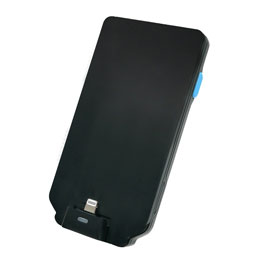
The iOS sled barcode scanner converts your iPhone/iPad into a handy one-handed solution that smoothly combines the device’s versatility with the durability of an enterprise-grade scanner. With a maximum barcode reading distance of 10 meters*, you may capture barcodes from afar while retaining excellent scanning performance.
Seamless conversion from iPhone to scanner, the SL220 adds convenience and considerably increases job efficiency. Whether you work in warehousing or retail, this user-friendly solution allows you to scan barcodes quickly and precisely, optimizing your process.
MFi (Made for iPhone/iPad) Certified iOS Solutions
Following MFi (Made for iPhone/iPad) certification, the iOS utility (ScanBridge) and SDK support the Unitech SL220 iOS Scanner Sled. The SL220 is a versatile and durable iOS scanner sled that maximizes compatibility and scanning efficiency. It streamlines your operations at every stage, including inventory checks, cycle counts, asset management, and more.
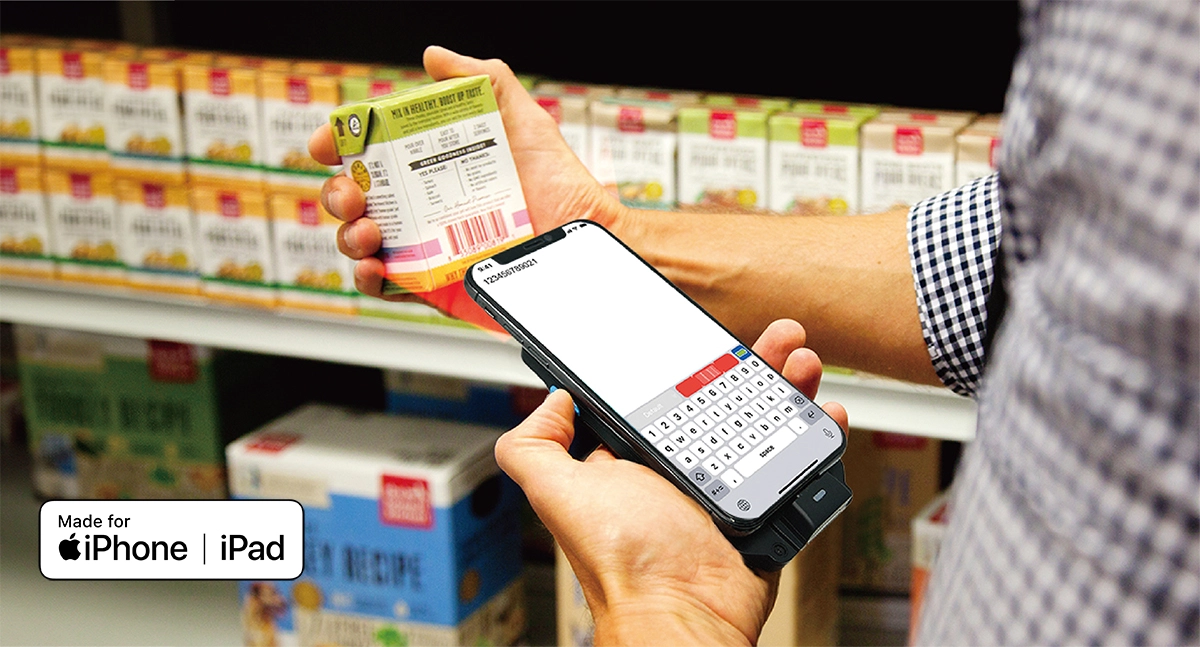
Superior 2D Scanning Performance
The SL220 supports a wide range of barcode types and has an excellent scanning reach of up to 10 meters. It includes a pick list function, which ensures exact scanning without the risk of incorrectly reading other barcodes within the scanning range. Furthermore, the SL220 retains great scanning performance even in low-light conditions, ensuring consistent findings.
Choose one of two scan engine options: standard range or flex range:
| Standard Range | Flex Range | |
| Unitech Part Number | SL220-ZMLU00-SG | SL220-YMLU00-SG |
| Price | Lower | Higher |
| Barcode Reading, Depth of Field Range | ||
| Retail UPC Symbology Barcode | ||
| Printed at 13 Mil | 1.7in. to 2ft. (Aprox) | 2.7in. to 5.5ft. (Aprox) |
| Warehouseing and Maufacturing Code 39 Symbology Barcode | ||
| Printed at 20 Mil | 1.7in. to 2.5ft. (Aprox) | 3.5in. to 9.3ft. (Aprox) |
| Printed at 100 Mil | – | 9849mm actual, 10M aprox |
| Battery Life** | 8.5 hrs** | 5.5 hrs** |
Part numbers and summary-descriptions:
| SL220-YMLU00-SG | SL220 (N6803FR Scan Engine), Battery, Power Adapter. (Power Line Cord and OtterBox uniVERSE Case Sold Separately) (For iPhone, iPad, and Air) |
| SL220-ZMLU00-SG | SL220 (N6703SR Scan Engine), Battery, Power Adapter. (Power Line Cord and OtterBox uniVERSE Case Sold Separately) (For iPhone, iPad, and Air) |
Rapid Concurrent Charging
The SL220 supports “PD Charging” a revolutionary innovation that drastically reduces the total charge time for both the SL220 and iOS device.
Works Flawlessly with OtterBox uniVERSE
The SL220 works with multiple mobile devices: iPhones 7, 8, XR, XS 11, 12, 13, 14, 14 Plus and SE; iPad 7th, 8th, 9th, Pro 10.5-inch, Air 3rd, Mini 5th. (In the future, iOS devices with USB-C ports will also be supported.) Slide the SL220 into an OtterBox uniVERSE series case rail system for the best results. See the video above on how this works. This unique feature allows customers to choose from a variety of OtterBox uniVERSE cases matched to their iPhone and iPad models. With this versatility, consumers may select the ideal combination of SL220 and OtterBox uniVERSE, assuring a flawless integration that suits their device’s specifications.
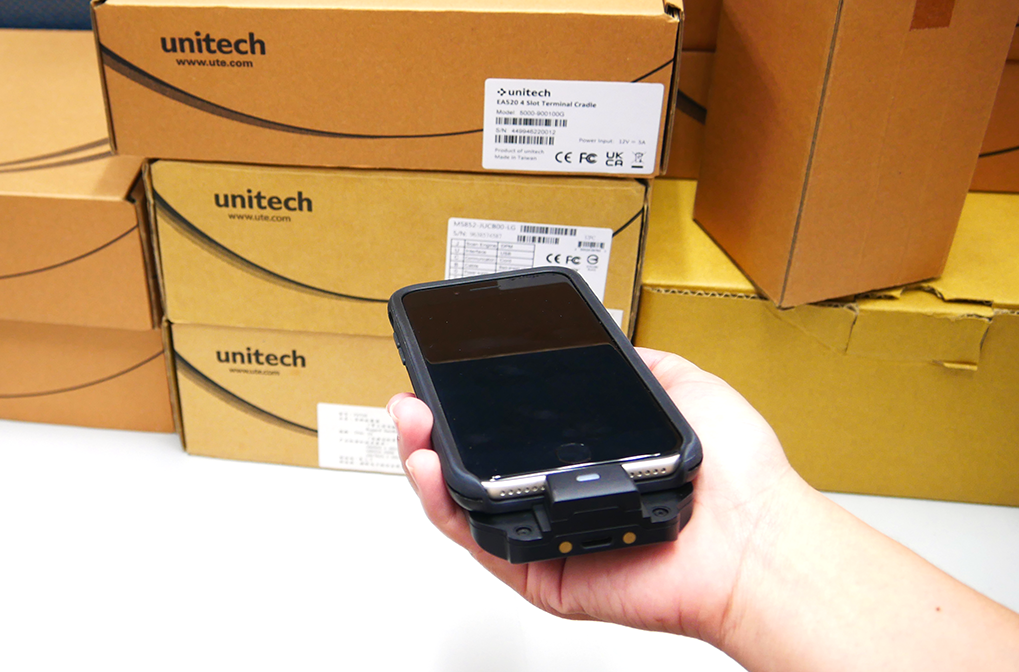
Durable and Reliable iOS Sled Design
The SL220 improves industrial durability with characteristics such as IP65 dustproof, waterproof, and 1.2 meters of fall protection. Users may smoothly swap out batteries on the fly with genuine hot-swap battery design, allowing for uninterrupted workflow and maximum efficiency.
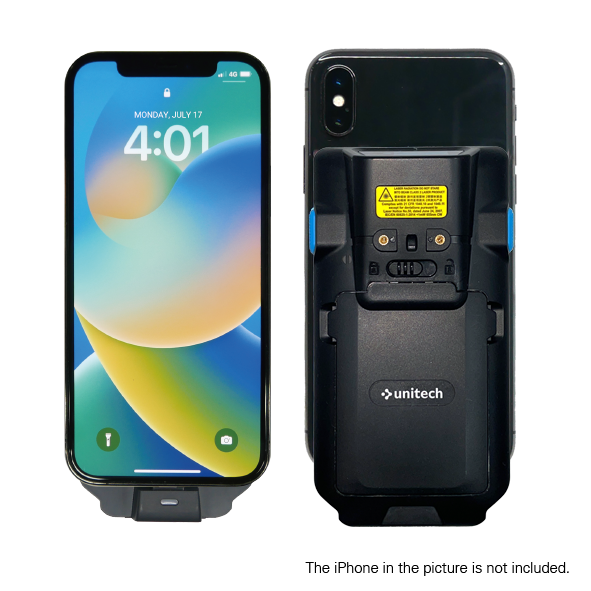
Accept Payments with Tap to Pay
The Unitech SL220 supports the Tap to Pay functionality, providing an easy way for businesses to optimize their transactions. Transactions happen more quickly when scanning with the SL220. By allowing payments to be made with a simple tap of your iPhone, you can provide a dependable and seamless payment experience.
Key Features
Features include a barcode reading distance of up to 10 meters, a Pick List function for increased efficiency, and PD charging for a full charge of the SL220 and iPhone in 2 hours (charging duration may vary per iPhone model).
- IP65 dustproof, waterproof, and fall-resistant to 1.2 meters
- True hot-swap battery design without downtime
- Converts iPhone/iPad into enterprise-grade scanner
- Lightning connection is more dependable and convenient than Bluetooth
- Easily transform your iPhone or iPad into an enterprise-grade scanner
For more technical details, download the SL220 spec sheet.
See the SL220 iOS Sled Scanner in Action
Enjoy high-performance and precise scanning with the iOS devices you already use. Contact us today to speak to an expert who will help find the best Unitech solution for your organization.
*Must choose model #SL220-YMLU00-SG
For High-Performance RFID & Barcode Scanning, Look No Further than the Brady HH83 & HH85
Brady RFID Readers
Brady offers a range of RFID readers in a variety of form factors and configurations to ensure customers always have the right reader for their application. Equipped with powerful UHF RFID engines based on the latest technology, high-performance antennas, a unified API, and support for accessories, Brady RFID readers offer best-in-class performance and unparalleled flexibility.
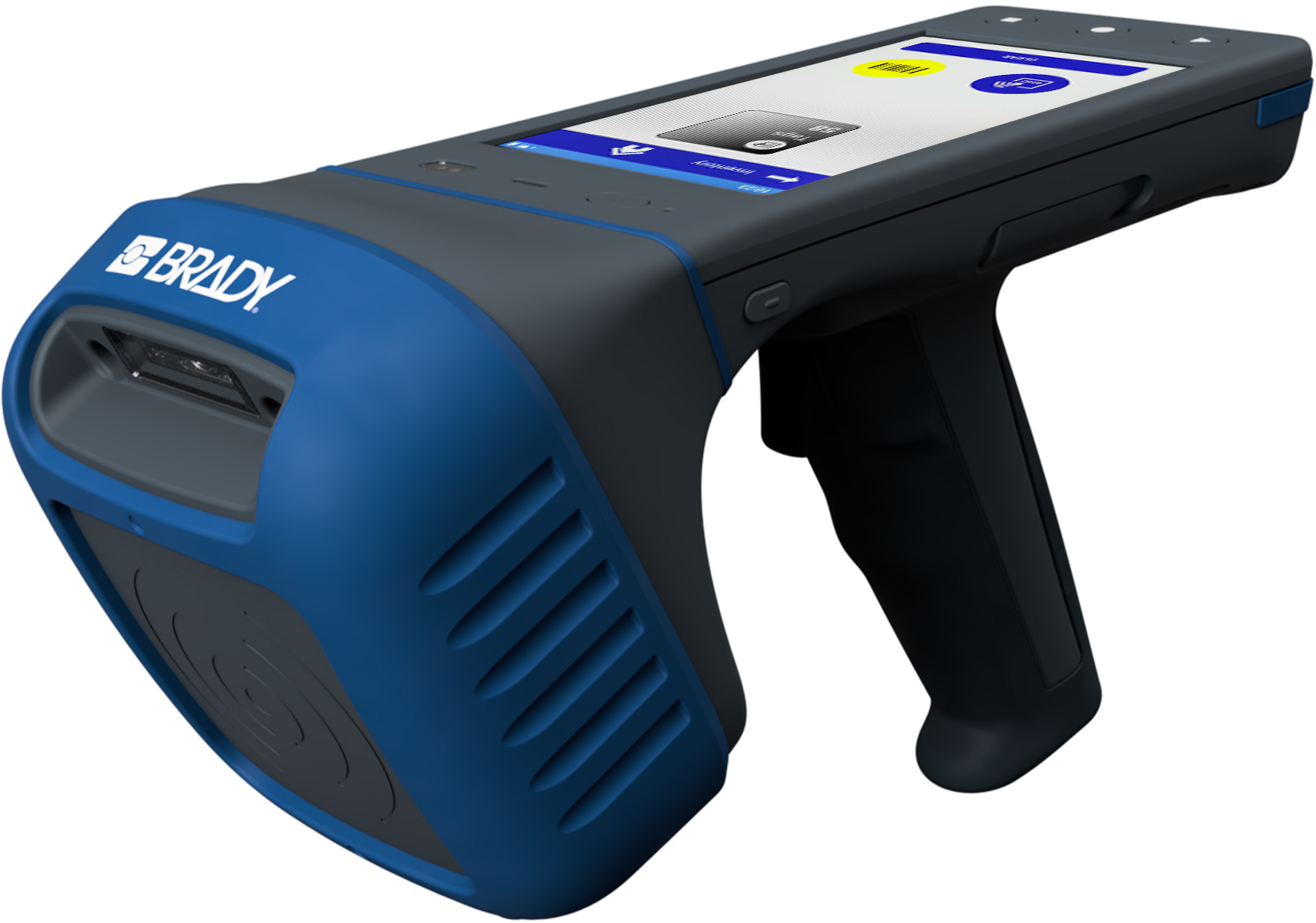
Brady RFID readers support all common RFID use cases, including asset tracking, work in process tracking, inventory management, and vendor managed inventory.
Introducing the Brady HH83 and HH85 RFID/Barcode Scanners
Effective and user-friendly equipment, such as the Brady HH83 and/or Brady HH85, is critical in industrial settings. These exceptional RFID readers are both durable and rugged, yet also ergonomically designed and lightweight. For dependable and effortless operation throughout a long shift, look no further than the HH83 or HH85.
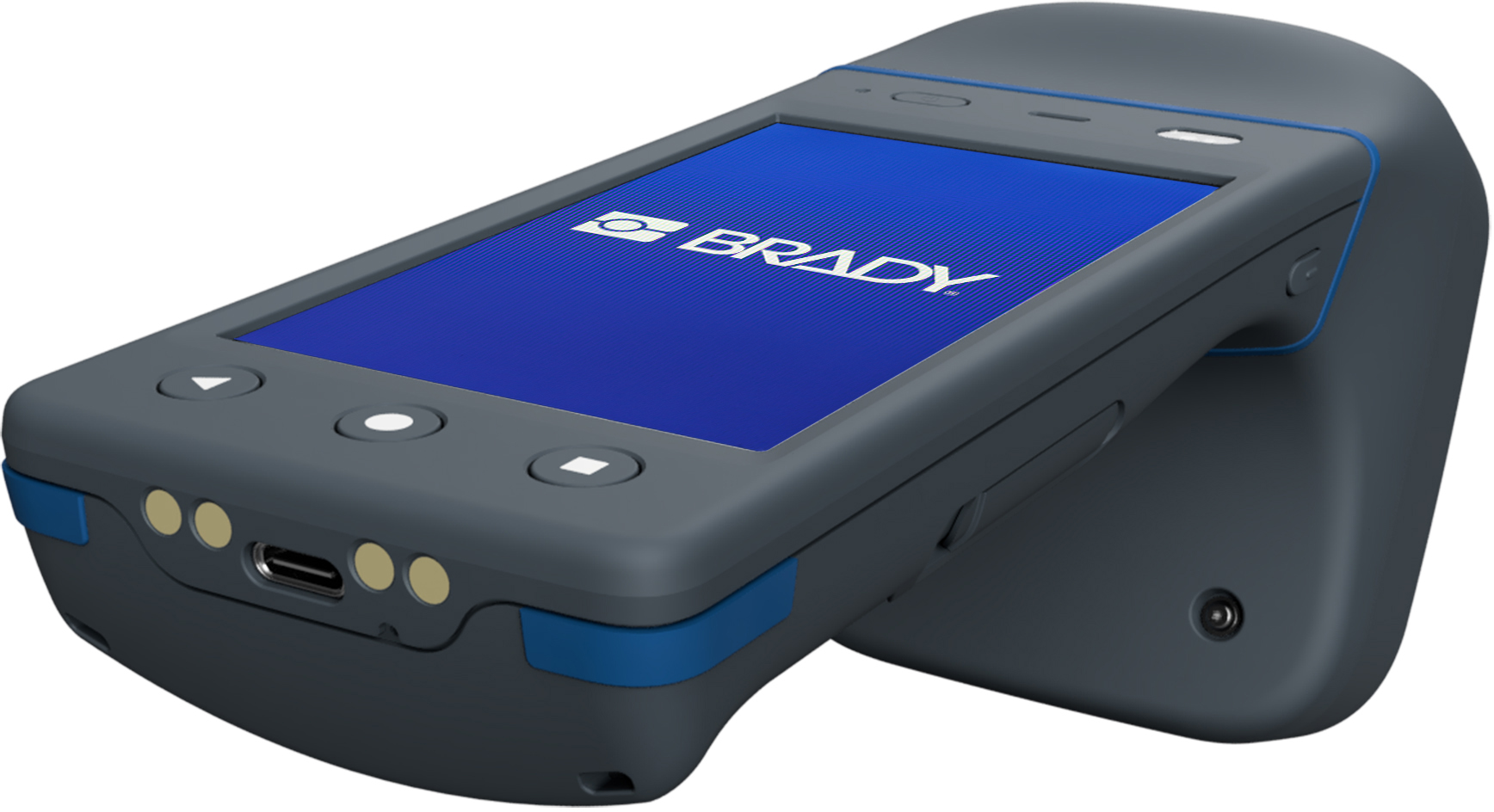
Both the HH83 and HH85 RFID readers are an invaluable tool for managing end-to-end data collection, with software-controllable RFID antennas, best-in-class scanning performance at ranges of up to 50 feet, and up to 18 hours of hot-swappable battery power. Here’s what you can expect from Brady scanners.
Key Features
- Single API for all devices
- Minimal software integration time
- Flexible and rapid software development with Android 10 and NUR API
- RFID and barcode scan range of up to 50 feet
- Work glove friendly touchscreen displays
- 5 foot drop protection
- Strategically placed trigger and buttons are easy to operate
- Rugged, durable construction with IP65 rating for dust, particle resistance
- Two year hardware warranty
- Responsive technical and customer support
For more technical details, download the HH83 HH85 spec sheet.
Watch a Demo of the HH85 RFID Reader
Enjoy high-performance RFID and barcode scanning with both the HH83 and/or HH85 from Brady. Contact us today to speak to an RFID expert who will help find the best solution for your organization.
The Honeywell CT30XP: A Premier Mobile Computing Device for Dynamic Retail Settings
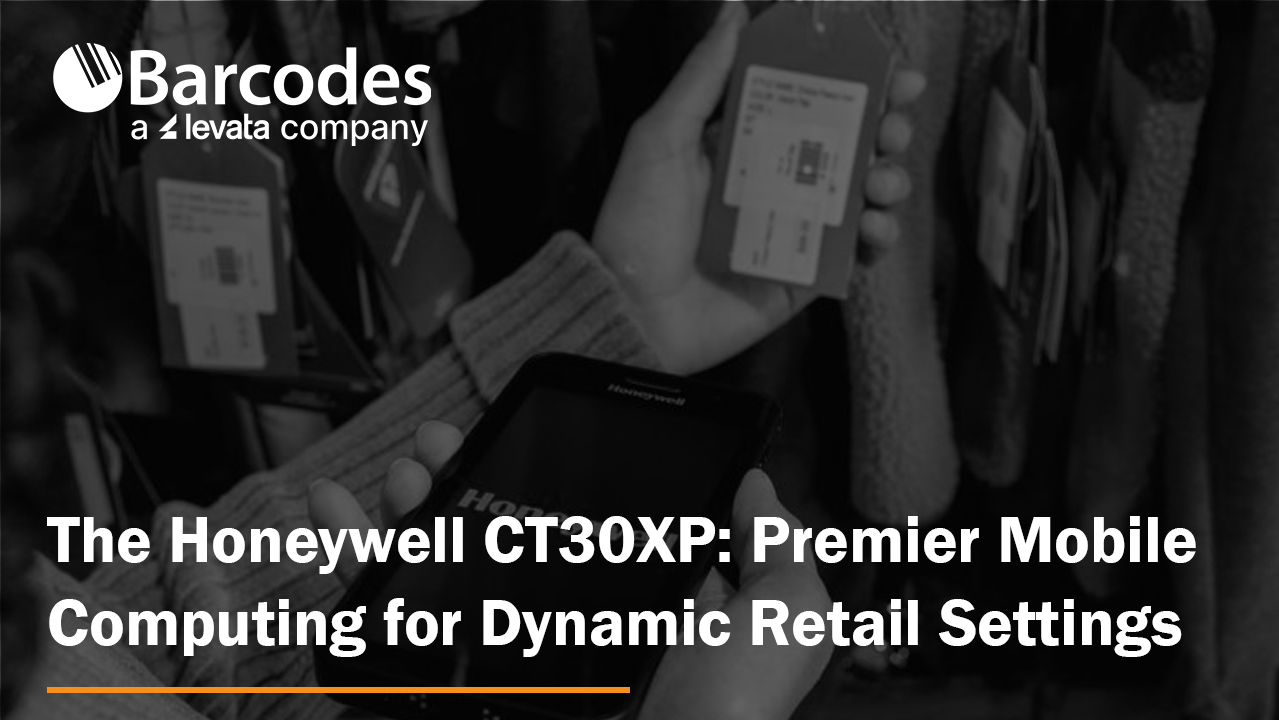
Sleek, lightweight, yet impressively durable, the Honeywell CT30XP slips into your pocket as effortlessly as a smartphone. Crafted with the end-user in mind – store managers and associates who are at the forefront of offering an engaging, customer-first shopping journey.
Capabilities of the CT30XP include:
- Efficient data retrieval
- Communication through voice, text, and multimedia with Smart Talk
- Streamlined task organization
- Enhanced customer interaction
- Swift and effortless barcode scanning
- Seamless contactless transactions
The Honeywell CT30XP: A Mobile Computer Ready-Made for Retail
Crafted for optimal user experience and superior customer service, the Honeywell CT30XP combines a sleek design with the functionality expected from modern touchscreen devices, while also being robust enough for the demands of enterprise operations. This includes comprehensive IT support, secure updates, maintenance, tracking, and device management via Honeywell’s Mobility Edge and Op Intel platforms. Its stunning, 5.5-inch HD touchscreen is truly eye-catching.
Innovative Retail Scanning Solutions
Offering unmatched, versatile performance and compatibility from Android 11 through 15. The CT30XP’s FlexRange scanning engine ensures precise and quick long-distance scanning, perfect for impressing customers with immediate price checks or inventory queries.
Wi-Fi 6 Capability
Enhances connection range and stability, significantly reducing power usage in retail settings where efficiency and cost-effectiveness are key.
Universal, Specifically Designed Accessories
Features include a universal docking station, IH40 RFID, belt clip, and hand strap for complete versatility.
Rapid Charging for All-Day Use
Thanks to USB-C 3.0 technology, the device charges at an incredibly fast rate, boasting a battery life exceeding 8 hours. This is particularly advantageous during busy retail periods, allowing for easy battery replacement.
Experience the CT30XP in Action
For a comprehensive overview of its technical specifications, access the Honeywell CT30 XP spec sheet here.
Watch the unboxing video here.
Enhancing the In-Store Shopping Experience
Act now. Modern shoppers anticipate a seamless, efficient in-store experience. Whether it’s checking stock levels, comparing prices, or locating products they’ve seen online, the Honeywell CT30XP makes it all simpler.
Reach out to us today to explore a comprehensive solution that will elevate your retail environment to new heights.
The Samsung Galaxy Tab Active5: A Purpose-Built Rugged Tablet
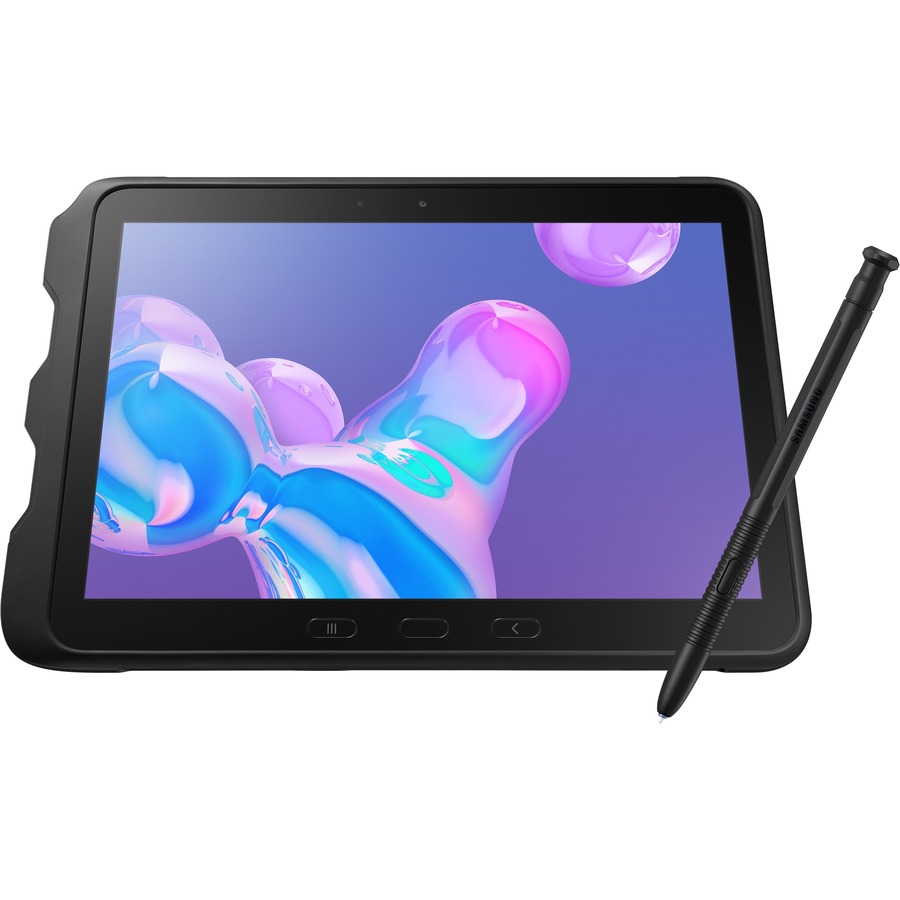
Equip your frontline team with the Samsung Galaxy Tab Active5, a rugged Android tablet designed to withstand the rigors of your work environment. With enhanced Knox security, compliant design, and business-ready features, now is the time to invest in productivity and durability.
Built for the Workday
The Galaxy Tab Active5 is engineered to keep pace with your demanding schedule. Featuring a responsive touchscreen, long-lasting replaceable battery, and customizable features, it’s the ultimate tool for seamless workflow. Partner software integrations and Knox Security ensure comprehensive protection for your data.
Enterprise-Ready Efficiency and Security
Enroll, configure, and manage hundreds of devices effortlessly with the Galaxy Tab Active5 Enterprise Edition. Enjoy one year of Knox Suite, complete with additional warranty and support benefits. From remote management with Knox Manage to comprehensive security with Knox Platform for Enterprise, your team is covered.
Knox Security Suite Features
- Knox Manage: Streamline remote device management with core controls and a user-friendly interface.
- Knox Platform for Enterprise: Ensure advanced security and management options for regulated industries.
- Knox E-FOTA: Schedule OS and firmware updates efficiently for your entire fleet.
- Knox Asset Intelligence: Proactively manage devices and boost productivity with actionable insights.
- Knox Capture: Turn your tablet into a versatile scanner for barcodes and QR codes.
- Knox Authentication Manager: Enhance fleet security with multiuser facial biometrics and sign-in automation.
Keeping Your Data Secure
With Knox defense-grade protection, the Galaxy Tab Active5 safeguards your data against threats. Its rugged design, IP68 rating, and MIL-STD-810H compliance ensure durability in challenging environments. Plus, enjoy features like long-lasting battery life, replaceable batteries, and glove mode for uninterrupted productivity.
All-in-One Tablet Solutions
- PC Productivity, Tab Portability: Transform your Tab Active5 into a PC with Samsung Wireless DeX and enhance collaboration.
- High-Speed Connectivity: Stay connected with 5G and Wi-Fi 6 support for faster data networks.
- Time-Saving Shortcuts: Customize your tablet with programmable keys for quick access to essential tasks.
- Mobile Point of Sale (mPOS): Accept payments and manage transactions securely from anywhere.
- Familiar OS Experience: Empower your team with Android 14 and Knox 3.10 for a familiar user interface.
Newcastle NB Power Cart: Get the Most from Your Label Printers
So you just invested in an industrial label printer for the warehouse. Before you dedicate a table and workstation where it will print labels in one place for eternity, read this.
Printer Placement is Key
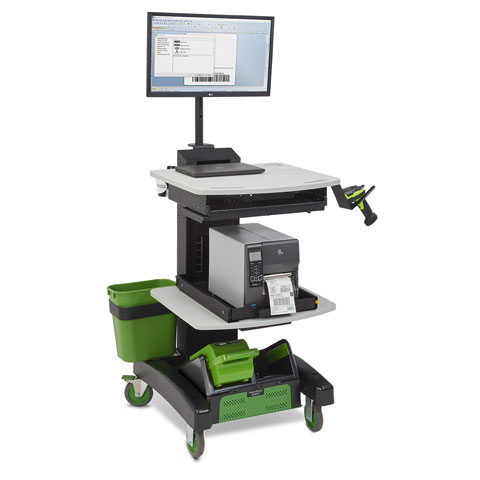
Consider strategically placing your equipment on a Newcastle Power Cart, such as the NB300NU2, which is trusted by industry leaders like Walmart, DHL, Tesla, UPS, and Wayfair.
By integrating your label printer with a Newcastle Power Cart, you enable your employees to print labels directly on the pallet, effectively doubling output while significantly reducing errors. This seamless integration ensures that your employees have access to all resources, increasing productivity and reducing costly errors by up to 92%.
Newcastle NB Series Power Carts Pay For Themselves in 6 to 8 Months
The Newcastle NB300NU2 not only simplifies label printing but also streamlines workflow processes, resulting in a remarkable twofold increase in worker output. With this innovative solution, workers no longer need to travel to a distant printer, freeing up their time to focus on important tasks.
Investing in a Newcastle Power Cart like the NB300NU2 provides an excellent return on investment, with most businesses seeing payback within six to eight months of implementation. By consolidating resources and improving operational efficiency, the Newcastle Powered Cart proves to be a valuable asset in increasing throughput while lowering payroll costs.
Integrating your label printer with a Newcastle Power Cart will improve printer performance, period. This powerful pairing ensures increased productivity, fewer errors, and a faster return on investment, allowing your team to accomplish more while maintaining operational excellence.
For a detailed list of features and specifications, download the NB300NU spec sheet.
See the NB Powered Mobile Cart in Action
Contact us today to see how a mobile workstation from Newcastle can reduce redundant movement and inefficiencies in your operation.
Webinar: How to Automate Supply Chain Processes with RFID

About this Webinar
How to Automate Supply Chain Processes with RFID
Thursday, February 22 1:00 – 1:45pm CT
Presented by:
Tom O’Boyle, Principal RFID Solutions Architect, Levata
John Cooke, Director of Software Development, Smart Label Solutions (SLS)
Easily Scale RFID Technology with SLS Integration
RFID is revolutionizing shipping and receiving in a more scalable fashion than ever before. Purpose-built RFID solutions are improving order to delivery time and shipment accuracy across the supply chain while reducing labor intensive manual counting.
Watch this 30-minute webinar and discover the advantages of RFID for your organization:
- How to improve your supply chain visibility by automating your shipping and receiving functions using RFID through improved read accuracy to the item level and sub-second event alarming
- Why using professional grade software is an essential component of your RFID Solution, providing real-time visibility into the movement of assets and products, whether that be at a dock door, a tunnel or with a mobile device
- How RFID is easy to scale and deploy through rapid plug and play integration
How to Update the Firmware on your Honeywell Scanner
Honeywell updates their scanners’ firmware on a regular basis. Are your Honeywell barcode scanners running the latest firmware? This ensures your scanners perform at their best. Updating firmware for Honeywell devices is simple.
How to Update Honeywell Scanner Firmware
1.) First, download the latest firmware from the Honeywell website. As an example, the Xenon 1900 firmware can be found here: Honeywell List of Software
2.) Expand the “Software” tab, Barcode Scanners, Handheld, and scroll down to “Xenon XP 1950g and 1950hc”. This takes you to that device’s specific firmware revision file with a download button:
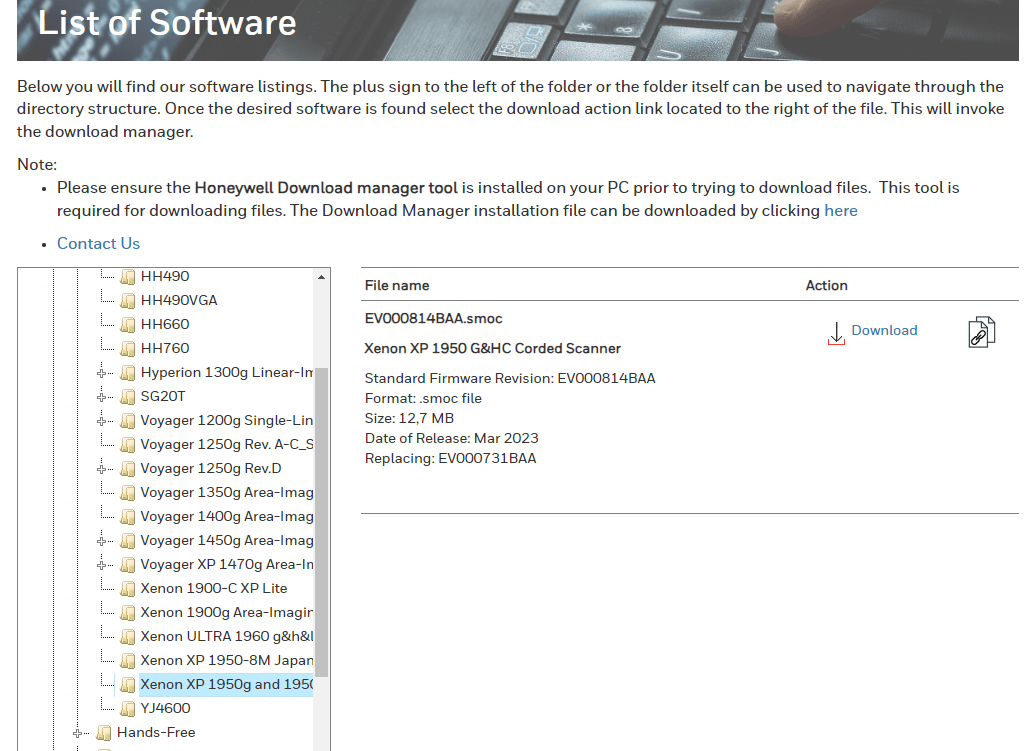
3.) Save the .SMOC file to your hard drive so that you can grab it later. For Bluetooth scanners, you will need to update firmware for both the scanner and the charge/communication base. Always remember – update scanner firmware first!
4.) Download EZConfig (a free scanner configuration tool): Honeywell EZConfig for Scanning
5.) Connect your scanner to your computer via USB.
6.) Open EZConfig.
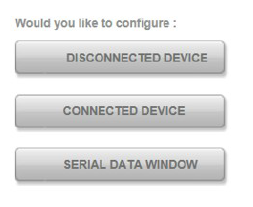
7.) Click “Connected Device”. EZConfig will find your scanner.
8.) Check to see what the latest firmware version you have on your scanner (see below). Don’t trust EZConfig if it tells you that your “Firmware is up to date.” Check the Honeywell website – it gets updated first.
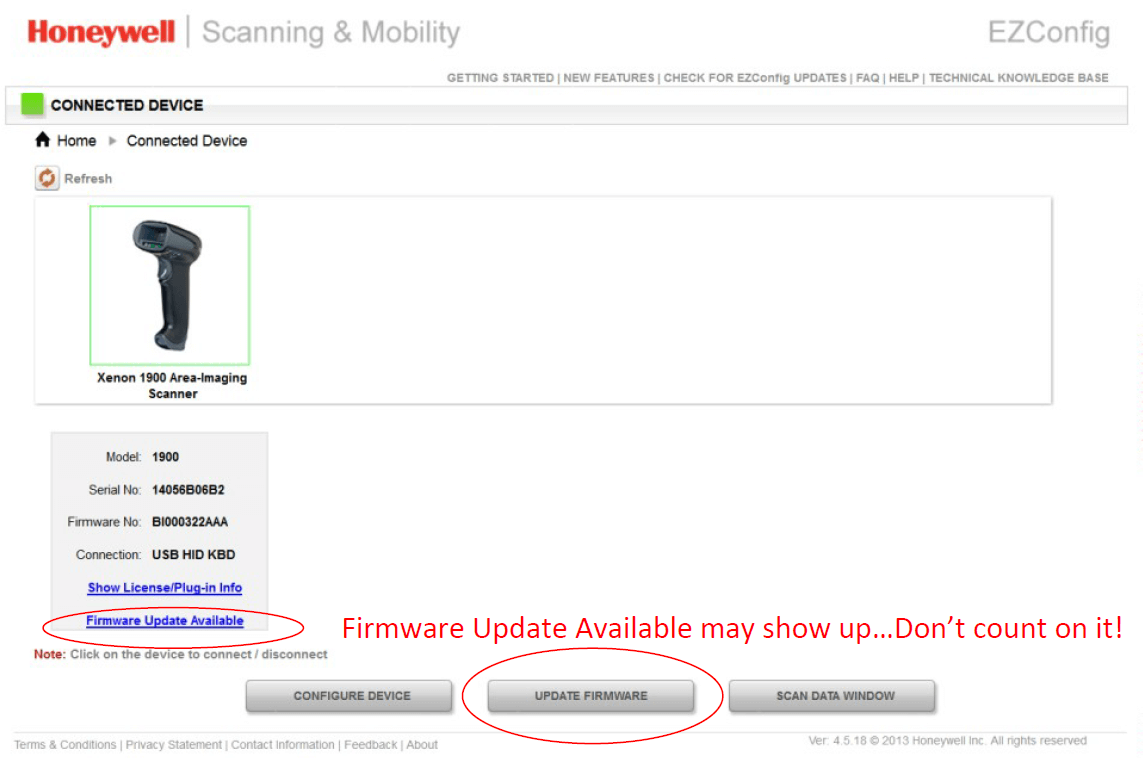
9.) Select “Update Firmware” if you need to update your firmware.
10.) Click “Browse” under Update from File. Remember, just because it says firmware updated on the status, that may not be true.
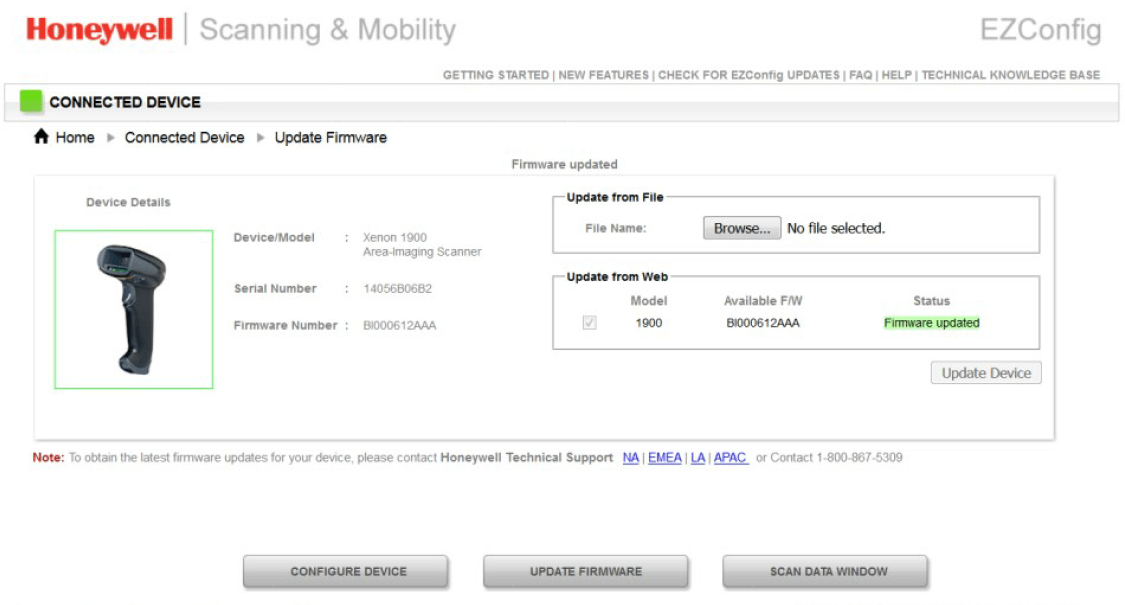
11.) Select the .SMOC file you saved earlier and upload.
12.) Click “Update Firmware” and you are done.
FOR BLUETOOTH SCANNERS – Very important!
Update the scanner’s firmware first, then the charging base firmware. Also note that the EZConfig will say that the connected device is a “Xenon Charge and Communication Base”. The system knows that you are upgrading scanner firmware (when you are updating the scanner’s firmware) and will update the scanner through the charge/communications base automatically.
Honeywell EZConfig for Scanners User Guide
New to EZConfig? Download the EZConfig guide.
The UI may look a little different, but the basic instructions still ring true. If you need further assistance with your Honeywell barcode scanner firmware, contact us.
What’s New with Zebra’s Next-Evolution MC9400 Mobile Computer?
Mobile computing has been an indispensable tool in the modern supply chain. About 50% of decision-makers have seen mobile computers as a key to increasing employee productivity and picking efficiency simultaneously. Now, with Zebra’s new MC9400, businesses can harness greater ROI as the purpose-built handheld assists with:
- Improved team communication
- Frictionless data sharing
- Simple application updates and roll-outs
- Accurate, fast data capture
See it all for yourself in our latest MC9400 video.
5 Ways the MC9400 Raises the Bar in Enterprise Computing
While previous mobile computers are an optimal improvement compared to traditional paper-based systems, the MC9400 enriches data processing with the following benefits:
- Enhanced processing power – Equipped with a new Qualcomm platform, the MC9400 sports 2.5 more processing power to run multiple robust applications at the same time. Moreover, embedded biometric authentication helps to protect data so your teams can get more out of their applications without compromising systems.
- Scan range goes beyond 100ft – Capture faraway barcodes from the ground level with Zebra’s new SE58 Extended Range, capable of reading labels over 100ft. away with ease. Moreover, its green-light aimer makes targeting seven times easier compared to red lasers, further maximizing scanning accuracy.
- Next-level connectivity with 5G and WiFi-6E – Team communication is crucial, which is why the MC9400 was designed to integrate private and public 5G wireless connectivity. Ensure reliable communication channels outdoors while also leveraging WiFi-6E indoors for 75% less latency. The result is fast, seamless connectivity that supports new automation solutions such as robotics, augmented reality, and artificial intelligence from anywhere in your facility.
- Backward compatibility for cost-effective upgrades –Developed as a drop-in replacement for the MC9300, Zebra’s newest handheld retains a similar form factor and keyboard interface for a seamless upgrade experience and minimal workflow disruptions.
- Customizable to fit your needs – Work alongside your solution provider to tailor the MC9400 to match your workflows by adjusting scanning power, cellular capabilities, and glove-friendly keypads. Moreover, optional BLE batteries can be paired with Device Tracker to locate misplaced devices even when powered down.
Download our flyer for a comprehensive view of the MC9400’s features.
For more information on how to integrate Zebra’s new MC9400 into your workflows, contact us today.