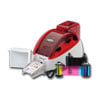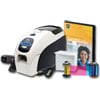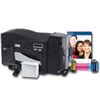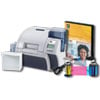
Our Complete ID Card Printer Systems are the perfect pairing of hardware, software and supplies to quickly start making high quality cards. Avoid the trouble of matching all the right components together with these pre-configured systems.
QuikCard ID Solution with ZXP Series 3 single-sided card printer, USB, CardStudio software, Logitech webcam, and Media starter kit (200 cards, 1 YMCKO color ribbon)
GLOBAL, DTC1000, PRINTER BUNDLE, DTC1000 Single-sided PRINTER, ASUREID 2009 SOLO SOFTWARE, USB DIGITAL CAMERA, FULL-COLOR RIBBON CARTRIDGE, 100 ULTRACARD PVC CARDS, USB CABLE, CLEANING ROLLERS, 1 year ASUREDID PROTECTION PLAN
All-In-One ID Card System: Includes SP25 Plus ID card printer, ID Works Intro v6.5 identification software, Datacard Certified supply kit (cards, ribbon, and cleaning supplies), Installation CD, Quick Install Guide. (Includes Mag Stripe)
QuikCard ID Solution with ZXP Series 3 double-sided card printer, USB, CardStudio software, Logitech webcam, and Media starter kit (165 cards, 1 YMCKOK color ribbon).
QuikCard ID Solution with ZXP Series 3 double-sided card printer, USB, Magnetic encoder, CardStudio software, Logitech webcam, and Media starter kit (200 cards, 1 YMCKOK color ribbon)
QuikCard ID Solution with ZXP Series 3 single-sided card printer, USB, CardStudio software, Logitech webcam, and Media starter kit (200 cards, 1 YMCKO color ribbon)
QuikCard ID Solution with ZXP Series 3 single-sided card printer, USB, Magnetic encoder, CardStudio software, Logitech webcam, and Media starter kit (200 cards, 1 YMCKO color ribbon)
Have questions about ID Card Printer Systems? We have answers!
What factors should I consider when buying an ID Card Printer?
Volume: How many cards do you plan on printing?
Security: Do you need lamination for security and durability?
Encoding: What technology do you plan on using with the ID Card: Magnetic stripe, Smartcard, or UHF RFID?
Printing Capability: Do you want to print on one side or two sides of the card?
Printing Technology: Can your card have an unprinted border around the card or do you need "over the edge" coverage?
Does my choice of printer differ based on card volumes?
Yes. The cost and capability of the printer will change based on the number of cards you intend to print.
Printers are grouped into 3 categories:
Value: The most economical of the ID Card Printers. With a limited footprint and scaled down capabilities, this printer is perfect for small printing jobs and jobs on-the-go. Printers in the category are designed for print volumes under 1,000 prints.
Standard: A step up in design and printing capabilities, this class of printer offers a reliable print output with a moderate footprint. Printers in the category typically can handle 1,000 – 10,000 prints and are perfect for small and medium businesses.
Premium: The most robust printers in the industry. These printers tend to occupy a larger footprint and typically offer more options for lamination and printing technologies. Printers in the category typically can handle a volume of 10,000 – 25,000 prints and it designed for high volume and high security requirements.
Do I need a single or dual-sided printer?
Single-sided printers are ideal for ID Cards which contain limited cardholder information.
Dual-sided printers are ideal for situations when a significant amount of data needs to be captured on the card. By moving some of the information to the back of the card, the front remains uncluttered and void of distractions.
Note: Some single-sided models can be upgraded to dual-sided models. If you want the flexibility of upgrading, please contact a sales representative to help pick the right printer for you.
What is the difference between Direct-to-card and Retransfer?
Direct to Card is the most common card printing technology which heats a print ribbon beneath a thermal printhead. Color is transferred to a blank card, and the images have sharp edges, deep blacks and a full spectrum of colors. There is an unprinted border around the card as printing close to the edge can cause expensive printhead damage in DTC printers.
Retransfer is less common than Direct to Card and transfers an image to a retransfer film. This film is applied to the blank card which provides "over the edge" coverage and vibrant, durable print.
Do I need lamination for my ID Cards?
Lamination on an ID Card printer can provide the following benefits:
Security: Lamination provides an extra layer of security for your ID Card, by reducing the possibility of counterfeit cards and eliminating any tampering with the information contained in the card.
Durability: Lamination provides extra durability for standard ID Cards. Purchasing a printer with a laminating option is ideal for cards in harsh conditions/environments and situations where continual use provides excessive wear and tear on the cards.
Cost savings: Although printers with laminating capabilities can have a larger upfront cost, they yield significant cost savings down the road due to the elimination of security incidents and reduction of replacement card printing.
What encoding options do I have for my card?
Magnetic Stripe: This type of card is capable of storing data on a band of magnetic material. The magnetic stripe (also known as swipe card or magstripe) is read by physical contact when swiped past a magnetic reading head.
Contact Smart Card: A contact area of approximately .15 sq in. comprised of several gold-plated contact pads are embedded onto the card. These provide electrical connectivity when touched to or inserted into a reader.
Contactless Smart Card: These contain a re-writeable smart card microchip that can process and store data. They communicate with a terminal via radio waves with a read range of up to around 5 in.
Gen 2 UHF RFID: RFID Cards store data that can be read through radio waves at wider read ranges (typically 3 to 10 ft.), allow multiple card reads at the same time and are extremely secure.
What else do I need besides a printer?
A printer by itself is only one piece of the puzzle. For an overall solution, you will also need the supplies, software and accessories for your printer. We offer a large selection of printer ribbons, ID Cards, software, lanyards and badges for your solution.
You can also let us take the guesswork out of the equation. We offer ID Card Systems which contain the printer, the software and accessories for your ID Card printing needs. Please contact a sales representative to help find the right system for you.
Login to see prices
Create an Account
Create an account to see ALL pricing on the site.
Login
Why can't I see your price? Some manufacturers don't allow us to advertise our low prices. Create an account or login to see all our best prices.